For most people seeking hardware security keys for passwords, I’d start with the Yubico Security Key C NFC: its USB-C and NFC support suit many current phones and computers without extra features to manage. The Thetis Pro FIDO2 with USB-A, USB-C, and NFC stands out for broader device compatibility, while the YubiKey 5C NFC fits buyers who need more than basic sign-in security. The main tradeoffs are connection type, supported sign-in standards, physical size, and whether you want extras such as biometrics or one-time codes. A key only helps when your accounts support its protocols and you have a recovery plan if it goes missing. Read on for the full comparison and a pick matched to your devices and needs.

Get privacy and security gear delivered free with Prime
- Fast, free delivery on millions of items
- Prime Video, Amazon Music and more included
- Member-only deals all year
Key Takeaways
- USB-C plus NFC is the most flexible everyday combination in this lineup: it can serve compatible computers and phones, while USB-A models may suit older ports better.
- The Yubico Security Key C NFC is the clearest basic-use pick: the YubiKey 5C NFC offers broader capabilities, but those extras matter only if your accounts and workflows use them.
- Thetis Pro models vary by connection and feature set: choosing among USB-A, USB-C, NFC, and PinPlex calls for checking device fit rather than assuming every Pro variant serves the same role.
- Biometric and password-manager-style features solve different problems: YubiKey Bio C adds fingerprint-based access, while OnlyKey Duo and the Symantec VIP token serve distinct workflows that require service support.
- Compact keys trade convenience for handling ease: Thetis Nano-A and Nano-C are less obtrusive to carry, while a larger touch surface or visible LED, as on the ATLKey, may be easier to operate.
| Thetis FIDO2 Security Key, USB-A, 2-Pack |  | Best Two-Key Backup Set | Pack size: 2 keys | Connector: USB Type-A | Interface: USB 2.0 | VIEW LATEST PRICE | See Our Full Breakdown |
| Yubico Security Key C NFC |  | Best Simple USB-C and NFC Pick | Connectivity: USB-C and NFC | Authentication standards: FIDO2/WebAuthn and FIDO U2F | Weight: 0.16 ounces | VIEW LATEST PRICE | See Our Full Breakdown |
| Symantec VIP Hardware Authenticator TOTP Token |  | Best for Symantec VIP OTP Codes | Authentication: Time-based one-time password (TOTP) | Code format: 6-digit OTP with countdown bar | Code refresh interval: 30 seconds | VIEW LATEST PRICE | See Our Full Breakdown |
| Thetis Pro FIDO2 Security Key with USB-A, USB-C, and NFC |  | Best Multi-Device Connector Flexibility | Authentication: FIDO2 | Connectors: USB-A and USB-C | NFC: Supported for mobile authentication only | VIEW LATEST PRICE | See Our Full Breakdown |
| Thetis Pro FIDO2 Security Key with PinPlex | 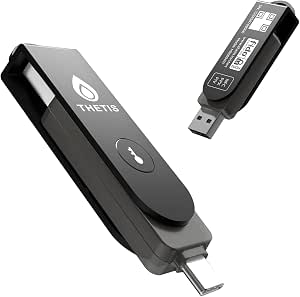 | Best for Broader Authentication Options | Connectors: USB-A and USB-C | Wireless connectivity: NFC | Authentication standards: FIDO2, FIDO U2F, WebAuthn, CTAP2 | VIEW LATEST PRICE | See Our Full Breakdown |
| HyperFIDO Pro Mini U2F/FIDO2/HOTP Security Key |  | Best Compact Multi-Protocol Pick | Supported protocols: FIDO U2F, FIDO2, OATH HOTP | Connectivity: USB | Weight: 0.16 ounces | VIEW LATEST PRICE | See Our Full Breakdown |
| Thetis Pro-C FIDO2 Level 2 Security Key with USB-C and NFC |  | Best for USB-C and NFC Flexibility | Authentication: FIDO2 Level 2, TOTP/HOTP | Connectivity: USB-C, NFC | FIDO2 passkey slots: 200 | VIEW LATEST PRICE | See Our Full Breakdown |
| Yubico YubiKey Bio C FIDO Security Key |  | Best for Fingerprint-Verified Sign-In | Connection: USB-C | Protocols: FIDO2, FIDO U2F | Authentication: Fingerprint with PIN fallback | VIEW LATEST PRICE | See Our Full Breakdown |
| Thetis Pro-A FIDO2 Security Key with USB-A and NFC |  | Best for USB-A Computers | Connectivity: USB-A, NFC | Authentication: FIDO2, TOTP/HOTP | Compatible operating systems: Windows, macOS, Linux, Chrome OS | VIEW LATEST PRICE | See Our Full Breakdown |
| Kensington VeriMark NFC+ USB-C Security Key |  | Best for Cross-Platform Passkeys | Connectivity: USB-C, NFC | Authentication standards: FIDO CTAP 2.1, CTAP 2; FIDO2 L2 certified | Compatibility: Windows, macOS, iOS, Android, ChromeOS | VIEW LATEST PRICE | See Our Full Breakdown |
| OnlyKey Duo USB-C and USB-A Security Key |  | Best for Password-Manager Versatility | Authentication methods: FIDO2/U2F, Yubico OTP, TOTP, challenge-response | Compatible operating systems: Windows, macOS, Linux, Chromebook | Protection: Waterproof and tamper-resistant | VIEW LATEST PRICE | See Our Full Breakdown |
| Yubico YubiKey 5C NFC Security Key | | Best Overall for Broad Account Compatibility | Connectivity: USB-C, NFC | Authentication protocols: FIDO2/WebAuthn, FIDO U2F, Yubico OTP, OATH-TOTP/HOTP, PIV smart card, OpenPGP | Passkey slots: 100 | VIEW LATEST PRICE | See Our Full Breakdown |
| Thetis Nano-A FIDO2 USB-A Security Key |  | Best Compact USB-A Pick | Connector: USB-A | Standards: FIDO, FIDO2 | Authentication: WebAuthn, CTAP2, OATH-TOTP | VIEW LATEST PRICE | See Our Full Breakdown |
| Thetis Nano-C FIDO2 USB-C Security Key |  | Best Compact USB-C Pick | Interface: USB Type-C | Standards: FIDO, FIDO2, WebAuthn, CTAP2 | Authentication: Passkeys, 2FA/MFA, OATH-TOTP | VIEW LATEST PRICE | See Our Full Breakdown |
| ATLKey USB-C FIDO2/U2F Security Key with 3-Side Touch and LED Indicator |  | Best for Rugged, Easy-to-Confirm Sign-Ins | Interface: USB Type-C | Authentication standards: FIDO2, U2F, WebAuthn | Passkey capacity: Up to 100 | VIEW LATEST PRICE | See Our Full Breakdown |
| hardware security keys for password | Dimensions | Weight |
|---|---|---|
| Thetis FIDO2 Security Key | 0.3 × 0.6 × 0.3 in (D × W × H) | 8.53 g |
| Yubico Security Key C NFC | 0.1 × 1.8 × 0.7 in | 0.16 ounces |
| Symantec VIP Hardware Authenti | 2.4 × 1.2 × 0.3 in | 14.4 g |
| Thetis Pro FIDO2 Security Key | 2.9 × 0.72 × 0.5 in | 1 oz |
| Thetis Pro FIDO2 Security Key | 2.8 × 0.7 × 0.5 in (D × W × H) | — |
| HyperFIDO Pro Mini U2F/FIDO2/H | 0.59 × 0.39 × 0.2 inches | 0.16 ounces |
| Thetis Pro-C FIDO2 Level 2 Sec | 0.63 × 3.3 × 0.4 inches | — |
| Yubico YubiKey Bio C FIDO Secu | 0.1 × 1.8 × 0.7 inches | 0.16 ounces |
| Thetis Pro-A FIDO2 Security Ke | — | 8.53 g |
| Kensington VeriMark NFC+ USB-C | 2.01 × 0.63 × 0.2 inches | 0.176 ounces |
| OnlyKey Duo USB-C and USB-A Se | 1 × 0.29 × 0.58 in | 0.01 kg |
| Yubico YubiKey 5C NFC Security | 0.15 × 0.7 × 1.77 in | — |
| Thetis Nano-A FIDO2 USB-A Secu | 0.75 × 0.74 × 0.25 in | — |
| Thetis Nano-C FIDO2 USB-C Secu | 0.73 × 0.60 × 0.30 in | — |
| ATLKey USB-C FIDO2/U2F Securit | — | 9.93 g |
More Details on Our Top Picks
Thetis FIDO2 Security Key, USB-A, 2-Pack
For password protection, having a spare key can matter as much as the authentication standard: if one key is lost, the second gives you a backup for services where it is registered. This two-pack supports FIDO2 passkeys and hardware-based authentication, with 200 passkey slots per key listed in the specs. Its rotating metal cover helps protect the USB-A connector on a keychain, and no battery or network connection is needed. Compared with the Yubico Security Key C NFC, it lacks NFC, so phone sign-in depends on a compatible USB-A connection or adapter. The tradeoff is a narrower device fit, but two compact keys make it a practical choice for desktop users who want a dedicated spare. Skip it if you need USB-C or tap-to-authenticate on a phone.
Pros:- Includes two keys, making it easier to keep a registered spare
- Supports FIDO2 passkeys and hardware-based authentication
- Rotating metal cover protects the connector during keychain carry
- Compact and battery-free, with no network connection required
Cons:- USB-A only, with no NFC for direct wireless phone authentication
- Not compatible with ID Austria
- Windows Hello login is limited to supported Windows Enterprise editions with Entra ID
Best for: USB-A computer users who want a primary FIDO2 key and a separately stored backup for compatible accounts
Not ideal for: People who authenticate mainly on USB-C devices or want NFC sign-in from a phone
- Pack size:2 keys
- Connector:USB Type-A
- Interface:USB 2.0
- FIDO2 certification:Level 1
- Passkey slots:200
- OATH slots:50
- Weight:8.53 g
- Dimensions:0.3 × 0.6 × 0.3 in (D × W × H)
Our verdict“Choose this set if you want two FIDO2 keys for USB-A devices and do not need NFC or USB-C.”
Yubico Security Key C NFC
The Yubico Security Key C NFC is a focused option for password sign-in: it supports FIDO2/WebAuthn and U2F, with USB-C for computers and NFC for compatible phones. That pairing removes the USB-A-only constraint of the Thetis FIDO2 Security Key 2-Pack and avoids carrying an adapter when switching between a laptop and phone. It needs no battery or internet connection, and its waterproof, crush-resistant construction suits everyday carry. The limitation is scope: this key does not support one-time passwords or the Yubico Authenticator app. Buyers who want PIV, TOTP/HOTP, or broader authentication tools should look at the Thetis Pro FIDO2 Security Key with PinPlex instead. For people who mainly want phishing-resistant sign-in on compatible accounts, the simpler feature set keeps the choice straightforward.
Pros:- USB-C and NFC cover compatible computers and phones
- Supports FIDO2/WebAuthn and FIDO U2F sign-in
- Requires no battery or internet connection
- Waterproof and crush-resistant construction
Cons:- Does not support one-time passwords
- Not compatible with the Yubico Authenticator app
Best for: USB-C laptop and NFC-capable phone users who want a straightforward FIDO2/U2F key for compatible accounts
Not ideal for: People who need TOTP or HOTP codes, PIV certificates, or Yubico Authenticator support from the same device
- Connectivity:USB-C and NFC
- Authentication standards:FIDO2/WebAuthn and FIDO U2F
- Weight:0.16 ounces
- Dimensions:0.1 × 1.8 × 0.7 in
- Firmware:5.7
- Color:Black
- Power:No battery required
Our verdict“Pick this for simple USB-C and NFC passkey sign-in, but choose a broader key if you need OTP or certificate features.”
Symantec VIP Hardware Authenticator TOTP Token
This token takes a different path from the FIDO2 keys in this roundup: it displays a six-digit time-based code that refreshes every 30 seconds rather than providing passkey sign-in. That makes it relevant for people whose organization specifically uses Symantec VIP Access and needs a hardware-generated OTP without installing software. Compared with the Yubico Security Key C NFC, it is not a general-purpose phishing-resistant key and cannot be used across the same range of FIDO-compatible accounts. Its battery-powered display also means it has a finite power source, unlike the battery-free Thetis keys. Compatibility is the defining tradeoff: the listing says it works only with Symantec VIP Access, not providers such as Duo, Microsoft Entra ID, or Okta. Buy it for a known VIP workflow, not as a universal password security key.
Pros:- Displays a refreshed six-digit OTP every 30 seconds
- Requires no software installation
- Compact keychain-sized design
- Includes a three-year warranty
Cons:- Works only with Symantec VIP Access
- Does not provide FIDO2 or passkey authentication
- Uses an included lithium metal battery rather than battery-free operation
Best for: Employees or account holders whose organization explicitly requires Symantec VIP Access hardware OTP codes
Not ideal for: Buyers seeking FIDO2 passkeys or a key that works across multiple MFA providers and services
- Authentication:Time-based one-time password (TOTP)
- Code format:6-digit OTP with countdown bar
- Code refresh interval:30 seconds
- Compatibility:Symantec VIP Access only
- Power source:Included lithium metal battery
- Dimensions:2.4 × 1.2 × 0.3 in
- Weight:14.4 g
- Warranty:3 years
Our verdict“Choose this only when Symantec VIP OTP is the required sign-in method; for passkeys across services, choose a FIDO2 key instead.”
Thetis Pro FIDO2 Security Key with USB-A, USB-C, and NFC
If your password accounts are spread across older USB-A computers, newer USB-C laptops, and a compatible phone, this Thetis Pro covers more connection types than the USB-A-only Thetis FIDO2 Security Key 2-Pack. It supports FIDO2 authentication through USB-A and USB-C, plus NFC for mobile authentication, while its rotating metal cover helps protect the connector in a bag or on a keychain. With no battery or network connection required, it is ready when a service prompts for the key. The main caveat is that NFC is for compatible mobile devices only; it is not supported on MacOS or Windows. Windows Hello also has an Enterprise-edition requirement, and ID Austria is unsupported. Compared with the Yubico Security Key C NFC, this model adds USB-A, but its platform-specific NFC limits call for checking your devices before choosing it.
Pros:- USB-A and USB-C connectors fit a broad range of computers
- NFC supports authentication on compatible mobile devices
- Rotating metal cover protects the key during carry
- Requires no battery or network connection
Cons:- NFC is not supported on MacOS or Windows
- Windows Hello requires a compatible Windows Enterprise edition
- Does not support ID Austria
Best for: People who use both USB-A and USB-C computers and want NFC authentication on compatible mobile devices
Not ideal for: Buyers who need NFC on MacOS or Windows, or who require Windows Hello outside supported Enterprise editions
- Authentication:FIDO2
- Connectors:USB-A and USB-C
- NFC:Supported for mobile authentication only
- Compatible operating systems:Windows, MacOS, Linux (Debian or Red Hat based), Chrome OS
- Dimensions:2.9 × 0.72 × 0.5 in
- Weight:1 oz
- Power:No battery required
Our verdict“Choose this over a USB-C-only key when you need both USB connector types, provided your phone and service support its NFC mode.”
Thetis Pro FIDO2 Security Key with PinPlex
Among these five, the PinPlex model offers the widest stated authentication mix: FIDO2 and U2F passkey login, plus PIV certificates and TOTP/HOTP. That breadth suits people who want one hardware device for passwordless sign-in as well as other supported work or account-authentication workflows. Unlike the Yubico Security Key C NFC, which focuses on FIDO sign-in, this Thetis adds several protocols; it also lists both USB-A and USB-C, with NFC for compatible devices. The extra range brings a compatibility burden: support varies by service and platform, and Windows Hello requires Enterprise edition with Entra ID. It also does not support ID Austria. Compared with the simpler Thetis Pro FIDO2 Security Key with USB-A, USB-C, and NFC, PinPlex is the more versatile choice, but buyers should confirm their services use its additional features.
Pros:- Supports FIDO2, FIDO U2F, WebAuthn, and CTAP2
- Adds PIV certificates and TOTP/HOTP authentication
- USB-A, USB-C, and NFC cover compatible computers and mobile devices
- Works with Windows, macOS, supported Linux distributions, and Chrome OS
Cons:- Compatibility varies by service and platform
- Windows Hello requires Enterprise edition with Entra ID
- Does not support ID Austria
Best for: Technically confident users who need FIDO passkeys alongside supported PIV, TOTP, or HOTP authentication
Not ideal for: People who want a simple passkey-only key or need guaranteed compatibility across every service and Windows edition
- Connectors:USB-A and USB-C
- Wireless connectivity:NFC
- Authentication standards:FIDO2, FIDO U2F, WebAuthn, CTAP2
- Additional authentication:PIV certificates, TOTP, HOTP
- Compatible operating systems:Windows, macOS, Debian-based or Red Hat-based Linux, Chrome OS
- Unit count:1
- Dimensions:2.8 × 0.7 × 0.5 in (D × W × H)
- Color:Black
Our verdict“Choose PinPlex if you will use its added certificate and OTP features; for passkeys alone, a simpler FIDO2 key is easier to match to your needs.”
HyperFIDO Pro Mini U2F/FIDO2/HOTP Security Key
The HyperFIDO Pro Mini suits buyers who want a small key for FIDO2 and U2F sign-in, with HOTP available for services that need it. At just 0.16 ounces and small enough for a key chain, it is easier to carry unobtrusively than the longer Thetis Pro-C. FIDO use needs no added software, which keeps its everyday security-key role straightforward across compatible accounts such as Google, Dropbox, and Microsoft. The extra HOTP support is less ready-to-use: it requires programming, so buyers seeking a simple second-factor setup may prefer a more focused key. It also lacks the listed NFC option found on the Thetis models here, making it less convenient for phones without a suitable USB connection.
Pros:- Supports FIDO U2F and FIDO2 for compatible account sign-in
- HOTP adds an authentication option beyond FIDO protocols
- Very light, compact body is easy to carry on a key chain
- FIDO use requires no additional software
Cons:- HOTP requires programming before use
- No NFC connectivity is listed
- Service and device support still depend on compatibility
Best for: People who want a very small USB key for compatible desktop accounts and are comfortable programming HOTP if they need it.
Not ideal for: Phone-first users who want NFC tap-in, or buyers who expect HOTP to work without extra setup.
- Supported protocols:FIDO U2F, FIDO2, OATH HOTP
- Connectivity:USB
- Weight:0.16 ounces
- Dimensions:0.59 × 0.39 × 0.2 inches
- Brand:Hypersecu
- Model:HYF-HYPERFIDO-K8-PRO
Our verdict“Choose the HyperFIDO Pro Mini for a particularly small USB FIDO key if HOTP setup is acceptable and NFC is not a priority.”
Thetis Pro-C FIDO2 Level 2 Security Key with USB-C and NFC
The Thetis Pro-C is a flexible choice for buyers who move between USB-C computers and NFC-capable phones. FIDO2 supports passwordless sign-in on compatible services, while the listed capacity of 200 FIDO2 passkey slots and 50 OATH slots gives it room for multiple credential types. Unlike the HyperFIDO Pro Mini, it offers NFC as well as USB, so phone access does not depend on a wired connection. It also compares favorably with the USB-A Thetis Pro-A for newer USB-C devices, though the Pro-A may suit older computers better. The tradeoff is that TOTP and HOTP require a companion authenticator app, and hardware-key support varies by service. Its 3.3-inch length may also feel less discreet than a tiny key.
Pros:- USB-C and NFC cover compatible computers and mobile devices
- Supports FIDO2 passwordless sign-in and lists 200 passkey slots
- Lists 50 OATH slots for TOTP/HOTP use with a companion app
- Battery-free design with a rotating cover and keyring hole
Cons:- TOTP/HOTP use depends on a companion authenticator app
- Hardware-key support varies between services
- The listed 3.3-inch length is less compact than miniature USB keys
Best for: People with USB-C laptops and NFC phones who want one battery-free key for FIDO2 sign-in and app-assisted OATH codes.
Not ideal for: Buyers who need standalone TOTP/HOTP operation, use mainly USB-A devices, or want the smallest key-chain profile.
- Authentication:FIDO2 Level 2, TOTP/HOTP
- Connectivity:USB-C, NFC
- FIDO2 passkey slots:200
- OATH slots:50
- Compatible devices:Android, iPhone, Windows, macOS, Linux, Chrome OS
- Dimensions:0.63 × 3.3 × 0.4 inches
- Battery:None required
Our verdict“Pick the Pro-C if you want USB-C and NFC in one battery-free key and are comfortable using an app for OATH codes.”
Yubico YubiKey Bio C FIDO Security Key
The YubiKey Bio C is the lineup’s fit for buyers who want a fingerprint check at the key rather than relying only on a touch or a separate PIN. It supports FIDO2 and U2F over USB-C, with a PIN fallback, and needs neither batteries nor a network connection. Compared with the Thetis Pro-C, this Yubico keeps its purpose narrower: it does not list NFC or OATH code support, but offers biometric verification for compatible sign-in flows. That focus makes it a poor match for anyone assembling a single key for several authentication standards. It works with major desktop operating systems, though actual service and device support still matters. Buyers should also note the stated omissions: no OTP, TOTP, or Smart Card (PIV).
Pros:- Fingerprint verification adds a biometric step for supported sign-ins
- PIN fallback provides another authentication method
- Supports FIDO2 and FIDO U2F over USB-C
- Requires no batteries or network connection
Cons:- Does not support OTP, TOTP, or Smart Card (PIV)
- No NFC connectivity is listed
- Fingerprint-key support depends on compatible services and devices
Best for: USB-C laptop users who want fingerprint verification for compatible FIDO2 or U2F sign-ins and value a PIN fallback.
Not ideal for: People who need NFC phone access, OATH codes, or Smart Card/PIV features in the same key.
- Connection:USB-C
- Protocols:FIDO2, FIDO U2F
- Authentication:Fingerprint with PIN fallback
- Compatible operating systems:Windows, macOS, ChromeOS, Linux
- Weight:0.16 ounces
- Dimensions:0.1 × 1.8 × 0.7 inches
- Warranty:1 year
Our verdict“Choose the YubiKey Bio C if fingerprint verification matters more to you than NFC or broader authentication protocols.”
Thetis Pro-A FIDO2 Security Key with USB-A and NFC
The Thetis Pro-A is a practical match for buyers whose main computer still has USB-A ports but who also want NFC for compatible phones. It supports FIDO2 passwordless sign-in and TOTP/HOTP, giving it a broader authentication mix than the HyperFIDO Pro Mini, which lacks listed NFC connectivity. Its rotating metal cover and keychain-friendly design help protect the connector during everyday carry, while battery-free operation keeps the key simple to maintain. Compared with the USB-C Thetis Pro-C, this version favors older or more common USB-A setups rather than newer USB-C-first devices. OATH support is listed, but buyers should check how their intended service handles hardware keys and one-time passwords. The supplied read and write speed figures do not establish broader storage or password-manager functionality.
Pros:- USB-A connects directly to compatible computers without an adapter
- NFC adds a tap-based option on compatible devices
- Supports FIDO2 and TOTP/HOTP authentication
- Rotating metal cover and battery-free design suit everyday carry
Cons:- USB-A is a less direct fit for USB-C-only computers
- Hardware-key support depends on the service
- The listed speed figures do not describe password or storage features
Best for: People who use USB-A computers and want NFC for compatible mobile sign-in, plus FIDO2 and OATH authentication options.
Not ideal for: USB-C-only device owners, or anyone expecting the listed data-speed figures to mean the key works as general-purpose storage.
- Connectivity:USB-A, NFC
- Authentication:FIDO2, TOTP/HOTP
- Compatible operating systems:Windows, macOS, Linux, Chrome OS
- Weight:8.53 g
- Color:Black
- Write speed:40 MB/s
- Read speed:480 bytes per second
Our verdict“Choose the Pro-A if USB-A is your main computer connection and NFC is useful for compatible mobile devices.”
Kensington VeriMark NFC+ USB-C Security Key
The Kensington VeriMark NFC+ is aimed at buyers who want a USB-C and NFC passkey key across a broad mix of Apple, Android, and desktop devices. Its listed support includes Apple ID, giving it a distinct role beside the Thetis Pro-A, which uses USB-A, and the fingerprint-focused YubiKey Bio C, which does not list NFC. An IP68 rating is a useful durability feature for a key carried daily, rather than a promise that every service will accept it. Compatibility still depends on the device and platform supporting hardware security keys. Kensington also notes that advanced management features may require optional software, so this is less appealing if you want every management function ready without an extra tool. The supplied specs do not list OATH or biometric authentication.
Pros:- USB-C and NFC support wired and tap-based authentication
- Supports passkeys and Apple ID on compatible devices
- Compatibility spans Windows, macOS, iOS, Android, and ChromeOS
- IP68 rating and keychain-ready form suit everyday carry
Cons:- Requires a compatible device and service
- Advanced management features may need optional Kensington software
- OATH and biometric authentication are not listed
Best for: People using a mix of USB-C computers and NFC-capable phones who want passkey support, including Apple ID, in a durable key-chain format.
Not ideal for: Buyers who need listed TOTP/HOTP support, fingerprint verification, or advanced management without optional software.
- Connectivity:USB-C, NFC
- Authentication standards:FIDO CTAP 2.1, CTAP 2; FIDO2 L2 certified
- Compatibility:Windows, macOS, iOS, Android, ChromeOS
- Dimensions:2.01 × 0.63 × 0.2 inches
- Weight:0.176 ounces
- Ingress protection:IP68
- Model:K64739WW
Our verdict“Choose the VeriMark NFC+ if broad device coverage, Apple ID support, and a rugged USB-C/NFC design matter more than OATH or biometric features.”
OnlyKey Duo USB-C and USB-A Security Key
The OnlyKey Duo is the most multifunctional choice here for buyers who want a hardware key to do more than confirm a sign-in. Alongside FIDO2/U2F, it supports TOTP, Yubico OTP, and challenge-response, and its password-manager functions may consolidate tools that would otherwise live in separate apps. Compared with the YubiKey 5C NFC, it emphasizes stored credentials and PIN-protected access rather than NFC convenience and a broad set of specialist protocols. Its USB-C and USB-A connections also suit a mix of newer and older computers. The tradeoff is a more involved feature set than a buyer seeking only passkey sign-in may need. The listing’s enclosure-material field says “Papier,” an unusual detail that leaves the physical material unclear despite the stated waterproof, tamper-resistant design.
Pros:- Combines password-manager functions with several authentication methods
- Supports FIDO2/U2F, TOTP, Yubico OTP, and challenge-response
- Works with Windows, macOS, Linux, and Chromebook
- PIN lock and data erasure after 10 failed unlock attempts
Cons:- No NFC connectivity is listed
- The stated “Papier” material makes the enclosure construction unclear
- Its broader feature set may be unnecessary for buyers seeking basic passkey sign-in
Best for: People who want a hardware key that combines password management with several authentication methods across Windows, macOS, Linux, and Chromebook.
Not ideal for: Buyers who want NFC phone sign-in, or who prefer a simple passkey-only key with clearly specified enclosure materials.
- Authentication methods:FIDO2/U2F, Yubico OTP, TOTP, challenge-response
- Compatible operating systems:Windows, macOS, Linux, Chromebook
- Protection:Waterproof and tamper-resistant
- PIN protection:Data securely erased after 10 failed unlock attempts
- Dimensions:1 × 0.29 × 0.58 in
- Weight:0.01 kg
- Listed material:Papier
Our verdict“Choose the OnlyKey Duo if password management and varied authentication methods matter more to you than NFC access or a simpler setup.”
Yubico YubiKey 5C NFC Security Key
The YubiKey 5C NFC earns the broad-compatibility spot because it combines USB-C and NFC with support for passkeys and a wide range of established authentication protocols. That pairing lets a buyer authenticate on a USB-C computer or an NFC-capable phone without relying on a cable for every sign-in. Its FIDO2/WebAuthn, U2F, OTP, smart card, and OpenPGP support covers more use cases than the USB-only Thetis Nano-A and Nano-C keys, which focus more narrowly on FIDO2 and TOTP. The tradeoff is that this breadth can be overkill if you only need passkeys, and the product data recommends keeping a spare key to reduce lockout risk. For a password-security roundup, it is the most flexible all-rounder, but buyers should still set up account recovery.
Pros:- USB-C and NFC support computer and compatible phone sign-ins
- Supports FIDO2/WebAuthn and FIDO U2F for phishing-resistant authentication
- Also supports OTP, PIV smart card, and OpenPGP
- Water- and crush-resistant, with no battery or internet connection required
Cons:- A lost key can complicate account access without a spare or recovery method
- Its extra protocols may add complexity for buyers who only need passkeys
- USB-C connection limits direct use with devices that lack a compatible port or NFC
Best for: People securing many personal and work accounts who want one key for USB-C computers, NFC phones, passkeys, and additional authentication protocols.
Not ideal for: Buyers who only need a basic FIDO2 key, or who will not keep a backup and recovery method in place.
- Connectivity:USB-C, NFC
- Authentication protocols:FIDO2/WebAuthn, FIDO U2F, Yubico OTP, OATH-TOTP/HOTP, PIV smart card, OpenPGP
- Passkey slots:100
- Account support:Works with more than 1,000 accounts
- Water resistance:Yes
- Crush resistance:Yes
- Dimensions:0.15 × 0.7 × 1.77 in
Our verdict“Pick the YubiKey 5C NFC for a flexible key that can serve both USB-C computers and NFC-capable phones across varied account needs.”
Thetis Nano-A FIDO2 USB-A Security Key
The Thetis Nano-A is the straightforward choice for someone whose computers still use USB-A and who wants a key small enough to leave connected or carry on a keychain. Its 200 FIDO2 passkey slots and 50 OATH-TOTP slots offer room for both passwordless sign-ins and one-time codes, giving it more listed storage capacity than the ATLKey’s 100-passkey limit. Compared with the USB-C Thetis Nano-C, this model fits older ports directly but gives up access to USB-C-only devices. It supports Windows, Mac, Android, and Linux, though service compatibility still determines whether passkeys work for a given account. The compact format is convenient, but leaving a security key plugged into a shared or unattended computer may not suit every security routine.
Pros:- USB-A connector works directly with compatible older computers
- Stores up to 200 FIDO2 passkeys and 50 OATH-TOTP entries
- Compact design can stay plugged in or attach to a keychain
- Compatible with Windows, Mac, Android, and Linux
Cons:- USB-A connector is a poor fit for devices with USB-C ports only
- Passkey use depends on support from each website or service
- No NFC connectivity is listed for phone sign-in
Best for: People with USB-A computers who want a compact key for FIDO2 passkeys and stored OATH-TOTP credentials.
Not ideal for: USB-C-only laptop and phone owners, or buyers who need one connector to work directly across newer devices.
- Connector:USB-A
- Standards:FIDO, FIDO2
- Authentication:WebAuthn, CTAP2, OATH-TOTP
- FIDO2 passkey slots:200
- OATH-TOTP slots:50
- Compatible platforms:Windows, Mac, Android, Linux
- Dimensions:0.75 × 0.74 × 0.25 in
Our verdict“Choose the Thetis Nano-A if your main devices have USB-A ports and you want a compact key with room for both passkeys and TOTP.”
Thetis Nano-C FIDO2 USB-C Security Key
The Thetis Nano-C brings a compact form and generous credential capacity to devices with USB-C. It supports FIDO2 passkeys and OATH-TOTP, with 200 passkey slots and 50 TOTP slots—matching the Thetis Nano-A while choosing a connector better suited to many current laptops and phones. Its listed compatibility spans Windows, Mac, iOS, Android, Linux, and Chrome OS, a wider stated operating-system range than the Nano-A. That does not mean every service will accept it: passkey support depends on the site, and the listing flags a Windows Hello limitation requiring Enterprise edition with Entra ID. Unlike the YubiKey 5C NFC, it has no NFC listed, so mobile use depends on a suitable USB-C connection and device support. This is a compact, capacity-focused pick, not the most universally convenient one.
Pros:- USB-C connector suits compatible newer computers and mobile devices
- Stores up to 200 FIDO2 passkeys and 50 OATH-TOTP entries
- Supports Windows, Mac, iOS, Android, Linux, and Chrome OS
- Compact size suits keychain carry or leaving it connected
Cons:- No NFC connectivity is listed
- Passkey support depends on each website or service
- Windows Hello requires Enterprise edition with Entra ID, and ID Austria is not supported
Best for: USB-C device owners who want a small FIDO2 key with substantial passkey and TOTP capacity across several operating systems.
Not ideal for: People who rely on NFC phone sign-in, need Windows Hello support outside the listed Enterprise and Entra ID conditions, or use services without FIDO2 support.
- Interface:USB Type-C
- Standards:FIDO, FIDO2, WebAuthn, CTAP2
- Authentication:Passkeys, 2FA/MFA, OATH-TOTP
- FIDO2 passkey slots:200
- OATH-TOTP slots:50
- Compatible operating systems:Windows, Mac OS X, iOS, Android, Linux, Chrome OS
- Dimensions:0.73 × 0.60 × 0.30 in
Our verdict“Choose the Nano-C over the Nano-A if your devices favor USB-C and you want their shared passkey and TOTP capacity in a compact form.”
ATLKey USB-C FIDO2/U2F Security Key with 3-Side Touch and LED Indicator
The ATLKey stands out for a practical combination of IP68 water resistance and touch activation from three sides. That design may suit frequent carry better than the Thetis Nano-C, whose product details emphasize compactness and credential slots rather than a stated ingress rating. The ATLKey supports FIDO2, U2F, and WebAuthn and stores up to 100 passkeys, so it covers core passwordless sign-in without the YubiKey 5C NFC’s broader set of smart-card and OpenPGP protocols. Its multicolor LED gives a visible status cue, while battery-free operation avoids charging. The tradeoff is a more focused USB-C feature set: NFC and TOTP support are not listed, and its 100-passkey capacity is lower than the Thetis Nano-C’s 200. The supplied data also gives no specific drawback details, so buyers should verify service and device compatibility.
Pros:- IP68 water resistance for a more rugged carry option
- Three-sided touch activation offers flexible access to the contact area
- Stores up to 100 passkeys and supports FIDO2, U2F, and WebAuthn
- Battery-free design includes a multicolor status LED
Cons:- No NFC support is listed for cable-free phone authentication
- No OATH-TOTP support is listed
- Its 100-passkey capacity is below the Thetis Nano-C’s listed 200 slots
Best for: USB-C users who carry a key in varied conditions and want a visible status indicator with core FIDO2 and U2F support.
Not ideal for: Buyers who need NFC phone authentication, TOTP storage, or capacity above 100 passkeys.
- Interface:USB Type-C
- Authentication standards:FIDO2, U2F, WebAuthn
- Passkey capacity:Up to 100
- Water resistance:IP68
- Touch activation:Three-sided
- Status indicator:Multicolor LED
- Weight:9.93 g
- Warranty:1 year
Our verdict“Pick the ATLKey if water resistance and easy touch activation matter more than NFC, TOTP storage, or the higher capacity of the Thetis Nano-C.”
How We Picked
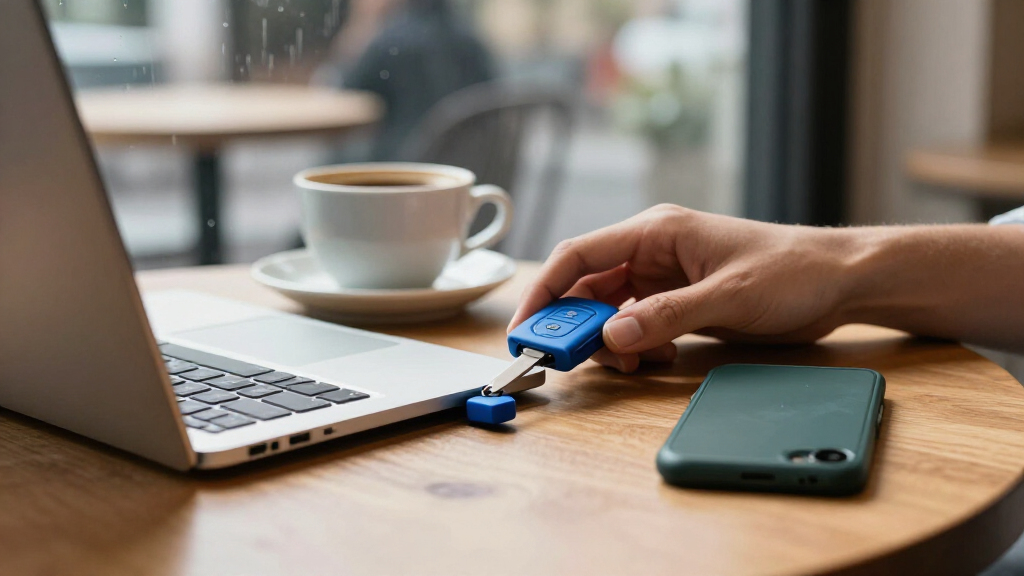
I compared these 15 keys by how well they address the actual job implied by hardware security keys for passwords: protecting compatible account sign-ins with a physical factor. I weighed supported standards such as FIDO2, U2F, and TOTP, connection options, phone and computer compatibility, ease of tapping or touching the key, and whether a product’s extra functions serve a clear buyer need. Build and carry format also mattered, since a key used every day should be practical to keep available.
The ranking favors a strong balance of account compatibility, simple daily use, and useful connectivity, not the longest feature list. That puts the Yubico Security Key C NFC ahead as a straightforward everyday choice, while multi-connection Thetis Pro models suit buyers with mixed devices and feature-rich options rank higher for specialized needs rather than universal appeal. I also accounted for the tradeoff between a primary key and a backup: a low-cost pair can be more useful than a single advanced device if it gives the buyer a workable recovery plan. None of these keys can protect an account that does not support its protocol, so compatibility and setup requirements weigh heavily.
Factors to Consider When Choosing Hardware Security Keys For Passwords
Before choosing a key, I’d start with the accounts you want to protect and the devices you use to reach them. Product names can make FIDO2, NFC, biometric login, and one-time codes sound interchangeable, but they do different jobs and are not supported by every service. These checks can prevent buying a feature you cannot use or a connector that does not fit your routine.
Match the key’s protocol to your accounts
Check each important service’s security settings before choosing a key. FIDO2 and U2F are standards for security-key sign-in, while TOTP generates time-based codes; support for one does not mean support for the others. A hardware key also does not automatically replace a password manager or store every website password. If your password manager offers hardware-key protection, check which standards and key models it accepts. Prioritize compatibility with your email, password manager, and other accounts that would be hardest to recover before choosing based on secondary features.
Choose ports around your actual devices
USB-A can be the right choice for older laptops and desktops, while USB-C suits many newer computers and phones. NFC can make a phone sign-in easier when the phone and service support it, but it is not a substitute for checking operating-system and account compatibility. A USB-C-only key may be awkward if you regularly use older computers, and a USB-A-only key may call for an adapter on newer hardware. Think about where you sign in most often, not just the newest device you own. If your devices are mixed, a multi-connector or NFC-equipped model can reduce friction, though added options may not justify the choice for a single-device setup.
Plan for loss before you register a key
A hardware key can become a recovery problem if it is your only registered sign-in method and then gets lost or damaged. Where a service permits it, register a second key and store it separately from the one you carry. Save recovery codes in a protected location and confirm the account’s recovery process before relying on key-only access. A two-pack can make backup planning easier, but only if both keys work with the services you use and you register both. Do not assume replacing a key will automatically restore access to your accounts.
Pay for extras only when your workflow uses them
Biometrics can make a supported sign-in feel more personal and direct, but they do not add value if your accounts or devices cannot use the feature. TOTP support can help when a service accepts authenticator codes, yet it is different from phishing-resistant FIDO sign-in. Products with broader capabilities may be useful for people managing multiple authentication methods, but they can add setup steps and complexity. For straightforward security-key use, a simpler model with the right protocol may be easier to maintain. Check the manufacturer’s documentation and the service’s setup instructions before paying attention to a feature label.
Balance portability with ease of handling
A tiny key is easier to leave attached to a keyring or carry in a compact device bag, but a smaller body may be less convenient to find and position when signing in. A visible touch area or LED can help signal where interaction is needed, especially for someone unfamiliar with security keys. Larger designs may be easier to handle but more noticeable in a pocket or on a crowded keychain. Consider whether you will leave the key plugged into a personal computer or carry it between locations. Avoid leaving a key permanently connected to a device that could be lost or accessed by someone else.
Check administration and service requirements
Some organizations require specific authentication products or central administration, while personal accounts often let you register a compatible key yourself. A TOTP token such as the Symantec VIP model depends on the services that accept its code format and enrollment method, so it is not a drop-in substitute for every FIDO key. If this is for work, ask an administrator which models and protocols are approved before purchasing. For personal use, verify whether your password manager and email provider allow security-key sign-in and how many keys you can register. This small check can matter more than choosing between similar-looking hardware.
Frequently Asked Questions
Do hardware security keys store my website passwords?
Usually, a security key protects the sign-in process rather than storing the passwords you use on websites. FIDO2 and U2F keys can act as a second factor or, where supported, enable passwordless sign-in. TOTP devices generate short-lived codes and serve a different authentication role. If you want a place to save and fill passwords, look at a password manager and check whether it supports your chosen key for account protection. The key and password manager can work together, but they are not interchangeable.
Should I buy two keys, or is one enough?
One key can be enough to start, but relying on a single key creates a recovery risk if it is lost, damaged, or unavailable. Many services let you register more than one key, so a separate backup can preserve access without relying only on recovery codes. Store the spare somewhere secure and distinct from the key you carry every day. Before buying a pair, confirm both devices support the protocols used by your accounts. Also check each service’s account-recovery rules, since backup options differ.
Will a USB-C security key work with my phone?
A USB-C connector alone does not guarantee that a key works with every phone or account. The phone’s operating system, the service’s security-key support, and the key’s protocol all play a part. NFC can be more convenient on compatible phones, but that feature also needs support from the service and device. Check the setup instructions for your most important accounts and phone model before buying. If you also use a computer with USB-A, plan for that connection separately.
Is a FIDO2 key better than a TOTP hardware token?
Neither is universally better; they provide different types of authentication. FIDO2 keys support security-key sign-in on compatible services, while TOTP tokens produce time-based codes for services that accept them. FIDO-based sign-in is often the more direct choice when your accounts support it, but a TOTP token can fit a system that specifically requires codes. Check your services’ supported sign-in methods before selecting either type. Some buyers may need both approaches for different accounts.
Can I use one security key for several accounts?
Many keys can be registered with multiple services, but each account generally needs its own enrollment process. The number of accounts and the available sign-in options depend on the key’s capabilities and the service’s support. A key that works for email may not support every feature offered by a password manager or workplace login system. Keep a record of which accounts have the key registered, stored somewhere protected, so you can update them if it goes missing. Registering a backup key with those accounts can make recovery less stressful.
Conclusion
For the broadest everyday fit, I’d choose the Yubico Security Key C NFC as best overall: it keeps the focus on common security-key use with USB-C and NFC. The two-pack Thetis FIDO2 USB-A is my best-value direction for buyers who need USB-A and want a spare, provided their accounts support its standards. For a premium feature set, the YubiKey 5C NFC suits buyers who need capabilities beyond basic key sign-in; beginners may prefer the simpler Yubico Security Key C NFC. Choose the Thetis Pro with USB-A, USB-C, and NFC for mixed-device flexibility, the YubiKey Bio C for supported fingerprint sign-in, or a Nano model when compact carry matters most. Before deciding, verify account compatibility and set up a recovery method so the key protects access without becoming a single point of failure.
Halloween Picks
halloween
As an affiliate, we earn on qualifying purchases.