
TL;DR

Get privacy and security gear delivered free with Prime
- Fast, free delivery on millions of items
- Prime Video, Amazon Music and more included
- Member-only deals all year
Consumer gear and business gear can carry different risks because business devices often connect to more people, data, and essential systems. Judge each device by its access, update support, management, and recovery plan, then apply safeguards such as multifactor authentication, limited permissions, encryption, and tested backups.
A personal phone can become part of your business security the moment it approves a work login. Its label still says “personal,” but its role has changed: it now helps guard access to company systems. That small shift captures why consumer gear and business gear can carry different risks.
The risk comes from what a device can reach, the data it holds, and what happens if it fails or goes missing. A home laptop might hold family photos and shopping accounts; a work laptop might also reach customer records, payroll, shared files, or tools that keep a shop open.
This guide shows you how to judge gear by its real job, what to check before you use a consumer device for work, and which everyday safeguards make the biggest difference. You’ll also see why “business grade” can help with support and management without making a device automatically safe.
Judge each device by its data, permissions, network connections, and role, not just its consumer or business label.
A personal phone that approves work sign-ins can be part of business security even when it stores no work files.
Check update support, multifactor authentication, limited access, encryption, and tested backups before a device handles sensitive work.
Track printers, cameras, payment terminals, and other connected equipment alongside computers.
Plan how to revoke access, restore work, and remove company data when equipment is lost, replaced, or returned.
FIELD GUIDE · DEVICE RISK
Why Consumer Gear and Business Gear Are Not the Same Risk
A device’s label tells only part of the story. Its access, data, and role determine how far a problem can spread—and how quickly work can recover.
Follow the keys, data, and dependencies
The same device can create very different consequences when its work changes.
What can it open?
A laptop with keys to email, shared files, bookkeeping, and admin tools has a wider reach than one used for a single low-sensitivity task.
Whose information is there?
Customer, employee, financial, or confidential records can bring obligations and cleanup that extend well beyond replacing hardware.
Who needs it to work?
A failed home tablet may be an inconvenience. A failed payment terminal can interrupt every sale during a busy shift.
Compare the job, not the product label
Business features can help with support and management. They do not make a device safe by themselves.
| What to compare | Consumer use | Business use |
|---|---|---|
| Access | Often centered on one person or household accounts | May reach shared systems, customer data, or admin tools |
| Support | Repair terms may focus on the individual owner | May offer planned service or replacement options |
| Management | Settings are often handled device by device | Central controls can help teams apply settings and updates |
| Recovery | Personal backup may restore one person’s files | Recovery may need to restore work and keep services running |
| End of life | Owner sells, recycles, or replaces the device | Work accounts and company data need removal and tracking |
A consumer laptop can suit limited work if it gets updates and access stays narrow. Give it broad administrator access and the consequences of loss or compromise grow.
Before a consumer device handles business data
Match safeguards to the access and impact the device would carry.
Check updates
Confirm the device and its apps still receive security fixes.
Require MFA
Protect work accounts with multifactor authentication.
Limit access
Grant only the accounts and data needed for the task.
Encrypt data
Enable encryption and keep work and personal use clear.
Test backups
Know how to restore work if the device is lost or fails.
Plan for the moment something changes
Know how to revoke access, restore work, and remove company data when equipment is lost, replaced, returned, or an employee leaves. Keep authoritative copies somewhere recoverable.
Track every path into the business
Cloud work and connected equipment keep the boundary moving beyond the office walls.
Cloud and BYOD
A phone used for work sign-ins can matter even if it stores no work files. Set clear rules for management, privacy, and offboarding.
Terminals to cameras
Include printers, payment terminals, cameras, and industrial devices in the inventory—especially when update options are limited.
Services and AI features
Before sensitive work, check what a product collects, stores, or sends to external services. Vendor support and update policies matter, too.
Judge a device by what it can reach, not its label
Consumer gear and business gear carry different risks when their access, data, or role differs. A business laptop may reach shared files, customer records, and administrative tools, while a home laptop may serve one person’s everyday accounts. The model name alone tells you little about the possible harm.
Think of access as a key ring. A device with one key to a family photo account has a smaller reach than one holding keys to a company’s email, cloud storage, and bookkeeping. If someone takes the second key ring, the problem can spread well beyond the laptop itself: they may impersonate the owner, find password resets in email, or use saved sessions to reach other services. The risk grows with each connection because one compromised account can become a path to the next.
For example, a personal phone may have no work documents on it, but if it approves sign-ins to a business account, losing it still creates a work security task. The business should know how to revoke that approval and restore access. Ownership matters for policies and privacy; access matters when you estimate potential impact. Separating work and personal accounts can reduce spillover, though it may add setup work and require clear rules about what the business can manage.
Ask three plain questions: What data is on this device? Which accounts or services can it open? Who depends on it? Your answers help you decide whether a consumer device can handle a task or whether its connections call for stronger management and support. If the device only views low-sensitivity material, a lighter setup may be reasonable; if it can change payments or account permissions, the cost of tighter controls is usually outweighed by the harm a mistake could cause.
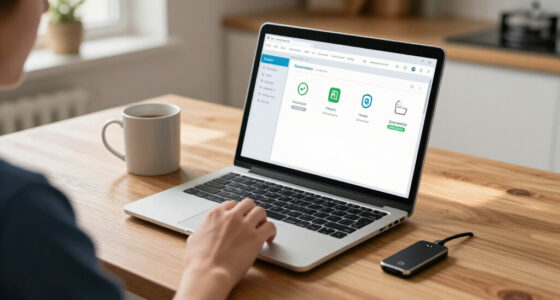
business-grade laptop with support and encryption
As an affiliate, we earn on qualifying purchases.
As an affiliate, we earn on qualifying purchases.
See how one failure can affect a household or a whole business
A device failure is more serious when it interrupts work, exposes information about other people, or blocks access to essential systems. Consumer devices often affect one person or household; business equipment can affect staff, customers, suppliers, and daily operations. The same broken screen can have very different consequences because the work attached to it may be time-sensitive and shared.
If a home tablet stops working, you might miss a video call or reach for another screen. If a small shop’s point-of-sale terminal fails on a busy morning, customers may be unable to pay and staff may have no easy way to record sales. The disruption can cost money even if no one stole data. A backup terminal or a documented offline process has a cost, but it can keep one hardware problem from stopping every sale; whether that investment makes sense depends on how likely downtime is and what an hour of lost service costs.
Business data can also bring obligations. A work device may contain employee details, financial records, customer contact information, or confidential files. What a company must do after an incident depends on applicable laws, contracts, and the facts, but the cleanup may reach far beyond replacing hardware. The organization may need to determine what was accessed, notify affected parties where required, reset credentials, and show that it followed its policies. Keeping less data on endpoints and knowing where authoritative copies live can make that investigation and recovery simpler.
Compare likely consequences before choosing equipment. Ask how long you can work without it, whether someone else can step in, and which people would need to know if data were exposed. A business with two employees still depends on its systems; a small team may feel downtime especially sharply because each person has several jobs. A short recovery plan helps expose hidden dependencies, such as one person holding the only administrator account or one device being the sole way to access a service.
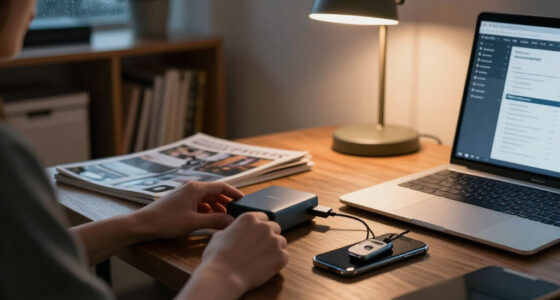
multi-factor authentication security device
As an affiliate, we earn on qualifying purchases.
As an affiliate, we earn on qualifying purchases.
Use this table to compare gear for real work
Consumer and business equipment are not different risk categories by themselves; the differences usually show up in support, management, and recovery. A business product may offer centralized setup or a longer support commitment, while a consumer product may suit a limited task at a lower cost. Check the specific device and service rather than trusting the label. The tradeoff is often between purchase price and the time or disruption required to manage and replace equipment; for a low-impact task, paying more may add little value, while a device central to daily operations can justify more predictable support.
| What to compare | Consumer use | Business use |
|---|---|---|
| Access | Often limited to one person or household accounts | May connect to shared systems, customer data, or admin tools |
| Support | Repair terms may focus on the individual owner | May include predictable service or replacement options |
| Management | Settings are often handled device by device | Central controls may help teams apply settings and updates |
| Recovery | Personal backup may restore one person’s files | Recovery may need to restore work and keep services running |
| End of life | Often sold, recycled, or replaced by its owner | Work accounts and data need to be removed and tracked |
Imagine a designer using a consumer laptop for drafts that sync to a well-managed cloud workspace. That could be reasonable if the laptop gets updates and work access is limited. The cloud copy may make recovery easier, but it does not protect an unlocked session or an account with broad permissions. Give the same laptop administrator access to all company systems, and the consequences of loss or compromise grow. The job changes the decision, so assess the access path as well as the files stored locally.
“Business grade” often describes a mix of support, manageability, durability, warranty, and security features. Those features can help, but someone still has to configure them and keep them current. Central management, for instance, can make consistent updates easier across a team, yet it also depends on someone maintaining the management service and setting sensible policies. A higher price tag is not a security plan.
As an affiliate, we earn on qualifying purchases.
Protect remote work, personal devices, and connected equipment
Remote work, cloud services, and personal-device policies blur the line between home and work gear. A device outside the office may still reach sensitive company systems, so its location does not make its access less consequential. Your rules should cover both the information on a device and the accounts it can open. Remote access is useful because people can work from different places, but it expands the number of devices and networks the business must account for.
Suppose an employee checks work email on a personal phone while waiting for a train. That arrangement may be workable if the phone gets updates, work accounts use multifactor authentication, and the business can remove work access when needed. The employee also needs clear privacy boundaries: people should know what the company can manage or erase before they enroll a personal device. Requiring full device control may improve enforcement but can intrude on personal use; a work-only account or container can narrow that tradeoff, though it may not be available on every platform.
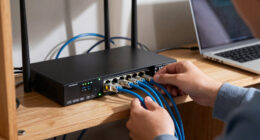
Connected equipment needs attention too. Printers, cameras, payment terminals, and smart building devices can sit quietly on a network, sometimes with limited update options. A café might rely on a camera for security and a separate terminal for sales; keeping a simple inventory helps the owner know which devices need support or replacement. Where a device cannot be updated promptly, limiting its network access can reduce what an attacker could reach through it, though that requires checking that the restriction does not disrupt its intended function.
AI-enabled features and services add another practical question: what information does the product collect, store, or send to an outside service? Before putting confidential material into a new tool, check its data handling and the organization’s rules. A convenient cloud feature may save time, while sending sensitive information to a service can create retention and access questions that are harder to reverse later. Security needs keep changing, so check the vendor’s current support and update information when buying or renewing equipment.
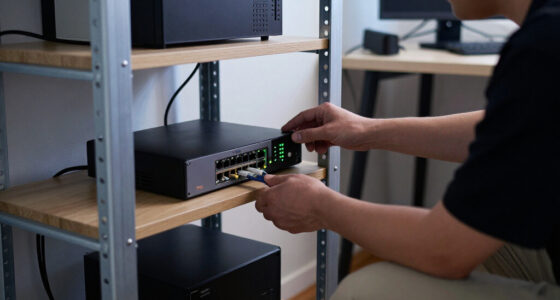
device management software for business
As an affiliate, we earn on qualifying purchases.
As an affiliate, we earn on qualifying purchases.
Take five steps before a consumer device handles business data
You can make a consumer device more suitable for work by checking its support, limiting its access, and planning for loss or failure. Start with the task the device will perform, then match safeguards to the data and systems involved. A laptop used only to view a public schedule needs less access than one used to manage payments. This proportional approach keeps controls practical while focusing effort where failure would hurt most.
- Check update support. Confirm that the device and its software still receive security updates. Updates close flaws that attackers may use, so an unsupported device can become a growing liability even if it works well today. A cheap laptop near the end of support may cost more in work disruption than its price suggests.
- Protect sign-ins. Turn on multifactor authentication for work accounts and use a screen lock. Multifactor authentication makes a stolen password less useful, while a screen lock helps protect an unattended device. If a phone approves logins, know how to remove it from the account so loss does not leave access in limbo.
- Limit permissions. Give the device and its user access only to the files and tools the job requires. Narrow permissions reduce the damage a compromised account can do, though they take some planning when employees need to collaborate. Avoid using an everyday work account for administrative tasks.
- Protect and back up data. Use device encryption where available, and keep reliable backups of work files. Encryption reduces exposure if storage is removed from a lost device; backups help after failure or accidental deletion. They solve different problems, so restore a sample file to confirm the backup works and is reachable by someone other than its usual user.
- Plan for departure or loss. Decide who can revoke access, remove company data, and recover work if the device is lost or an employee leaves. A clear owner and procedure shorten the time an old device or account remains connected, while reducing the chance of deleting personal data by mistake on a personally owned device.
For instance, a two-person consultancy could let an employee use a personal laptop for documents stored in a managed cloud account. The arrangement still needs a supported operating system, protected sign-ins, clear access rules, and a reliable way to remove work access. Cloud storage can reduce dependence on one laptop, but syncing is not always a backup: accidental deletion or unwanted changes may sync too. Antivirus alone cannot cover every part of that plan.
Write down who owns each step. A simple device list with an owner, purpose, and support status can keep a forgotten camera or old laptop from quietly falling outside the team’s attention. The list also helps prioritize spending: replace devices with unsupported software or broad access before low-impact equipment that has a safe workaround.
Plan for repair, recovery, and safe retirement
Business equipment needs a plan for the day it breaks, loses support, or leaves the organization. Buying a device covers only the first cost; repair delays, lost work, recovery, and secure disposal all affect its useful value. The best replacement schedule depends on support, reliability, workload, and budget. Extending a device’s life saves money, but the savings shrink if updates stop or repeated failures make people unable to work.
A home user might wait a week for a laptop repair and borrow another computer. A bookkeeper closing the month may need a replacement that day and a tested way to restore accounting files. Before a critical device fails, decide who contacts support, where the backup lives, and how work continues while repairs happen. A spare device may be worthwhile for a role with little tolerance for interruption; for occasional tasks, a documented alternate process may provide enough resilience at lower cost.
Keep an inventory that includes connected devices, not just laptops. Record who uses each item, what it can access, and whether it still receives updates. This turns an abstract list into a way to find devices whose risk has changed, such as a printer that now stores scanned payroll files. When a device reaches the end of support, choose whether to replace it, isolate it from sensitive work, or retire it safely. Isolation can buy time, but it adds operational complexity and should not become a permanent substitute for support.
When staff leave, revoke their work access promptly, recover company-owned equipment, and remove company data from personal devices according to clear policy. Wipe or securely reset equipment before resale or recycling, and confirm that accounts and stored credentials no longer provide access. A documented handoff helps avoid both lingering access and unnecessary loss of personal files. The device may be leaving the desk; its permissions should leave too.
Frequently Asked Questions
Can I use a consumer laptop or router for my business?
Often, yes, if the device still receives updates and suits the work it will do. Check its support lifespan, available security settings, and access to business data or systems. A router that serves a small office needs a clear update plan and protected administrator access.
What makes a device business grade?
The label often points to features such as centralized management, business support, durability, warranty terms, or longer service options. Those features can make a team easier to manage, but they do not guarantee secure settings or safe use. Check the actual support and security details for the model.
Is a personal device safe for work?
It can be suitable for some work if the device is supported, work accounts are protected, and access is limited. Your organization should explain what it can manage or remove, how work data stays separate, and what happens when you leave. A device that handles sensitive work may need stricter controls.
Does antivirus software make consumer gear safe for business?
No single tool covers updates, account security, permissions, backups, and recovery. Antivirus can be one useful layer, but it cannot restore missing files or prevent every account mistake. Pair it with multifactor authentication, supported software, limited access, and tested backups.
How often should a business replace its equipment?
There is no universal replacement schedule. Check whether the device receives security updates, can run the software you need, and meets your reliability requirements. If a critical device is unreliable or no longer supported, plan its replacement before a failure forces an urgent purchase.
What should happen when an employee leaves?
Revoke work accounts and sign-in approvals promptly, then recover company-owned devices. Remove company data from personal devices according to the organization’s policy, and change shared credentials if needed. Keep an inventory so you can account for equipment and access.
Conclusion
Choose and manage gear by asking what it can reach and how much work depends on it. A consumer device can fit a limited business task when it receives updates, has narrow access, and sits inside a clear recovery plan; business features can help when a team configures and maintains them.
Give every device a job, a named owner, and an exit plan. Then even the quiet printer in the back room has a place on your security map.
Halloween Picks
halloween
As an affiliate, we earn on qualifying purchases.