
TL;DR

Get privacy and security gear delivered free with Prime
- Fast, free delivery on millions of items
- Prime Video, Amazon Music and more included
- Member-only deals all year
Physical security supports digital resilience by protecting the facilities, devices, utilities, and people that digital services depend on. Start with the assets whose loss would hurt most, use layered access and equipment safeguards, connect physical incident reporting with IT response, and plan for recovery from events such as theft, fire, or power loss.
A server can have strong passwords and current software, yet still go dark when a burst pipe floods the room where it sits. Digital resilience begins in physical places: with the doors, devices, power, cooling, and people that keep systems available and information intact.
This guide explains how physical security supports digital resilience, from protecting a small office laptop to keeping a critical network closet accessible only to the right people. You’ll get practical ways to set priorities, connect physical and cyber incident response, and prepare for disruptions without treating every office like a fortress.
Protect rooms, network equipment, and facilities according to the harm their loss or misuse could cause.
Track laptops and backup media, secure them, and make lost-device reporting quick and familiar.
Route physical warning signs to IT and incident response so teams can check related digital activity.
Include power, cooling, communications, and physically separate backups in recovery planning.
Review keys, badges, visitor access, and equipment records whenever roles or contracts change.
FIELD GUIDE / OPERATIONAL RESILIENCE
How Physical Security Supports Digital Resilience
Digital services rely on real places, devices, utilities, and people. Protecting those foundations helps keep systems available, information intact, and recovery within reach.
Start with what would hurt most to lose
01 / SET PRIORITIESA control’s value depends on what it protects and how quickly the organization can recover. Rank spaces by the harm caused by losing access, equipment, or information, then choose safeguards staff can maintain and act on.
Protect critical rooms
Identify server rooms, network closets, operations desks, and remote cabinets. Use named access, locks, visitor procedures, and monitored alarms where they fit the impact.
Close different gaps
A lock delays entry, a log supports review, and an attentive person can notice tailgating. Escort visitors and make it easy to challenge unfamiliar presence politely.
Keep response practical
Assign owners to alerts, review access when roles change, and plan timely technician access. Too much friction can slow repairs; unclear ownership can turn alarms into noise.
Make devices and data easier to protect
02 / ASSETS ON THE MOVEPrivacy and continuity need different safeguards.
Encryption can make stolen data harder to read, but it cannot replace a device. Backups can restore work, but only when they are separate from the incident and usable.
Make loss reporting familiar
Track important devices, secure backup media, and explain how to report a lost laptop or phone. A quick report gives IT time to revoke sessions, assess exposure, and arrange replacement.
Handle returns and disposal
Recover equipment when roles change or contracts end. Use an approved process for retired drives and record that the asset was returned, wiped, or securely disposed of.
Connect physical warning signs to cyber response
03 / SHARED ESCALATIONA forced entry, missing device, suspicious visitor, or power failure can have digital consequences. Give security, IT, facilities, and incident response a shared route for reporting and investigation.
Notice
Record the event: access anomaly, missing asset, damage, or utility disruption.
Report
Use a familiar channel with clear urgency levels and named response owners.
Correlate
Check relevant badge, device, and system activity while protecting privacy.
Contain
Secure the space or device, revoke access if needed, and preserve useful records.
Recover
Restore service, replace equipment, and update safeguards from the findings.
Plan for the failure beyond the firewall
04 / CONTINUITYPower and cooling
Consider outages, overheating, and water damage. Know which services depend on each room and utility.
Separate and test
Protect backup systems from the same event as production equipment. Confirm that data can be restored.
Plan access to recover
Account for severe weather, fire, theft, and communications loss. Make alternate facilities and responder access part of exercises.
A useful first week of improvements
TAKE ACTION- Map: Name the rooms and devices whose loss would disrupt essential work.
- Check: Review keys, badges, visitor access, and equipment records for stale entries.
- Clarify: Tell staff how to report tailgating, a lost device, or a facility incident.
- Exercise: Walk through a power loss or inaccessible room and confirm recovery steps.
Protect the places your digital services depend on
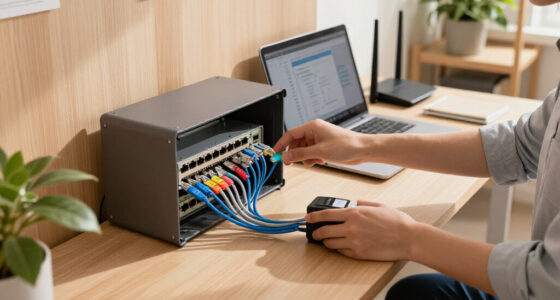
Physical security supports digital resilience by limiting who can reach the equipment and spaces that store, process, or carry information. If someone can walk up to a server, network switch, or unattended workstation, technical safeguards may not be enough to prevent damage or disruption. The consequences can extend beyond the equipment itself: a damaged switch might take many teams offline, while an exposed workstation could give someone access to active sessions and information. This makes the value of a control depend partly on what sits behind the door. A locked closet for one office router can protect a surprisingly large share of the organization’s connectivity, while a more imposing control around a low-impact room may add little resilience.
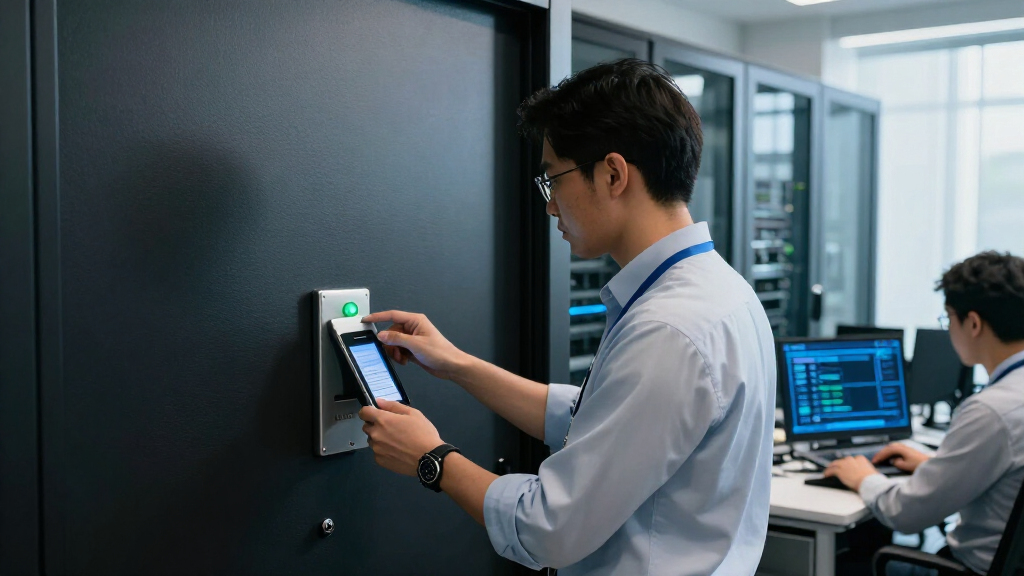
Start by identifying the rooms and sites that matter most: a server room, a network closet, an operations desk, or a remote communications cabinet. Rank them by the harm that losing access or control would cause, and consider how quickly operations could recover. A small office might not need a staffed guard post, but it can still keep the network cabinet locked, issue keys to named staff, and keep a simple record of access. A larger facility may combine doors, badges, visitor procedures, cameras, and alarms. More controls can improve detection and accountability, but they also cost money and create work: access rules must stay current, alarms need response owners, and records need careful handling. If nobody is responsible for reviewing alerts, an alarm can become noise; if access is too restrictive, a technician may lose valuable time during an outage. The useful level of control is the one staff can maintain and respond to when it matters.
These measures work as layers. A badge reader can record entry, while a locked inner door limits access to equipment. But a reader cannot stop someone from slipping in behind an employee. In a familiar office scenario, a visitor carrying a box follows a staff member through a secure door; a polite “Can I help you find reception?” and a clear escort rule can close that gap without confrontation. Each layer addresses a different failure: a lock delays entry, a log helps reconstruct events, and an attentive employee may notice behavior that a device cannot interpret. Layers matter because no single measure is reliable in every circumstance: a reader may fail, a door may be propped open, or a log may show entry without explaining why it happened.
Choose safeguards to match the possible harm. A shared meeting room and a data center do not need identical controls. Restricting access too broadly can slow maintenance or leave staff unable to respond during an outage, while overly loose access makes it harder to know who was present when something goes wrong. The practical question is which spaces could expose information or interrupt essential work if access went wrong, and whether staff know what to do when they see an unfamiliar person there. That judgment should account for recovery as well as prevention: the people who can restore a service may need timely access, and that access should be planned rather than improvised during a disruption.
keypad or RFID access control system for small office
As an affiliate, we earn on qualifying purchases.
As an affiliate, we earn on qualifying purchases.
Secure laptops, backup drives, and the data that travels
Physical security supports digital resilience when it protects devices and records wherever work happens. A stolen laptop, misplaced backup drive, or printed customer list can expose information or leave a team without the tools it needs to work. The risks differ: encryption can make data on a stolen laptop harder to read, but it cannot replace the device or undo lost work; a current backup can aid recovery, but only if it is separate from the incident and usable. This is why protection needs to address both confidentiality and continuity. A control that keeps information private may not keep a team operating, and a backup that restores files may not resolve the exposure created by a stolen device.
Keep an inventory of important devices and assign responsibility for them. Store backup media in a controlled location, encrypt portable devices, and set a clear process for returning equipment when someone changes roles or leaves. These steps matter in ordinary moments: after a busy meeting, a laptop left on a café table may look like a simple oversight, but it can also put stored files and saved work sessions at risk. An inventory helps the organization know what may be exposed and who can act, though it must be updated often enough to remain useful rather than becoming an inaccurate list. The inventory also helps prioritize replacement: a device used to support a critical service may need a faster response than a spare with no sensitive data.
For hybrid teams, write down how to protect equipment at home, in shared offices, and while traveling. Staff should know how to report a lost phone or laptop quickly, and who can disable access or arrange a replacement. If an employee loses a device on a train, a prompt report gives IT a chance to revoke sessions and follow the organization’s response plan. Clear reporting reduces the delay between loss and containment; a blame-focused process can have the opposite effect by encouraging people to wait before telling anyone. Fast reporting is therefore a practical security control: it can limit the time an attacker has to use an active session, even though it cannot guarantee the device will be recovered.
Disposal deserves attention too. A retired drive should not go straight into a general recycling bin with its data intact. Use an approved return or disposal process, and record that the asset was handled. Tracking, encryption, secure storage, and timely reporting reduce both exposure and downtime, although none replaces strong authentication, software updates, and backups. Choose controls according to the sensitivity of the data and the cost of interruption: highly restricted handling may be justified for critical records, while clear, repeatable practices are more sustainable for everyday equipment. A process that is too complicated to follow can leave gaps precisely when staff are busy, so simplicity is part of making the safeguard dependable.
lockable network server rack cabinet with cooling fan
As an affiliate, we earn on qualifying purchases.
As an affiliate, we earn on qualifying purchases.
Connect physical warning signs to your incident response
Physical security supports digital resilience when a suspicious entry, missing device, or damaged utility reaches the people who can investigate its digital effects. A physical event may be the first visible sign that equipment or information needs attention. Reporting matters because facilities staff may notice a door or power issue first, while IT can assess whether systems or accounts show related activity; either team working alone may miss part of the picture. Linking their observations helps responders distinguish a routine fault from an event that needs containment, and can prevent them from making changes before they understand what happened.
For example, a facilities worker finds a network closet door ajar after a contractor visit. That observation should reach both facilities and IT, so they can check the visitor record, inspect the room, and review relevant system alerts. The open door alone does not prove tampering. It is a useful signal that deserves a calm, documented check. Treating every anomaly as a confirmed attack wastes response time and can damage trust, while dismissing small irregularities can allow a real problem to go unnoticed. A measured process preserves the evidence needed to assess the event without turning an uncertain clue into an accusation.
Agree on a shared reporting route across security, IT, facilities, and incident response. Define who receives reports, which details matter, and how quickly urgent events should be escalated. A short report can capture the time, location, people involved, and what staff observed. Avoid asking employees to investigate unfamiliar equipment themselves; their role is to report and preserve what they noticed. A simple route is more likely to be used under pressure, while a detailed process can help responders act consistently but needs practice and clear ownership. Without a named recipient, even a careful report can stall between teams; clear ownership turns an observation into an action someone is accountable for taking.
Organizations that combine badge events with IT alerts may spot patterns sooner, but shared systems bring privacy and access responsibilities. Limit access to the people who need it, decide how long records should be kept, and protect connected cameras and access controls with routine maintenance and restricted network access. Coordination turns separate clues into a clearer response, while thoughtful data handling keeps that coordination proportionate. The goal is to gather enough evidence to make sound decisions, not to collect every movement indefinitely. This balance matters because more data can improve an investigation but also increases the consequences of misuse or unauthorized disclosure.
fireproof waterproof external hard drive case for backup media
As an affiliate, we earn on qualifying purchases.
As an affiliate, we earn on qualifying purchases.
Keep power, cooling, and communications in your recovery plan
Physical security supports digital resilience by helping essential services stay available and recover after a facility disruption. Protecting equipment means little if a power failure, overheating room, flood, or damaged connection prevents that equipment from running. These dependencies can fail together: for example, a local outage may disable both network equipment and the cooling it needs, so a plan based on a single backup component may offer less protection than it appears. Looking at the service as a whole reveals these shared failure points: backup power may keep a server running, but it will not help if the network path or cooling fails at the same time.
Consider a small clinic whose internet equipment sits in a ground-floor closet. Heavy rain pushes water under the door, and staff lose access to appointment systems. The clinic needs more than a lock: it needs to know which services can continue offline, who can contact the provider, where protected backups are kept, and how staff will communicate with patients. Deciding these priorities in advance helps the clinic preserve care and communicate clearly, even if full system recovery takes longer than expected. The order of recovery matters too: restoring appointment access may be urgent, but staff also need a safe way to manage care while that system is unavailable.
Map the dependencies behind essential services: electricity, cooling, network connections, physical access, and the people who maintain them. Work out what happens if one dependency fails, and where a backup or alternate location can help. A backup stored beside the main server may share the same risks from fire, theft, or flooding; separate storage can reduce that exposure. Redundancy has costs and can introduce its own maintenance needs, so prioritize the services whose interruption would have the greatest effect and confirm that alternatives can actually be reached and used. A backup connection that has not been tested, or a recovery site nobody can access, creates confidence without much practical protection.
Plans should cover prevention, detection, response, and recovery. Clear warning signs, escalation contacts, and recovery priorities help staff act without guessing. Practice the plan with a realistic scenario, such as a locked equipment room during an outage. A small office may use a simple call tree and cloud-based copies of key records; a larger operation may need a formal continuity exercise. Practice reveals assumptions—such as whether someone has the key or whether a backup connection works—before an actual disruption makes those gaps costly. Exercises also show where procedures are too demanding to use under pressure, giving the organization a chance to simplify them before they are needed.
UPS battery backup for network equipment and small server
As an affiliate, we earn on qualifying purchases.
As an affiliate, we earn on qualifying purchases.
Make access match each person’s current role
Physical security supports digital resilience when access follows job responsibilities and changes as those responsibilities change. A former contractor who still has a key or an employee with access to rooms they no longer use can create avoidable risk. Unneeded access also complicates an investigation: a long list of people who could enter makes it harder to narrow down what happened. Keeping permissions aligned with work reduces exposure while making access records more useful when responders need to reconstruct an event.
Keep a current list of who can enter sensitive areas, who holds keys or badges, and who can authorize access. Review it when people change teams, contracts end, or someone leaves. For example, if a maintenance provider needs temporary access to a network closet, set a defined time window, name an internal contact, and record the visit. Staff should not lend badges as a shortcut. Tying access to a role and time window supports accountability, but overly rigid rules can delay urgent repairs, so define who can approve exceptions and how to document them afterward. A controlled exception path makes it possible to respond quickly while preserving a record of why access was granted.
Good access rules are clear enough to use on a busy day. Tell employees how to handle visitors, what to do if they forget a badge, and how to report a door that will not latch. A receptionist who knows to call the host rather than wave an unknown visitor through can protect a sensitive area without slowing ordinary guests. Clear alternatives matter: if the only instruction is “never let anyone in,” staff may improvise when a legitimate visitor arrives. Instructions should make the secure action the practical action, even when work is moving quickly.
Access reviews also help organizations notice exceptions: a badge that remains active after a role change, a key that cannot be accounted for, or a visitor log with missing details. People and procedures are part of the control system, so training should use familiar examples, not just a rule sheet handed out once. The right level of control depends on the space and the work taking place there. A review that is frequent enough to catch changes but simple enough to complete consistently is more useful than a demanding process that teams routinely postpone. The review is not only a compliance task; it tests whether the organization can still explain who has access and why.
Choose a practical first week of improvements
Physical security supports digital resilience most when you make a few useful changes around the assets that could cause the greatest harm if lost, damaged, or exposed. You do not need to fix every weakness at once; start with a short, prioritized review. Prioritizing makes limited time and budget go further, but it also means accepting that some lower-impact gaps will remain until a later review.
- List critical assets. Include important systems, network equipment, backup media, staff devices, and the facilities or utilities they depend on. Note what work would stop if each were unavailable.
- Check who can reach them. Review keys, badges, visitor practices, and access after role changes or contract endings. Remove unnecessary access while keeping a workable route for urgent maintenance.
- Secure portable equipment. Confirm that devices are inventoried, encrypted where appropriate, stored safely, and covered by a lost-device reporting process. Check that the process identifies who can disable access and arrange replacements.
- Connect incident contacts. Make sure facilities, IT, security, and business continuity staff know how to share reports and who leads each response. A named lead prevents duplicated work and unanswered handoffs.
- Walk through a disruption. Talk through a lost laptop, a damaged network closet, or a power failure and identify the next practical step. Record gaps that would delay recovery and assign someone to address them.
Imagine a small design studio with eight employees. Its first review finds an unlocked router cabinet, no record of loaner laptops, and no named contact for lost devices. Fixing those three gaps is more useful than buying an elaborate monitoring system the team cannot maintain. The review directs effort toward likely failure points and gives the team a manageable way to check whether the fixes work.
Measure progress with simple evidence: current access lists, complete asset records, closed reporting gaps, and lessons from exercises. Small, repeatable steps make resilience part of normal work. Revisit priorities when the office moves, the team grows, or essential services change; a control that fit yesterday’s setup may leave a new system or location uncovered.
Frequently Asked Questions
What is the connection between physical security and cybersecurity?
Physical security protects the spaces, devices, infrastructure, and people that digital systems depend on. Weak controls can make it easier for equipment to be stolen or disrupted, or for sensitive information to be exposed. It works alongside cybersecurity measures such as authentication, encryption, updates, and monitoring.
Can physical security prevent cyberattacks?
Physical safeguards can reduce some routes to harm, such as unauthorized access to equipment or theft of an unattended device. They cannot prevent every cyberattack. Combine them with technical controls and a practiced incident response plan.
What physical assets should an organization protect first?
Begin with assets whose loss, damage, or compromise would disrupt essential work or expose sensitive information. These often include critical systems, network equipment, backup media, employee devices, and the facilities or utilities they need. A small office can start with its router, laptops, and any records that would be hard to replace.
How does physical security matter for remote and hybrid work?
Work equipment travels between homes, offices, and shared spaces, so teams need simple habits for securing laptops and phones, protecting printed information, and reporting losses. Organizations should explain how to handle devices in transit and how staff can quickly reach IT after a loss. A clear process helps the team respond while the details are fresh.
Does combining physical and cyber security data create new risks?
It can help teams connect events, such as a badge entry and a later equipment alert, but combined systems also hold sensitive records. Restrict access to people who need it, maintain connected security equipment, and set clear rules for using and retaining shared data. Integration should support a defined response purpose.
Conclusion
Protect the physical foundations of the systems you rely on. Start with your most important devices and spaces, make access rules easy to follow, and give staff a clear route to report problems. Then practice what happens when a device disappears or a utility fails.
Digital resilience is built in ordinary places: a locked cabinet, a returned badge, a backup kept elsewhere, and a report made before a small problem grows. Which one can you improve this week?
Halloween Picks
halloween
As an affiliate, we earn on qualifying purchases.