
TL;DR

Get privacy and security gear delivered free with Prime
- Fast, free delivery on millions of items
- Prime Video, Amazon Music and more included
- Member-only deals all year
Privacy screen protectors restrict your laptop’s viewing angle, making it hard for side viewers to see your screen. Modern options offer high clarity, anti-glare, and added features like blue light filtering. They’re essential for anyone handling confidential info in public spaces.
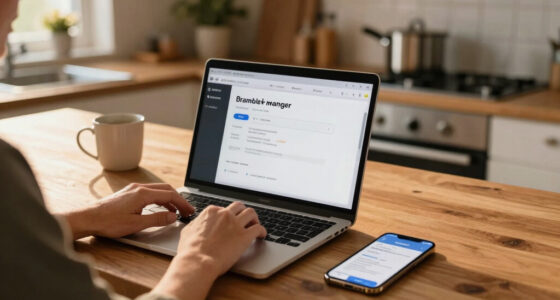
Picture this: you’re working at a crowded coffee shop, your laptop open, confidential emails on screen. Someone leans over, trying to catch a glimpse. That’s where a privacy screen protector becomes your digital shield. These thin films or overlays turn your open display into a secret only you can see. They’re simple, affordable, and surprisingly effective at stopping shoulder surfers.
If you handle sensitive data—whether in finance, healthcare, or just your daily emails—knowing how to choose and use a privacy screen is a game-changer. This guide breaks down what they do, recent upgrades, and how to pick the right one for your device. Ready to keep your digital life private and secure? Let’s dive in.
High-quality privacy screen protectors can cut off viewing angles to about 30 degrees, making side glimpses nearly impossible.
Recent models combine privacy with anti-glare, blue light filtering, and even electronic switching for better usability.
Always measure your laptop’s screen precisely and check compatibility—poor fit ruins privacy and looks unprofessional.
Invest in a reputable brand; cheaper options often dull your display or leave residue.
Privacy screens are a smart investment if you frequently handle sensitive info in public or shared spaces.
What Exactly Do Privacy Screen Protectors Do?
Privacy screen protectors are designed to limit your screen’s visibility to just you. When you look straight at your laptop, everything appears clear and vibrant. But tilt the screen even slightly—say, at a 30-degree angle—and the display darkens or becomes unreadable. This prevents side-glancers from grabbing your info in cafés, airports, or meetings.
Understanding why this matters goes beyond mere convenience. In environments where sensitive information is involved—like financial transactions, medical records, or confidential business emails—the risk of shoulder surfing can lead to data breaches or compromised privacy. The tradeoff is that while privacy filters can slightly dim or distort the display from certain angles, this compromise is often worth it for the security they provide. It’s a balancing act: sacrificing a bit of display brightness or clarity for peace of mind and data protection. This tradeoff can influence your choice of filter—opting for high-end models that minimize visual impact or accepting slight dimming for maximum privacy.
privacy screen protector for 15 inch laptop
As an affiliate, we earn on qualifying purchases.
As an affiliate, we earn on qualifying purchases.
Types of Privacy Screen Protectors — Which One Fits You?
Privacy screen protectors come in various styles, each with strengths suited to different needs. Here’s a quick comparison:
| Type | Features | Best For |
|---|---|---|
| Matte Filter | Reduces glare, fingerprints, and reflections. Slightly dims the screen but enhances visibility in bright environments. | Outdoor use or bright offices where glare is an issue. |
| Glossy Filter | Offers clearer, sharper images with vibrant colors. Slightly less privacy than matte but better for color-critical tasks. | Design work, photo editing, or when visual clarity matters most. |
| Physical Film | Attach via adhesive or clips. Usually affordable and easy to swap out. | Temporary privacy needs or testing different options. |
| Integrated Privacy Displays | Built into the screen during manufacturing. No fuss but less flexible. | High-end laptops with built-in privacy features. |
Choosing depends not only on your environment and priorities—glare reduction, color fidelity, or ease of use—but also on how the tradeoffs affect your workflow. For example, matte filters can significantly reduce glare, which is crucial in outdoor or brightly lit settings, but may slightly dull colors, impacting tasks requiring precise color accuracy. Conversely, glossy filters preserve vibrant visuals but offer less privacy, which might be a concern in public or shared spaces. Recognizing these implications helps you select a filter that aligns with your specific needs, balancing security with visual clarity.
anti-glare privacy screen for MacBook
As an affiliate, we earn on qualifying purchases.
As an affiliate, we earn on qualifying purchases.
How to Pick the Right Privacy Screen Protector—Your Easy 3-Step Checklist
- Measure your screen size accurately. Check the exact dimensions—many protectors are size-specific.
- Decide on matte or glossy based on your environment. Matte reduces glare, glossy offers sharper images.
- Check compatibility with your device’s features. Touchscreens, 2-in-1s, or curved displays may need special options.
For example, if you often work outdoors or in brightly lit rooms, a matte filter with anti-glare features will serve you better. For color-sensitive tasks, a glossy protector might be ideal. Always verify the size and compatibility before buying, since an ill-fitting protector can cause bubbles, reduce privacy, or even damage your screen. Taking these steps ensures you select a product that not only fits but also maintains your workflow and security needs effectively.
blue light filtering privacy screen for laptop
As an affiliate, we earn on qualifying purchases.
As an affiliate, we earn on qualifying purchases.
Recent Tech Upgrades Making Privacy Screens Better Than Ever
Privacy screens aren’t what they used to be. Today’s models boast impressive improvements that directly impact user experience and security. Recent advances include:
- Enhanced clarity and color accuracy: High-end filters now maintain over 90% of original display brightness, reducing the fuzzy or dim effects of older models. This means users don’t have to sacrifice visual quality for privacy, which is crucial for tasks like graphic design or detailed data analysis.
- Blue light filtering and anti-glare coatings: These additions cut down eye strain during long work sessions, making screen time more comfortable and reducing fatigue—especially important for those who work extended hours or in environments with harsh lighting.
- Smart privacy modes: Some screens can switch between transparent and private modes electronically, often via a smartphone app or built-in controls. This flexibility allows users to toggle privacy as needed, balancing convenience with security, and is particularly useful in dynamic work environments.
- Sustainability: Eco-friendly, recyclable materials are increasingly common, aligning with green tech trends and reducing environmental impact. This means users can protect their data while also supporting sustainable practices.
For example, a recent review highlighted a $30 matte filter that preserves 95% of color fidelity while blocking side views more effectively than older models. These technological improvements mean less compromise between privacy and display quality, making privacy filters more practical and user-friendly than ever before.
electronic privacy screen for notebook
As an affiliate, we earn on qualifying purchases.
As an affiliate, we earn on qualifying purchases.
Frequently Asked Questions
Do privacy screen protectors affect the quality of my display?
They can slightly dim or dull colors, especially cheaper models, but high-quality filters minimize this effect, maintaining over 90% of the original clarity and brightness.Are privacy screen protectors compatible with touchscreens?
Many are, but always check product specs. Some filters are designed specifically for touch-enabled devices and preserve responsiveness.How difficult is it to install or remove a privacy screen protector?
Most modern protectors are easy to apply or remove, often with adhesive or clip-on mechanisms that leave no residue or damage.Can I use a privacy filter with my existing protective case?
Usually yes, but ensure the size and attachment method are compatible. Some cases may interfere with clip-on filters.Are privacy screens worth the cost?
If you handle sensitive data or often work in public, they provide valuable peace of mind and can prevent costly data breaches.Conclusion
In a world where digital privacy feels more fragile than ever, a simple privacy screen protector acts like a digital bodyguard—shielding your confidential info from prying eyes. They’re affordable, easy to install, and surprisingly effective. Think of it as adding a transparent wall that only you can see through.
Next time you’re in a busy café or airport, glance at your screen knowing you’ve got a quiet guardian in place. Protecting your data isn’t just smart—it’s essential. Are you ready to make your laptop a private sanctuary?
Fall Picks
fall essentials
As an affiliate, we earn on qualifying purchases.