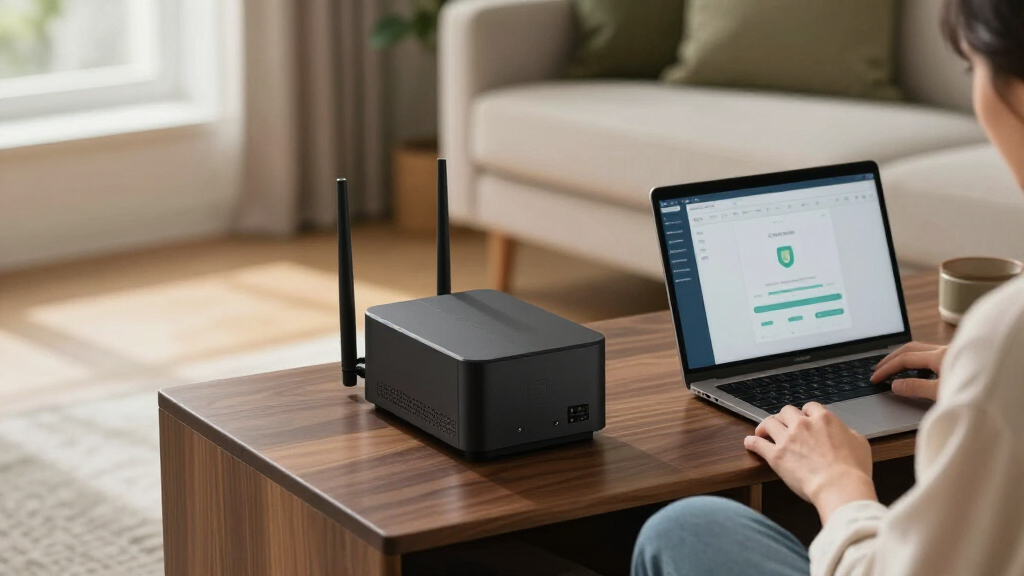

The best enterprise home firewall appliance for most buyers is the Netgate 1100, which pairs pfSense+ controls with a compact form suited to a home network. I’d also shortlist the Protectli Vault FW4B for hardware flexibility and the FortiGate 60F for buyers who want a more managed security platform. The main tradeoff is between hands-on control, simpler administration, and the licensing or service requirements that can come with business-focused security features. Port count, Wi-Fi needs, network speed, and willingness to maintain rules all matter more than a product’s enterprise label. Read on for how these ten options differ and which type of home setup each one suits.

Get privacy and security gear delivered free — and shop member deals
- Fast, free delivery on millions of items
- Access to Prime Big Deal Days deals on October 6–7
- Prime Video, Amazon Music and more included
Key Takeaways
- Netgate 1100 leads for a balance of compact hardware and hands-on firewall control; it is a stronger fit for buyers comfortable managing rules than for those seeking a fully guided setup.
- Protectli FW4B stands apart as a flexible hardware platform; buyers gain room to choose firewall software, but take on more setup and maintenance responsibility.
- FortiGate models form a tiered family rather than interchangeable picks; compare the 40F, 60F, 61F, and 80F by capacity, wireless needs, and the security services you plan to use.
- Firewalla Purple SE and UniFi USG favor approachable network management over the deep policy customization expected from more hands-on platforms.
- Wireless and cloud-managed options solve different problems: the TZ270W and FortiGate-80F include Wi-Fi, while the Meraki MX68 fits buyers who accept cloud administration and its associated service model.
| Netgate 1100 pfSense+ Security Gateway Firewall Router VPN |  | Best for a Quiet, Supported pfSense Setup | Processor: Dual-core ARM Cortex-A53, 1.2 GHz | Network ports: Three switched 1 GbE ports (WAN/LAN/OPT) | Firewall throughput: Over 650 Mbps | VIEW LATEST PRICE | See Our Full Breakdown |
| Protectli Vault FW4B 4-Port Firewall Appliance with Intel Quad-Core Processor, 8GB RAM, and 120GB SSD |  | Best for Open-Source Firewall Flexibility | Processor: Intel Celeron J3160 quad-core, up to 2.2 GHz | Architecture: 64-bit | Ethernet ports: 4x Intel Gigabit Ethernet | VIEW LATEST PRICE | See Our Full Breakdown |
| FortiGate 60F Firewall Appliance (FG-60F) |  | Best for High-Throughput, Multi-Zone Security | Model: FG-60F | Ethernet ports: 10 Gigabit Ethernet RJ45 | WAN ports: 2 | VIEW LATEST PRICE | See Our Full Breakdown |
| Fortinet FortiGate-80F Firewall with Wi-Fi 6 (FG-80F) |  | Best for a Compact Firewall-and-Wi-Fi Branch Setup | Model: FG-80F | Ports: 8 GE RJ45 ports; 2 shared RJ45/SFP WAN ports | Wi-Fi: Dual-band Wi-Fi 6 (802.11ax) | VIEW LATEST PRICE | See Our Full Breakdown |
| Ubiquiti UniFi Security Gateway (USG) |  | Best for Existing UniFi Networks | Ports: 4 | Ethernet ports: 10/100/1000 Mbps | Connectivity: Wired Ethernet | VIEW LATEST PRICE | See Our Full Breakdown |
| Fortinet FortiGate-61F Next-Generation Firewall (Hardware Only) |  | Best for Centralized Small-Business Security | Operating system: FortiOS | Network type: Wired | Connectivity: Gigabit Ethernet | VIEW LATEST PRICE | See Our Full Breakdown |
| SonicWall TZ270W Gen 7 Wireless Firewall |  | Best All-in-One Wired and Wireless Pick | Model: TZ270W | Wireless standard: 802.11ac Wave 2 (Wi-Fi 5), dual-band | Antennas: 2 internal | VIEW LATEST PRICE | See Our Full Breakdown |
| Firewalla Purple SE Cybersecurity Firewall for Home and Business |  | Best for App-Guided Home Network Protection | Model: Purple SE | IPS data rate: Up to 500 Mbps | RAM: 3 GB | VIEW LATEST PRICE | See Our Full Breakdown |
| Fortinet FortiGate 40F Firewall Appliance (FG-40F) |  | Best Compact Wired Security Appliance | Ports: 5 Gigabit Ethernet RJ45: 1 WAN and 4 internal | Form factor: Fanless desktop | IPS throughput: Up to 1 Gbps | VIEW LATEST PRICE | See Our Full Breakdown |
| Cisco Meraki MX68 Wired Network Security Appliance |  | Best for Cloud-Managed Distributed Sites | Ethernet ports: 10 GbE, including 2 WAN and 2 PoE+ | USB port: 1 × USB 2.0 for 3G/4G failover | Stateful firewall throughput: 450 Mbps | VIEW LATEST PRICE | See Our Full Breakdown |
| enterprise home firewall appliance | Operating system | Ports |
|---|---|---|
| Netgate 1100 pfSense+ Security | — | — |
| Protectli Vault FW4B 4-Port Fi | Not preinstalled; tested with pfSense, OPNsense, Untangle, and other open-source software | — |
| FortiGate 60F Firewall Applian | — | — |
| Fortinet FortiGate-80F Firewal | FortiOS | 8 GE RJ45 ports; 2 shared RJ45/SFP WAN ports |
| Ubiquiti UniFi Security Gatewa | — | 4 |
| Fortinet FortiGate-61F Next-Ge | FortiOS | — |
| SonicWall TZ270W Gen 7 Wireles | — | 8 |
| Firewalla Purple SE Cybersecur | Linux | 1 |
| Fortinet FortiGate 40F Firewal | FortiOS | 5 Gigabit Ethernet RJ45: 1 WAN and 4 internal |
| Cisco Meraki MX68 Wired Networ | — | — |
More Details on Our Top Picks
Netgate 1100 pfSense+ Security Gateway Firewall Router VPN
The Netgate 1100 is my pick for a compact home edge appliance when low noise and guided setup matter more than full gigabit firewall capacity. It arrives with pfSense+ installed, lifetime software updates, and TAC Lite support, so it asks less of the buyer than the Protectli Vault FW4B, which requires choosing and installing an operating system. Its three switched 1 GbE ports can serve straightforward WAN, LAN, and optional-network layouts, while its silent, low-power design suits a living space or small network cabinet. The tradeoff is performance headroom: specified firewall throughput is over 650 Mbps, not gigabit, and the three ports leave less room for segmentation than the FortiGate 60F’s ten. I’d choose it for a modest home lab or secure household gateway, not a fast connection that needs high-throughput inspection.
Pros:- pfSense+ is preloaded, with lifetime software updates included
- TAC Lite support includes setup assistance
- Three configurable switched 1 GbE ports
- Compact, silent, low-power design supports flexible placement
Cons:- Specified firewall throughput is over 650 Mbps, below gigabit
- Three switched ports provide less physical expansion than the Protectli FW4B or FortiGate 60F
Best for: Home lab owners and technically curious households who want pfSense+ ready to configure, included setup support, and a silent, low-power appliance.
Not ideal for: Homes with internet service near or above gigabit speeds, or networks that need many dedicated physical interfaces for VLANs and separate zones.
- Processor:Dual-core ARM Cortex-A53, 1.2 GHz
- Network ports:Three switched 1 GbE ports (WAN/LAN/OPT)
- Firewall throughput:Over 650 Mbps
- Routing performance:Near-gigabit routing for common home iPerf3 traffic
- Software:pfSense+ preloaded; updates included for product lifetime
- Technical support:Netgate TAC Lite; setup assistance available 24/7/365
- Hardware warranty:1 year
- Form factor and operation:Compact, silent, low-power; desktop, wall, or rack placement
Our verdict“Choose the Netgate 1100 for a quiet, supported pfSense+ gateway if its stated firewall throughput fits your connection.”
Protectli Vault FW4B 4-Port Firewall Appliance with Intel Quad-Core Processor, 8GB RAM, and 120GB SSD
The Protectli Vault FW4B is the flexible hardware-first choice for buyers who want to select their own firewall platform. Its four Intel Gigabit Ethernet ports, 8GB of RAM, and 120GB SSD give a home lab more room for separate network zones than the Netgate 1100’s three switched ports. The fanless enclosure also suits an always-on setup where fan noise is unwelcome. Protectli lists compatibility testing with pfSense, OPNsense, and other open-source options, while AES-NI support can assist software that uses hardware acceleration. That freedom comes with setup work: no operating system is preinstalled, and optional coreboot requires user installation. Compared with the ready-to-configure Netgate, this is a better fit for someone comfortable selecting, installing, and maintaining a firewall OS; buyers seeking a guided out-of-box path should look elsewhere.
Pros:- Four Intel Gigabit Ethernet ports allow flexible network separation
- 8GB RAM and a 120GB mSATA SSD are included
- Fanless design avoids appliance fan noise
- AES-NI support and compatibility testing with popular open-source firewall software
Cons:- No operating system is preinstalled, so setup and software selection fall to the buyer
- Optional coreboot BIOS requires user installation
Best for: Home lab builders and network administrators who want four Ethernet interfaces and the freedom to install pfSense, OPNsense, or another compatible firewall OS.
Not ideal for: Buyers who want a preinstalled firewall, guided appliance setup, or vendor-managed software updates without handling OS installation themselves.
- Processor:Intel Celeron J3160 quad-core, up to 2.2 GHz
- Architecture:64-bit
- Ethernet ports:4x Intel Gigabit Ethernet
- Memory:8GB DDR3L RAM
- Storage:120GB mSATA SSD
- Hardware acceleration:AES-NI supported
- Cooling:Fanless
- Operating system:Not preinstalled; tested with pfSense, OPNsense, Untangle, and other open-source software
- Additional ports:2x USB 3.0, 1x RJ-45 COM, 2x HDMI
Our verdict“Pick the FW4B if you want flexible, silent firewall hardware and are prepared to install and manage the software yourself.”
FortiGate 60F Firewall Appliance (FG-60F)
The FortiGate 60F is the strongest enterprise-style fit here for a home network with several wired zones and serious inspection needs. Its ten Gigabit Ethernet ports include two WAN, one DMZ, and seven internal connections, giving it more built-in layout flexibility than the Netgate 1100 or Protectli FW4B. The listed 1.4 Gbps IPS throughput and 700 Mbps threat-protection throughput also make its security capacity clearer than the Ubiquiti USG’s broad 3 Gbps transfer-rate figure. Features such as SSL inspection, SD-WAN, and FortiGuard threat intelligence suit buyers who want managed, business-oriented controls rather than a lightweight DIY gateway. The main catch is ongoing service access: a subscription is not included, so buyers should account for the FortiGuard-dependent features they need. This is more appliance than a typical household needs.
Pros:- Ten Gigabit Ethernet ports include dedicated WAN, DMZ, and internal connections
- Specified IPS throughput is up to 1.4 Gbps
- Includes SSL inspection and SD-WAN capabilities
- Network automation and centralized security management features support more complex setups
Cons:- Subscription is not included, limiting access to subscription-dependent services
- Business-oriented security features may add management complexity for a basic home network
Best for: Security-conscious home labs, remote-work households, or small offices that need multiple wired zones, dual WAN connections, and advanced inspection features.
Not ideal for: Buyers seeking a simple, subscription-free home firewall or a quiet, low-cost DIY platform with open-source software choices.
- Model:FG-60F
- Ethernet ports:10 Gigabit Ethernet RJ45
- WAN ports:2
- DMZ ports:1
- Internal ports:7
- IPS throughput:Up to 1.4 Gbps
- Threat protection throughput:700 Mbps
- Features:SSL inspection, SD-WAN, network automation and visibility, Zero Touch Integration
- Subscription:Not included
Our verdict“Choose the FortiGate 60F when wired segmentation and advanced inspection matter more than simple setup or included security subscriptions.”
Fortinet FortiGate-80F Firewall with Wi-Fi 6 (FG-80F)
The FortiGate-80F stands apart from the wired-only FortiGate 60F by adding dual-band Wi-Fi 6 to a compact, fanless firewall and secure SD-WAN appliance. That combination can simplify a small office or home workspace that wants wireless access and business-style network controls in one unit. It has eight GE RJ45 ports plus two shared RJ45/SFP WAN ports, though the shared interfaces mean buyers should map their WAN and fiber needs before planning a layout. FortiOS and WPA2/WPA3 support add management and wireless security options absent from the wired Ubiquiti USG. The tradeoffs are substantial for a home buyer: its subscription is not included, and the supplied product information lists no warranty. I’d favor the 60F for a wired multi-zone setup with stated security throughput figures; the 80F makes more sense when built-in Wi-Fi is a priority.
Pros:- Combines firewall and secure SD-WAN functions
- Integrated dual-band Wi-Fi 6 with WPA2 and WPA3 support
- Compact, fanless desktop form factor
- Eight GE RJ45 ports plus two shared RJ45/SFP WAN ports
Cons:- Subscription is not included
- Product information lists no warranty
- Shared WAN ports require planning around RJ45 and SFP use
Best for: Small-office owners or advanced home users who want a compact FortiOS firewall, secure SD-WAN, and built-in Wi-Fi 6 in one appliance.
Not ideal for: Buyers who require a stated warranty, included security subscriptions, or a firewall with published IPS and threat-protection throughput figures.
- Model:FG-80F
- Ports:8 GE RJ45 ports; 2 shared RJ45/SFP WAN ports
- Wi-Fi:Dual-band Wi-Fi 6 (802.11ax)
- Operating system:FortiOS
- Wireless security:WPA2 and WPA3
- Data transfer rate:900 Mbps
- Maximum upstream data transfer rate:2000 Mbps
- Form factor and weight:Compact, fanless desktop; 1.1 lb
- Subscription and warranty:Subscription not included; no warranty listed
Our verdict“Choose the FortiGate-80F if integrated Wi-Fi 6 and FortiOS matter more than an included subscription or a stated warranty.”
Ubiquiti UniFi Security Gateway (USG)
The Ubiquiti UniFi Security Gateway makes the most sense when a household already manages network equipment through UniFi Controller. Centralized setup and management can make firewall policies, VLANs, VPN, and VoIP QoS easier to coordinate with a UniFi network than a standalone setup on the Netgate 1100. Its wall-mount or desktop placement also helps keep a small wired installation tidy. This is not the strongest choice for buyers building an enterprise-style appliance from scratch: it is wired only, has 512MB of RAM, and the supplied information gives no comparable IPS or threat-protection throughput figure. The listed 3 Gbps transfer rate should not be treated as a stated firewall inspection rate. Compared with the ten-port FortiGate 60F, the USG is better suited to basic UniFi-centered routing than a complex, high-throughput security perimeter.
Pros:- Centralized configuration and management through UniFi Controller
- Supports VLANs, VPN communications, and QoS for VoIP
- Advanced firewall policy capabilities
- Wall-mount or desktop placement suits compact wired setups
Cons:- Wired connectivity only, with no built-in wireless access
- 512MB of RAM and no supplied IPS or threat-protection throughput figure make security capacity harder to compare
Best for: Households and home labs already using UniFi Controller who want centralized routing, VLAN, VPN, and VoIP QoS management for a wired network.
Not ideal for: Buyers who need built-in Wi-Fi, clearly specified security inspection throughput, or the larger dedicated port count of the FortiGate 60F.
- Ports:4
- Ethernet ports:10/100/1000 Mbps
- Connectivity:Wired Ethernet
- Data transfer rate:3 Gbps
- Maximum upstream data transfer rate:1000 Mbps
- Installed RAM:512 MB
- Mounting options:Wall mount or desktop
- Control method:Remote management through UniFi Controller
Our verdict“Choose the USG to add managed routing and firewall controls to an existing UniFi network, not as a high-throughput standalone security appliance.”
Fortinet FortiGate-61F Next-Generation Firewall (Hardware Only)
The FortiGate-61F is a fit for a home office or small business that wants a managed security platform rather than a basic router with add-on filtering. FortiOS brings firewall, VPN, antivirus, intrusion prevention, web filtering, and application control together, while centralized management can simplify oversight across multiple sites. Compared with the FortiGate 40F, this listing emphasizes broader integrated security capabilities, but the 40F provides clearer published throughput figures and five Ethernet ports. The key tradeoff is that this is hardware only: access to security services may require separate subscriptions, so buyers should account for licensing and ongoing administration. Its supplied specifications also contain inconsistent bandwidth figures, making it harder to judge fit for a fast connection from the listing alone. I’d choose it for managed security needs, not plug-and-play simplicity.
Pros:- Combines firewall, VPN, antivirus, intrusion prevention, web filtering, and application control
- FortiOS supports centralized management and automation
- Designed for small and midsize business networks
Cons:- Hardware-only listing; security services may require separate subscriptions
- Published transfer-rate details are inconsistent, complicating capacity planning
- May require more configuration and ongoing administration than a home-focused appliance
Best for: Small-business owners or technically capable home-office administrators who want FortiOS security services and centralized management.
Not ideal for: Buyers seeking a ready-to-use security subscription, clear throughput documentation, or a simple consumer-style setup.
- Operating system:FortiOS
- Network type:Wired
- Connectivity:Gigabit Ethernet
- LAN port bandwidth:10 Gbps (as listed)
- Maximum upstream transfer rate:1000 Mbps
- Wireless compatibility:802.11ac; single-band 5 GHz
- Included:Hardware only
Our verdict“Choose the FortiGate-61F if you want FortiOS-based, centrally managed security and can handle separate service licensing and administration.”
SonicWall TZ270W Gen 7 Wireless Firewall
The SonicWall TZ270W is the most direct choice here for a small office that wants firewall protection and Wi-Fi in one appliance. Its dual-band Wi-Fi 5 and eight ports can reduce the need for separate network hardware, while Capture ATP sandboxing, intrusion prevention, anti-malware scanning, VPN, and SD-WAN cover more than basic perimeter filtering. Compared with the wired FortiGate 40F, the TZ270W offers built-in wireless and a larger listed port count; the FortiGate instead supplies published IPS and threat-protection throughput figures. This listing includes no security subscription, so the advertised threat tools may require added licensing. The wireless standard is also older than Wi-Fi 6, making this a less appealing choice if wireless speed and longevity matter more than an integrated setup.
Pros:- Combines firewall functions with dual-band 802.11ac wireless
- Eight listed ports support several wired devices
- Includes support for Capture ATP, IPS, and anti-malware scanning
- Supports VPN and SD-WAN for remote and hybrid networks
Cons:- No service subscription is included
- Uses Wi-Fi 5 rather than a newer wireless standard
- Ongoing security features may add licensing and management requirements
Best for: Small offices that want one appliance for wired security, built-in Wi-Fi, VPN access, and SD-WAN features.
Not ideal for: Buyers who need a newer Wi-Fi generation, subscription-inclusive protection, or published security throughput figures for capacity planning.
- Model:TZ270W
- Wireless standard:802.11ac Wave 2 (Wi-Fi 5), dual-band
- Antennas:2 internal
- Ports:8
- LAN port bandwidth:1000 Mbps
- Concurrent connections:Up to 750,000
- Security features:Capture ATP with RTDMI, IPS, anti-malware scanning
- Included subscription:None
Our verdict“Pick the TZ270W if integrated Wi-Fi and layered security matter more than newer wireless technology or an included service plan.”
Firewalla Purple SE Cybersecurity Firewall for Home and Business
The Firewalla Purple SE is the least enterprise-oriented appliance in this group, but its app-guided setup and home-focused controls make it the approachable choice for a technically curious household or small work-from-home network. It provides intrusion prevention, malware and phishing blocking, ad filtering, parental controls, VPN support, and network activity monitoring. Unlike the SonicWall TZ270W, it does not combine security with multiport office connectivity and built-in dual-band Wi-Fi; its single port and 500 Mbps IPS limit make it better suited to modest connections. Router and bridge modes offer placement flexibility, though Simple Mode compatibility depends on the existing router. Router Mode also calls for a modem and separate Wi-Fi access points. I’d favor it for visible, app-managed controls rather than multi-site administration or high-throughput business security.
Pros:- App-guided setup and network activity monitoring
- Blocks malware, phishing, and unwanted data activity
- Includes parental controls, content filtering, and VPN server support
- Can operate as a router or transparent bridge
Cons:- IPS performance is limited to 500 Mbps
- Simple Mode compatibility depends on the existing router
- Router Mode requires a modem and separate Wi-Fi access points
Best for: Households and solo home-office users who want app-guided monitoring, parental controls, and basic network threat protection.
Not ideal for: Multi-site businesses, high-speed connections needing more than 500 Mbps IPS, or buyers who want Wi-Fi and multiple Ethernet ports in one device.
- Model:Purple SE
- IPS data rate:Up to 500 Mbps
- RAM:3 GB
- Connectivity:Ethernet and Wi-Fi
- Wi-Fi generation:Wi-Fi 5
- Operating system:Linux
- Ports:1
- Operating modes:Router and transparent bridge
Our verdict“Choose Purple SE for approachable home-network controls, but pick the SonicWall TZ270W or FortiGate 40F for a more office-oriented appliance.”
Fortinet FortiGate 40F Firewall Appliance (FG-40F)
The FortiGate 40F makes the strongest case for a compact, wired business firewall: its fanless desktop design suits a quiet office, and five Gigabit Ethernet ports provide room for a WAN connection and several internal links. The listed figures—up to 1 Gbps IPS throughput and 600 Mbps threat-protection throughput—also give buyers more useful capacity guidance than the FortiGate-61F listing provides. FortiOS and Zero Touch Integration support managed deployment, though this is still a business-oriented appliance rather than a set-and-forget home router. Compared with the wireless SonicWall TZ270W, the 40F trades built-in Wi-Fi and a higher listed port count for a fanless form factor and explicit security throughput. The appliance is sold without a subscription, and its wired-only design means wireless access needs separate equipment.
Pros:- Fanless desktop design supports quiet placement
- Five Gigabit Ethernet RJ45 ports, including one WAN and four internal ports
- Listed IPS throughput of up to 1 Gbps and threat-protection throughput of up to 600 Mbps
- Zero Touch Integration supports easier deployment
Cons:- Subscription is not included
- Wired connectivity only; wireless access requires separate equipment
- Business security features may call for more setup and administration than a home router
Best for: Small offices and advanced home labs that need a quiet, wired FortiOS firewall with multiple Ethernet connections.
Not ideal for: Buyers who need built-in Wi-Fi, included security-service licensing, or a consumer-simple setup.
- Ports:5 Gigabit Ethernet RJ45: 1 WAN and 4 internal
- Form factor:Fanless desktop
- IPS throughput:Up to 1 Gbps
- Threat protection throughput:Up to 600 Mbps
- Operating system:FortiOS
- Connectivity:Wired Ethernet
- Power:12 V DC
- Subscription:Not included
Our verdict“Choose the FortiGate 40F for quiet, wired FortiOS security with stated throughput figures, and skip it if you need built-in wireless.”
Cisco Meraki MX68 Wired Network Security Appliance
The Cisco Meraki MX68 is aimed at administrators who value remote visibility and consistent policy management across distributed locations. Its cloud-managed interface brings firewalling, content filtering, intrusion prevention, traffic shaping, and VPN services together; 4G failover support can also help a site stay connected during a primary-link outage. Compared with the FortiGate 40F, the MX68 puts more emphasis on cloud administration and site connectivity, while the FortiGate has higher listed IPS throughput and a fanless compact design. The MX68’s stated 450 Mbps stateful firewall and 200 Mbps VPN throughput, plus a recommended maximum of 50 clients, set limits for larger or bandwidth-heavy networks. A separate Enterprise or Advanced Security license is required, so this appliance makes most sense when Meraki’s cloud management is part of a wider deployment rather than a single home network.
Pros:- Cloud management supports remote administration across sites
- Combines firewall, VPN, content filtering, and intrusion prevention
- Supports 3G/4G failover through USB
- Layer 7 visibility and traffic shaping aid network oversight
Cons:- Requires an Enterprise or Advanced Security license
- Recommended maximum is 50 clients
- Listed stateful firewall and VPN throughput may constrain demanding networks
Best for: IT administrators managing small distributed offices who want cloud-based policy control, VPN, and cellular failover support.
Not ideal for: Single-home users, networks exceeding the 50-client recommendation, or buyers unwilling to maintain a separate Meraki license.
- Ethernet ports:10 GbE, including 2 WAN and 2 PoE+
- USB port:1 × USB 2.0 for 3G/4G failover
- Stateful firewall throughput:450 Mbps
- VPN throughput:200 Mbps
- Recommended maximum clients:50
- Management:Cloud managed
- Features:Layer 7 application visibility and traffic shaping, VLAN support, DHCP, content filtering, intrusion prevention, web caching, Intelligent WAN
- License requirement:Enterprise or Advanced Security
Our verdict“Choose the MX68 when cloud-managed control across small distributed sites matters more than licensing simplicity or higher listed throughput.”
How We Picked
I ranked these appliances for a demanding home or small-office network, not for a large enterprise data center. The comparison centers on security and policy control, practical network capacity, port and wireless options, setup effort, ongoing administration, and the flexibility to adapt as a home network grows. I also weighed how clearly each product’s operating model fits the likely buyer: a self-managed firewall, a guided home-business tool, or a vendor-managed security platform.
The order reflects the balance of capability and day-to-day fit, rather than the longest feature list. The Netgate 1100 comes first for its blend of firewall control and compact scale; the Protectli FW4B follows for buyers who value platform choice. FortiGate models score well for business-style security, but their relative fit depends on scale, wireless requirements, and service needs. More specialized or legacy-oriented choices rank lower when their management model, hardware scope, or likely setup burden narrows their appeal for a typical enterprise-minded home.
| enterprise home firewall appliance | Operating system |
|---|---|
| Netgate 1100 pfSense+ Security | — |
| Protectli Vault FW4B 4-Port Fi | Not preinstalled; tested with pfSense, OPNsense, Untangle, and other open-source software |
| FortiGate 60F Firewall Applian | — |
| Fortinet FortiGate-80F Firewal | FortiOS |
| Ubiquiti UniFi Security Gatewa | — |
| Fortinet FortiGate-61F Next-Ge | FortiOS |
| SonicWall TZ270W Gen 7 Wireles | — |
| Firewalla Purple SE Cybersecur | Linux |
| Fortinet FortiGate 40F Firewal | FortiOS |
| Cisco Meraki MX68 Wired Networ | — |
Factors to Consider When Choosing Best Enterprise Home Firewall Appliance
Choosing a firewall for home use means deciding how much control you want to operate, not just how much security you want to buy. I’d start with the network you have, the time you can give to administration, and the features you’ll actually maintain.
Match throughput to your real traffic
Advertised firewall capacity can be a poor guide if it does not reflect the features you plan to enable. Encryption, intrusion prevention, traffic inspection, and multiple VPN connections can all reduce usable throughput. First list your internet speed, the number of simultaneous users, and whether remote access or site-to-site VPNs are part of the plan. Then check performance figures for the relevant security features, not just basic routing. A common mistake is buying for a future speed tier while overlooking the appliance’s capacity with inspection enabled. I’d favor headroom for realistic growth, but not at the cost of paying for capacity the network will never use.
Choose an administration model you will maintain
A configurable firewall can support detailed rules and segmentation, but those controls only help if someone keeps them organized and updated. Self-managed platforms such as pfSense-style systems appeal to technically confident owners who want direct control. Cloud-managed or guided products can simplify oversight, but may limit how much you can change or tie features to a vendor’s service plan. Before buying, decide who will review alerts, update firmware, and troubleshoot a broken rule. Avoid assuming that a more advanced interface automatically means stronger protection. The best fit is the one whose routine workload you can sustain.
Plan network segmentation before choosing ports
Separating work devices, smart-home equipment, guest access, and storage can reduce the impact of a compromised device. This calls for enough interfaces or VLAN support across the firewall and the switches or access points connected to it. Count physical ports, but also map which devices need separate network zones and whether your existing equipment supports tagging. A frequent buying error is focusing on port count alone, then discovering the rest of the network cannot carry the desired segmentation. For a home office, a simple plan with a few well-defined zones is often more useful than an elaborate design that nobody maintains. Confirm that the appliance’s management interface makes those zones practical to administer.
Treat Wi-Fi as a separate design decision
Some appliances include wireless, while others are intended to work with separate access points. Built-in Wi-Fi can reduce equipment and simplify a small installation, but it may limit placement, coverage, or future upgrades. A wired firewall paired with dedicated access points offers more flexibility across a larger home or a space with difficult coverage. Check whether wireless features are integrated into the same management system and whether they support the network separation you need. Do not choose an all-in-one unit solely to avoid one extra device if its radio placement will be poor. For many homes, a separate access point is the cleaner long-term choice.
Check subscriptions, updates, and lifecycle support
Business-oriented appliances may rely on subscriptions for threat intelligence, advanced inspection, centralized management, or ongoing vendor support. The appliance hardware alone may not provide the capabilities implied by its product family name. Verify what works without a service plan, what renews periodically, and what happens to management or security features if a subscription lapses. Also check the vendor’s firmware update process and expected support lifecycle. A low-maintenance purchase can become an administrative burden if updates require specialist knowledge or services are unclear. Compare the ongoing operating model before committing, not after installation.
Buy for resilience, not feature accumulation
A firewall sits between the household and the internet, so an outage can affect work, calls, and connected devices at once. Consider how quickly you could restore configuration, replace the unit, or temporarily reconnect service if it fails. Exportable backups, clear recovery steps, and a spare-device plan can matter more than a long list of advanced controls. For a home office with costly downtime, a supported platform and documented recovery process may justify extra spend. For a hobby network, the ability to rebuild from a saved configuration may be enough. Avoid paying for redundant hardware or complex failover unless the household has a clear need for uninterrupted connectivity.
Frequently Asked Questions
Can I use an enterprise-style firewall without paying for a security subscription?
Often, basic routing and firewall rules remain available without paid services, but advanced threat feeds, inspection, support, or centralized features may require an active plan. The exact split varies by vendor and model, so verify the license terms for the specific appliance rather than assuming the hardware includes every advertised capability. If you want a self-managed setup, compare open firewall software and vendor appliances by update access and ongoing workload. A subscription-free choice may still require regular configuration and patching. Make the decision based on the features you will use, not the product family name.
Is a fanless multi-port appliance better than a branded security gateway for a home office?
Neither form is automatically better; they place the work in different places. A multi-port appliance can offer hardware flexibility and may let you choose the software, but you are responsible for selecting, configuring, and maintaining that stack. A branded gateway can provide a more unified management experience and vendor support, though it may depend on licensing or a narrower ecosystem. Think about who will diagnose problems when a rule blocks a work service or an update changes behavior. If experimentation is part of the goal, flexible hardware has appeal; if predictable administration matters more, a managed platform may be a better match.
Should I replace my router with a firewall appliance or run both?
Running both can work, but two devices performing routing and address translation may create avoidable complexity. A common arrangement is to place the firewall at the network boundary and use the existing router in access-point mode, if that mode is supported. Another option is to keep the router upstream and configure the firewall for a clearly defined internal role, though this can complicate inbound connections and troubleshooting. Decide which device will handle DHCP, Wi-Fi, and routing before installation. Drawing the intended traffic path first can prevent overlapping subnets and hard-to-find connectivity issues.
Do I need built-in Wi-Fi on my firewall appliance?
Built-in Wi-Fi is convenient for a small setup where one device can sit in a good coverage location. It is less attractive when the firewall must live beside a modem in a cabinet or wiring closet, since that may be a poor place for a radio. Separate access points can improve placement, coverage, and upgrade choices while leaving the firewall focused on routing and security. Check that the firewall and access points can support the network separation you plan to use. If coverage is already handled well by existing equipment, there is little reason to make Wi-Fi a deciding feature.
Which features should I prioritize for a work-from-home network?
Start with reliable VPN support, clear rules for work devices, useful logging, and enough throughput for encrypted traffic and any inspection you enable. If your household has smart devices or guests, the ability to separate those networks can reduce unnecessary exposure of work systems. Consider how alerts are delivered and whether you will know which ones require action. Advanced threat features help only when they are active, updated, and configured to fit your network. For many remote workers, stable connectivity and a manageable policy set matter more than a long checklist of security functions.
Conclusion
Best overall: I’d choose the Netgate 1100 for a compact home network where hands-on firewall controls matter. Best value: the Protectli Vault FW4B is the strongest fit for buyers who value flexible hardware and are comfortable choosing and maintaining their software. Best premium: the FortiGate 80F suits households or small offices seeking a more capable managed platform and integrated Wi-Fi, provided its service model fits. Best for beginners: Firewalla Purple SE is the more approachable direction for buyers who want clearer day-to-day oversight than a highly configurable appliance. For specific needs, pick the SonicWall TZ270W or FortiGate 80F when built-in wireless is central, and compare the FortiGate 40F, 60F, and 61F by capacity and storage requirements. The Meraki MX68 makes the most sense for buyers already comfortable with cloud-managed networking, while the UniFi USG is better for a modest UniFi-centered setup than for buyers seeking the deepest standalone firewall controls.
Fall Picks
fall essentials
As an affiliate, we earn on qualifying purchases.