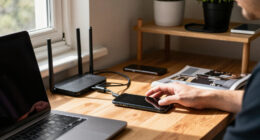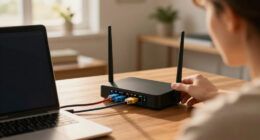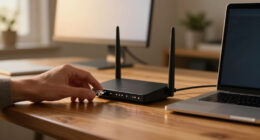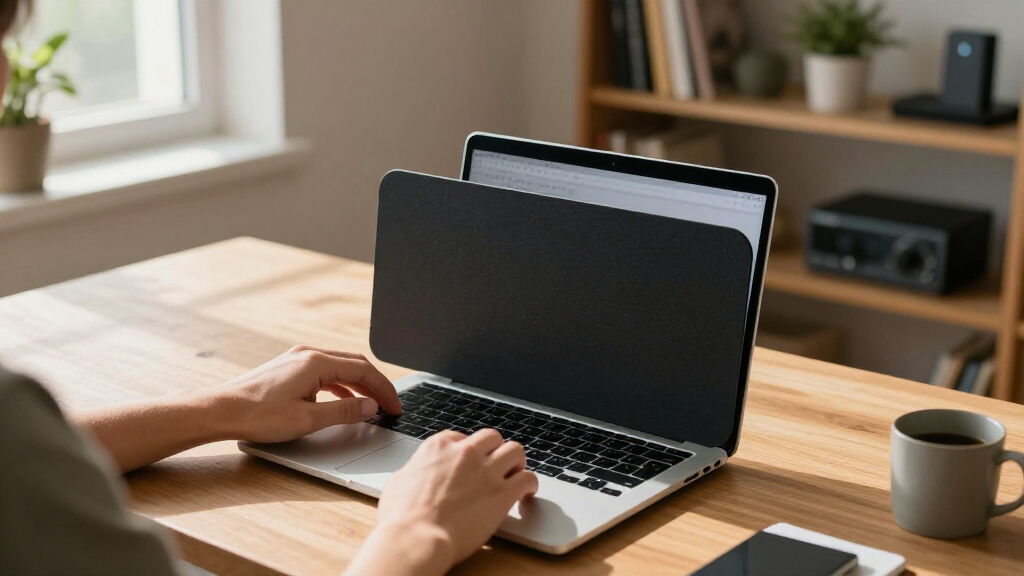
Privacy screen protectors for laptops keep your display invisible to anyone beside you, which matters whether you work in cafés, airports, or open offices. After comparing 15 current options, the SightPro Magnetic Laptop Privacy Screen 14 Inch 16:10 stands out as the best overall pick because its magnetic attachment makes it the easiest to remove when privacy isn’t needed. The STARY 360° Privacy Screen is the stronger choice if you need protection from all four sides rather than just left and right angles, and the SightPro 14 Inch 16:9 filter is a solid budget route for standard widescreen laptops. The main tradeoffs in this category come down to attachment style (magnetic versus adhesive tabs), viewing angle coverage (30° versus 360°), and how much dimness you’ll tolerate for the sake of privacy. Continue reading for the full breakdown, including which sizes and aspect ratios fit which laptops.

Get privacy and security gear delivered free with Prime
- Fast, free delivery on millions of items
- Prime Video, Amazon Music and more included
- Member-only deals all year
Key Takeaways
- Magnetic attachment options like the SightPro 14 and 16 Inch magnetic models consistently beat adhesive-tab filters for convenience — you can pop them off for solo work in seconds, which is half the point of a removable privacy screen.
- Aspect ratio matters more than screen size: ordering a 16:9 filter for a 16:10 laptop (or vice versa) leaves visible gaps at the edges, and this lineup splits almost evenly between the two formats because modern laptops have shifted to 16:10.
- 360° models like the STARY 14 Inch offer privacy from above and behind as well as the sides, but they darken the screen more aggressively than standard 30° filters — a real productivity cost for everyday use.
- Anti-glare and blue light filtering came bundled on most picks here, but reversible (glossy/matte) filters such as the 14 Inch Anti-Glare model give you control over that tradeoff instead of locking you into a matte finish.
- MacBook Pro 16 and Surface Laptop owners have fewer options and should buy device-specific filters like the MacBook Pro/Max 16 Inch shield or STARY Surface Laptop magnetic screen rather than trying to trim a generic one to fit.
| 15.6 Inch Privacy Screen Filter for 16:9 Monitor 1920 x 1080 Resolution |  | Best for Older Widescreen Laptops | Diagonal: 15.6 inches | Aspect Ratio: 16:9 | Width: 13 9/16″ (344 mm) | VIEW LATEST PRICE | See Our Full Breakdown |
| IPROKKO 16 Inch Laptop Privacy Screen 16:10 Aspect Ratio |  | Best Premium | Diagonal: 16 inches | Aspect Ratio: 16:10 | Dimensions: 13.57″ W x 8.48″ H | VIEW LATEST PRICE | See Our Full Breakdown |
| STARY 360° Laptop Privacy Screen Protector for 14 Inch 16:10 Laptops |  | Best All-Angle Privacy | Screen Size: 14 inches | Aspect Ratio: 16:10 | Dimensions: 11.89″ x 7.40″ | VIEW LATEST PRICE | See Our Full Breakdown |
| 14 Inch Laptop Privacy Screen with Anti-Glare and Blue Light Filter |  | Best for Glare-Heavy Environments | Diagonal: 14 inches | Aspect Ratio: 16:9 | Width: 12.2 inches | VIEW LATEST PRICE | See Our Full Breakdown |
| Laptop Privacy Screen 14 Inch Compatible with HP, Dell, Acer, Samsung, Asus, Lenovo, Toshiba, 16:10 Aspect Removable Anti Glare Blue Light Filter Protector |  | Best Value for Modern 14-Inch Laptops | Diagonal: 14 inches / 355.6 mm | Aspect Ratio: 16:10 | Width: 11.89 inches / 302 mm | VIEW LATEST PRICE | See Our Full Breakdown |
| SightPro Magnetic Laptop Privacy Screen 14 Inch 16:10 |  | Best for Frequent Removal | Screen Compatibility: 14-inch laptops, 16:10 aspect ratio | Attachment: Magnetic snap-on | Filter Dimensions: 11.94″ W x 7.5″ H (358.14 mm diagonal) | VIEW LATEST PRICE | See Our Full Breakdown |
| SightPro 14 Inch 16:10 Laptop Privacy Screen Filter |  | Best Value for Permanent Installation | Screen Compatibility: 14.1-inch 16:10 laptops (Lenovo, HP, Dell, Acer, Asus, Samsung) | Attachment: Adhesive strips or slide-mount tabs | Filter Dimensions: 11.94″ W x 7.5″ H (358.14 mm diagonal) | VIEW LATEST PRICE | See Our Full Breakdown |
| SightPro 14 Inch 16:9 Laptop Privacy Screen Filter – Privacy Shield and Anti-Glare Protector |  | Best for Older Widescreen Laptops | Screen Compatibility: 14-inch 16:9 laptops (Lenovo, HP, Dell, Acer, Asus, Samsung; not MacBooks) | Attachment: Adhesive strips, slide-mount tabs | Filter Dimensions: 12.19″ W x 6.88″ H (355.6 mm diagonal) | VIEW LATEST PRICE | See Our Full Breakdown |
| SightPro Magnetic Laptop Privacy Screen 16 Inch |  | Best for Large-Format Work Laptops | Screen Compatibility: 16-inch 16:10 laptops | Attachment: Magnetic snap-on | Filter Dimensions: 13.56″ W x 8.49″ H (406 mm diagonal) | VIEW LATEST PRICE | See Our Full Breakdown |
| SightPro Magnetic Laptop Privacy Screen 14 Inch 16:9 |  | Best Budget Magnetic Option | Screen Compatibility: 14-inch 16:9 laptops (Lenovo, HP, Dell, Acer, Asus, Samsung) | Attachment: Magnetic stickers, snap-on filter | Filter Dimensions: 12.19″ W x 6.88″ H (14″ diagonal) | VIEW LATEST PRICE | See Our Full Breakdown |
| STARY Magnetic Privacy Screen for 13.8 Inch Surface Laptop 7th/8th Gen |  | Best for Surface Laptop Owners | Compatible Devices: Surface Laptop 13.8 inch (Models 2036, 2107, 2135, 2138) | Screen Size: 13.8 inches | Material: Polyethylene Terephthalate | VIEW LATEST PRICE | See Our Full Breakdown |
| Laptop Privacy Screen Filter Shield for MacBook Pro/Max 16 Inch (2021–2026) |  | Best Premium Pick for MacBook Pro | Model Compatibility: 16” MacBook Pro/Max 16.2 inch (2021–2026, M1-M5) | Model Numbers: A2991, A2780, A2485, A3186, A3403, A3428, A3429 | Surface: Scratch-resistant, glossy and matte options | VIEW LATEST PRICE | See Our Full Breakdown |
| Magnetic Laptop Privacy Screen for 14 Inch 16:10 Aspect Ratio |  | Best for Modern 16:10 Workflow Laptops | Display Size Compatibility: 14 inches | Aspect Ratio: 16:10 | Material: Magnetic, multi-layered filter | VIEW LATEST PRICE | See Our Full Breakdown |
| Laptop Privacy Screen 14 Inch 16:9, Anti-Glare Blue Light Filter, Reversible Privacy Shield |  | Best Value for Eye Protection | Compatible Devices: 14 inch (16:9) laptops of HP, Dell, Asus, Acer, Sony, Samsung, Lenovo, Toshiba | Screen Size: 14 inches | Aspect Ratio: 16:9 | VIEW LATEST PRICE | See Our Full Breakdown |
| Magnetic Laptop Privacy Screen for 14 Inch 16:9 Aspect Ratio |  | Best Budget Magnetic Option | Display Size Compatibility: 14 inches | Aspect Ratio: 16:9 | Material: Magnetic, multi-layered filter | VIEW LATEST PRICE | See Our Full Breakdown |
| privacy screen protectors for laptop | Aspect Ratio | Material |
|---|---|---|
| 15.6 Inch Privacy Screen Filte | 16:9 | — |
| IPROKKO 16 Inch Laptop Privacy | 16:10 | — |
| STARY 360° Laptop Privacy Scre | 16:10 | PT multi-layer |
| 14 Inch Laptop Privacy Screen | 16:9 | — |
| Laptop Privacy Screen 14 Inch | 16:10 | — |
| SightPro Magnetic Laptop Priva | — | Microlouver film |
| SightPro 14 Inch 16:10 Laptop | — | Multi-layered film |
| SightPro 14 Inch 16:9 Laptop P | — | — |
| SightPro Magnetic Laptop Priva | — | Multi-layered film |
| SightPro Magnetic Laptop Priva | — | — |
| STARY Magnetic Privacy Screen | — | Polyethylene Terephthalate |
| Laptop Privacy Screen Filter S | — | — |
| Magnetic Laptop Privacy Screen | 16:10 | Magnetic, multi-layered filter |
| Laptop Privacy Screen 14 Inch | 16:9 | Polyethylene Terephthalate |
| Magnetic Laptop Privacy Screen | 16:9 | Magnetic, multi-layered filter |
More Details on Our Top Picks
15.6 Inch Privacy Screen Filter for 16:9 Monitor 1920 x 1080 Resolution
This filter targets a segment most competitors ignore: the large population of 15.6-inch 16:9 laptops that still dominate offices and home setups. While newer 16:10 machines get most of the premium options — like the IPROKKO 16 Inch — this pick covers buyers whose hardware skews older or budget-tier. Its 30% blue light block is modest compared with the 95–98% claims of pricier rivals, but that translates to less color distortion for people who do design work or watch video. The dual slide-on and mounted installation is genuinely useful if you share the laptop between private and collaborative use.
The tradeoff is clear: weaker eye-protection numbers, no reversible finish, and no touchscreen compatibility, which the STARY 360° also struggles with in a different way. Think of this as the practical choice, not the deluxe one.
Pros:- Fits the common but underserved 15.6-inch 16:9 format
- Two installation methods allow easy removal for shared devices
- Low blue light blocking means more accurate colors and brightness
- Affordable compared with premium 16-inch options
Cons:- Only 30% blue light block — the weakest eye-protection spec in this lineup
- Not compatible with touchscreen laptops
- Strict dimensional fit leaves no room for measurement error
Best for: Owners of older 15.6-inch 16:9 laptops who want removable privacy without paying premium prices
Not ideal for: Touchscreen laptop users and anyone wanting serious blue light reduction — the 30% figure is far below category leaders
- Diagonal:15.6 inches
- Aspect Ratio:16:9
- Width:13 9/16″ (344 mm)
- Height:7 5/8″ (194 mm)
- Blue Light Block:30%
- Installation:Slide-on/off or mounted
Our verdict“A sensible pick for aging widescreen hardware where privacy matters more than advanced light filtering.”
IPROKKO 16 Inch Laptop Privacy Screen 16:10 Aspect Ratio
This option stands out for solving the problem every privacy filter creates: dimming your own screen. Its German materials keep brightness closer to native while still blocking side views, which most budget filters — including the 14 Inch Anti-Glare model (B0CS95JQT9) — can’t claim. Add a 9H hardness rating, the highest in this roundup, plus 95% blue light and 98% UV block, and this is the most complete spec sheet here.
The reversible matte/glossy finish gives real flexibility: matte for glare-heavy café work, glossy for crisp presentation-mode clarity. The lifetime replacement warranty on attachment parts signals confidence the cheaper options don’t match. The tradeoff is fit discipline — it’s built strictly for 16-inch 16:10 screens — and flipping the filter to switch finishes is more fiddly than a single-finish design. Compared with the STARY 360°, you give up all-angle privacy for better brightness and durability.
Pros:- Maintains screen brightness better than typical privacy filters
- Highest hardness rating in the lineup at 9H
- Reversible matte and glossy surfaces for different lighting conditions
- Lifetime replacement warranty on attachment parts
Cons:- Premium price for a single screen size
- Switching between finishes requires physically flipping the filter
- Demands exact measurement — no tolerance for near-fit laptops
Best for: Mobile professionals with modern 16-inch 16:10 laptops who refuse to sacrifice display quality for privacy
Not ideal for: Anyone with a smaller or 16:9 laptop — the strict 16-inch 16:10 fit rules out most machines
- Diagonal:16 inches
- Aspect Ratio:16:10
- Dimensions:13.57″ W x 8.48″ H
- Hardness:9H
- Blue Light Block:95%
- UV Block:98%
- Finish:Glossy & Matte (reversible)
- Installation:Slide-mount tabs or permanent strips
- Warranty:Lifetime replacement of attachment parts
Our verdict“The pick for buyers who want flagship-grade filtration and durability on a large modern laptop.”
STARY 360° Laptop Privacy Screen Protector for 14 Inch 16:10 Laptops
Every other filter here — including the IPROKKO 16 Inch and the 14 Inch 16:10 Removable model (B0FP464T4Z) — blocks side views only. This one goes further with 360-degree coverage, blocking someone peering from above or beside you on a train or plane. For people who work with genuinely sensitive data — client records, financials, medical info — that difference matters more than any spec sheet.
The cost of all-angle protection is slightly reduced brightness and a 6H hardness rating that trails the IPROKKO’s 9H. The 98% blue light block is best-in-class for eye strain, though, and the dual glossy/matte sides mirror what the pricier options offer. Compatibility is the sticking point: Lenovo, HP, Dell, Acer, Asus, and Samsung are covered, but MacBook and Surface owners are out of luck and should look at the dedicated MacBook 16-inch filter in this guide instead.
Pros:- Only filter here offering 360-degree privacy from all directions
- 98% blue light block is the strongest eye-protection claim in the batch
- Reversible matte and glossy finishes for glare control
- Two mounting methods including slide-in for easy removal
Cons:- Noticeable brightness reduction compared with non-360 filters
- 6H hardness is below the premium 9H options
- Excludes MacBook and Surface devices entirely
Best for: Travelers and confidentiality-bound professionals who need protection from every viewing angle, not just the sides
Not ideal for: MacBook and Surface users — this filter explicitly doesn’t support those devices
- Screen Size:14 inches
- Aspect Ratio:16:10
- Dimensions:11.89″ x 7.40″
- Material:PT multi-layer
- Blue Light Block:98%
- Hardness:6H
- Finish Options:Glossy and Matte
- Compatibility:Lenovo, HP, Dell, Acer, Asus, Samsung (not MacBook or Surface)
Our verdict“The clear choice when someone could be looking from any angle — accept the dimmer screen in exchange.”
14 Inch Laptop Privacy Screen with Anti-Glare and Blue Light Filter
If your work happens near windows, on patios, or under harsh office fluorescents, glare is the enemy before privacy even enters the picture. This filter claims over 90% glare reduction while still delivering the standard ±30° anti-peep window and a strong 95% blue light cut. Compared with the generic 14-inch 16:9 filter elsewhere in this roundup, the anti-glare focus here is the differentiator rather than an afterthought.
Where it trails the competition: mounting depends on adhesive strips rather than the slide-mount tabs IPROKKO and STARY include, so it’s less convenient to remove repeatedly, and there’s no reversible finish. The fit issue is real too — some monitor frames just don’t line up cleanly, leaving small gaps at the edges. This pick makes the most sense for a 14-inch 16:9 laptop that stays put in a bright, exposed workspace.
Pros:- Over 90% glare reduction leads this lineup for bright-environment use
- 95% blue light and 92% UV filtering for long sessions
- Maintains HD display quality despite heavy filtering
- Fits a wide range of 14-inch laptops
Cons:- Adhesive-strip mounting is less convenient than slide-mount designs
- May not align perfectly with all monitor frames
- Single finish — no matte/glossy flexibility like rivals
Best for: Remote workers in sunlit spaces who fight screen reflections as much as prying eyes
Not ideal for: People who frequently remove and reattach their filter — adhesive mounting wears out faster than slide tabs
- Diagonal:14 inches
- Aspect Ratio:16:9
- Width:12.2 inches
- Height:6.9 inches
- Blue Light Reduction:95%
- UV Light Reduction:92%
- Anti-Peep Angle:±30°
- Glare Reduction:90%+
Our verdict“Prioritize this if reflections are your daily battle; choose slide-mount rivals if portability matters more.”
Laptop Privacy Screen 14 Inch Compatible with HP, Dell, Acer, Samsung, Asus, Lenovo, Toshiba, 16:10 Aspect Removable Anti Glare Blue Light Filter Protector
This filter delivers nearly everything the premium options promise — 95% glare reduction, 98% UV block, reversible matte/glossy sides — at a friendlier price point than the IPROKKO 16 Inch. For owners of mainstream 14-inch 16:10 machines from HP, Dell, Lenovo, and the rest, it covers the essentials without paying for the 9H hardness or brightness-preservation engineering. Compared with the STARY 360°, you lose all-angle protection but keep a brighter, cheaper screen experience.
The compromises show up in execution rather than specs: the 92% blue light figure trails the leaders slightly, and installation demands patience — bubbles and misalignment are common complaints at this price tier. The strict 14-inch limit also means buyers of smaller ultraportables or larger machines need a different pick. This model makes the most sense for a first-time buyer who wants broad compatibility and reversibility without a premium outlay.
Pros:- Reversible matte and glossy surfaces usually reserved for pricier filters
- 95% glare reduction rivals the dedicated anti-glare pick
- Broad brand compatibility across seven major laptop makers
- Easy to install and remove for shared or rotating devices
Cons:- 92% blue light block trails the 95–98% category leaders
- Bubble-free installation requires care and patience
- Strictly limited to 14-inch 16:10 screens
Best for: First-time buyers with mainstream 14-inch 16:10 laptops who want full feature coverage at a budget price
Not ideal for: Anyone outside the 14-inch 16:10 format, or perfectionists who won’t tolerate minor alignment bubbles
- Diagonal:14 inches / 355.6 mm
- Aspect Ratio:16:10
- Width:11.89 inches / 302 mm
- Height:7.40 inches / 188 mm
- Blue Light Reduction:92%
- UV Light Reduction:98%
- Glare Reduction:95%
- Finish:Reversible matte and glossy
Our verdict“The smart budget play for standard 14-inch laptops — accept slightly fussier installation for the savings.”
SightPro Magnetic Laptop Privacy Screen 14 Inch 16:10
Most privacy filters force a choice: permanent attachment or a fiddly peel-and-restick routine. This model sidesteps both with a magnetic snap-on design that detaches in seconds, which matters if you move between private and shared workspaces throughout the day. Compared with the SightPro 14 Inch 16:10 adhesive version, this one trades a slightly higher price for convenience — no residue, no worn-out strips, no alignment frustration on the third reattachment. The glossy-and-matte reversible finish gives you a glare-free option for bright cafés, and the bundled webcam cover is a thoughtful extra. The tradeoff is fit precision: magnets require an exact match to your bezel, and touchscreens won’t respond reliably through the film. Anyone sitting with their back to a crowd should also know side-angle blocking doesn’t cover rear views.
Pros:- Snaps on and off magnetically in seconds without adhesive residue
- Reversible glossy/matte finish adapts to bright or dim environments
- Includes a webcam cover and cleaning cloth rather than just the filter
- Blocks side-angle views while keeping the front view clear
Cons:- Magnets require an exact bezel match, so measurement verification is mandatory
- Not usable with touchscreen laptops
- Does not obscure the screen for someone standing directly behind you
Best for: Consultants and travelers who share screens in meetings one hour and work on sensitive documents the next
Not ideal for: Touchscreen laptop owners — the filter interferes with touch response and the magnets add little benefit
- Screen Compatibility:14-inch laptops, 16:10 aspect ratio
- Attachment:Magnetic snap-on
- Filter Dimensions:11.94″ W x 7.5″ H (358.14 mm diagonal)
- Material:Microlouver film
- Finish:Glossy and matte reversible
- Extras:Webcam cover, cleaning cloth
- Water Resistance:Water resistant
Our verdict“Buy this if you take your filter on and off regularly; pick the adhesive SightPro 16:10 model if you plan to leave it installed permanently.”
SightPro 14 Inch 16:10 Laptop Privacy Screen Filter
For a set-and-forget privacy setup, this filter undercuts the magnetic SightPro 14 Inch 16:10 on price while delivering the same blackout effect from side angles. Its dual mounting system — adhesive strips or slide-mount tabs — means you can choose between an invisible install or a semi-permanent frame you can pop the filter out of when privacy isn’t needed. The 8H hardness rating is a real differentiator here, adding scratch resistance the magnetic models don’t advertise, which is why this pick makes the most sense for laptops that live in bags with keys and chargers. The matte side handles overhead office lighting well. What you give up is flexibility: repeated removal wears the adhesive faster than magnets would, and like the rest of the SightPro line, it won’t cooperate with touchscreens or protect against rear viewing.
Pros:- Lower price than the magnetic equivalent while delivering identical side-view blackout
- 8H hardness adds scratch protection the magnetic models lack
- Choice of adhesive strips or slide-mount tabs for different installation styles
- Anti-glare matte finish reduces eye strain under office lighting
Cons:- Adhesive mounting is slower to attach and remove than magnets
- Not optimized for touchscreen laptops
- Requires careful measurement of your 16:10 screen before ordering
Best for: Budget-minded office workers and students who want privacy protection installed once and left alone
Not ideal for: Anyone who wants to remove the filter daily — adhesive strips degrade with repeated use
- Screen Compatibility:14.1-inch 16:10 laptops (Lenovo, HP, Dell, Acer, Asus, Samsung)
- Attachment:Adhesive strips or slide-mount tabs
- Filter Dimensions:11.94″ W x 7.5″ H (358.14 mm diagonal)
- Material:Multi-layered film
- Hardness:8H
- Finish:Glossy and matte
- Protection Features:Anti-glare, blue light filtering
Our verdict“The sensible choice if you want durable, permanent privacy protection at the lowest cost in the SightPro 14-inch lineup.”
SightPro 14 Inch 16:9 Laptop Privacy Screen Filter – Privacy Shield and Anti-Glare Protector
Plenty of business laptops still use the older 16:9 aspect ratio, and most privacy filter roundups quietly ignore them. This model covers that gap with the same dual mounting hardware and glare reduction as the SightPro 16:10 adhesive filter, but sized for wider-format 14-inch screens — the filter runs wider and shorter at 12 3/16 by 6 7/8 inches, so ordering the wrong ratio is the most common mistake here. Its matte finish performs well against airplane window glare and open-plan overhead lights, and the included microfiber cloth suggests SightPro expects it to travel, which it does well. Compared with the magnetic 16:9 SightPro, this version costs less but gives up the instant-removal convenience. One genuine drawback: the filtering layers dim the screen slightly, so you’ll be nudging brightness up and costing yourself some battery life.
Pros:- One of the few adhesive options cut specifically for 16:9 14-inch screens
- Two mounting methods let you pick permanent or removable installation
- Effective anti-glare finish for travel and open offices
- Filters blue light and UV alongside privacy protection
Cons:- Slightly reduces screen brightness, requiring higher backlight settings
- Not compatible with MacBooks
- Not optimized for touchscreen laptops
Best for: Owners of older 16:9 business laptops who want affordable, semi-permanent privacy with glare control
Not ideal for: MacBook owners — this filter is explicitly not compatible with Apple laptop bezels
- Screen Compatibility:14-inch 16:9 laptops (Lenovo, HP, Dell, Acer, Asus, Samsung; not MacBooks)
- Attachment:Adhesive strips, slide-mount tabs
- Filter Dimensions:12.19″ W x 6.88″ H (355.6 mm diagonal)
- Protection Features:Anti-glare, UV and blue light filtering
- Package Contents:Privacy filter, adhesive strips, slide-mount tabs, microfiber cloth
Our verdict“The right pick if your 14-inch laptop predates the 16:10 shift and you want solid privacy without magnetic pricing.”
SightPro Magnetic Laptop Privacy Screen 16 Inch
Sixteen-inch workstation laptops present a problem most filters handle badly: a big screen means more surface area to shield and more bezel variation to fit. This magnetic option is built for that job, and the snap-on design matters more at this size — peeling adhesive across a 13.5-by-8.5-inch surface rarely goes on without bubbles or misalignment. Compared with the IPROKKO 16 Inch 16:10 filter, the SightPro pulls ahead on the bundled kit: a storage folder keeps the filter flat and protected when detached, which cheaper 16-inch options omit entirely. The front-view clarity holds up well for design and spreadsheet work. The honest tradeoff is that 16-inch bezels vary widely between brands, so a slightly-too-narrow fit is a real possibility, and the larger film makes the brightness dimming effect more noticeable in dim rooms.
Pros:- Magnetic attachment avoids bubble-prone adhesive application on a large surface
- Storage folder protects the filter when it’s off the laptop
- Clear front viewing preserved for detailed visual work
- Includes webcam cover and cleaning cloth
Cons:- 16-inch bezel dimensions vary by brand, so fit verification is essential
- Larger filter area makes slight brightness reduction more noticeable
- Not optimized for touchscreen laptops
Best for: Engineers, designers, and analysts with 16-inch workstations who handle sensitive files in shared spaces
Not ideal for: Owners of narrower-bezel 16-inch gaming laptops — the fit tolerance is tighter at this size and may leave gaps
- Screen Compatibility:16-inch 16:10 laptops
- Attachment:Magnetic snap-on
- Filter Dimensions:13.56″ W x 8.49″ H (406 mm diagonal)
- Material:Multi-layered film
- Protection:UV and blue light filtering
- Extras:Webcam cover, storage folder, cleaning cloth
Our verdict“The strongest choice for 16-inch 16:10 laptops, provided you measure your screen first and don’t need touch input.”
SightPro Magnetic Laptop Privacy Screen 14 Inch 16:9
Magnetic attachment usually carries a price premium, and this filter is where that premium shrinks to almost nothing. It delivers the same tool-free snap-on convenience as the larger SightPro 16-inch magnetic model, scaled down for 16:9 14-inch laptops, with none of the adhesive residue that comes with the SightPro 16:9 adhesive filter. For commuters who need privacy on the train but a bare screen at home, that daily on-off cycle is exactly what this design is for. The complete accessory bundle — magnetic stickers, webcam cover, storage folder, and cleaning cloth — is generous for the price point. Be aware the magnetic stickers add a thin layer around the bezel that some users find visible when the filter is off, and the narrower 16:9 cut means it’s useless on newer 16:10 machines. Side-angle blocking is solid, though direct rear views remain exposed.
Pros:- Magnetic attachment at a lower price than most snap-on competitors
- No adhesive or tape required, so the bezel stays clean
- Full accessory bundle including storage folder and webcam cover
- Fits a wide range of 16:9 laptop brands
Cons:- Magnetic sticker frames remain visible when the filter is removed
- Requires verifying 16:9 screen dimensions before purchase
- Not optimized for touchscreen laptops
Best for: Commuters and hybrid workers who want magnetic convenience on an older 16:9 laptop without paying flagship prices
Not ideal for: Owners of newer 16:10 aspect-ratio laptops — the wider filter shape won’t fit
- Screen Compatibility:14-inch 16:9 laptops (Lenovo, HP, Dell, Acer, Asus, Samsung)
- Attachment:Magnetic stickers, snap-on filter
- Filter Dimensions:12.19″ W x 6.88″ H (14″ diagonal)
- Protection:UV and blue light filtering
- Package Contents:Privacy filter, magnetic stickers, webcam cover, storage folder, cleaning cloth
Our verdict“A smart middle-ground buy: magnetic flexibility at near-adhesive pricing for older widescreen 14-inch laptops.”
STARY Magnetic Privacy Screen for 13.8 Inch Surface Laptop 7th/8th Gen
Model-specific privacy screens usually fit better than generic ones, and this STARY filter is a good example. Because it is cut for the exact 13.8-inch Surface Laptop display (models 2036, 2107, 2135, and 2138), it avoids the edge gaps that size-based options like the Magnetic Laptop Privacy Screen for 14 Inch 16:10 often leave behind. The magnetic attachment lets you pop it off at home and reattach it at a coffee shop in seconds — a genuine advantage over the adhesive-based Laptop Privacy Screen 14 Inch 16:9, which is far less forgiving about repositioning. The tradeoff is straightforward: ±30° privacy and blue light filtering work well, but the matte finish dims brightness noticeably, and anyone who switches laptops will find this filter useless. Compared with the STARY 360° protector elsewhere in this roundup, coverage here is side-only.
Pros:- Exact fit for specific Surface Laptop models with no trimming needed
- Reusable magnetic installation for quick attach-and-remove workflows
- Blue light filtering and anti-glare surface reduce eye strain during long sessions
- 6H hardness resists scratches during travel
Cons:- Only fits four Surface Laptop models — zero cross-compatibility
- Matte finish noticeably reduces screen brightness
Best for: Surface Laptop 7th/8th Gen owners who want a precisely fitted, removable privacy filter for commuting and travel
Not ideal for: Multi-device users or owners of other laptop brands — the model-specific cut means it simply won’t fit anything else
- Compatible Devices:Surface Laptop 13.8 inch (Models 2036, 2107, 2135, 2138)
- Screen Size:13.8 inches
- Material:Polyethylene Terephthalate
- Finish:Matte & Glossy
- Hardness:6H
- Features:Anti-Spy, Anti-Glare, Blue Light Filter, Scratch-Resistant, Reusable
- Measurements:13.8″ L x 9″ W
Our verdict“If you own a compatible Surface Laptop and want a tailored, reusable filter, this is the right pick — everyone else should look at universal 14-inch options.”
Laptop Privacy Screen Filter Shield for MacBook Pro/Max 16 Inch (2021–2026)
This filter stands out for its model-tailored magnetic design across a wide run of 16-inch MacBook Pro and Max models from 2021 through 2026, including M-series chips. Where the generic IPROKKO 16 Inch Privacy Screen covers 16:10 laptops broadly, this one matches Apple’s 16.2-inch panel precisely, which is why HD clarity holds up better — text stays crisp rather than hazy. The magnets snap on cleanly without adhesives touching the display, making it a better daily-driver choice than adhesive strips if you frequently move between private and public workspaces. The honest downsides: a visible gap can appear along the edges after installation, and at 4.8 ounces it adds noticeable weight to an already heavy machine. Buyers outside the listed model numbers (A2991, A2780, A2485, and others) get no benefit at all.
Pros:- Covers six years of 16-inch MacBook Pro/Max model numbers
- Magnetic installation leaves no adhesive residue on the display
- High-definition clarity preserves color accuracy better than budget filters
- Glare, blue light, and UV reduction in one layer
Cons:- Slight visible gap after installation along the bezel
- Only compatible with specific 16-inch MacBook models
Best for: MacBook Pro/Max 16-inch owners who commute or work in open offices and want premium clarity with tool-free installation
Not ideal for: Budget buyers and anyone with an older or smaller MacBook — the premium fit only pays off on listed 2021–2026 models
- Model Compatibility:16” MacBook Pro/Max 16.2 inch (2021–2026, M1-M5)
- Model Numbers:A2991, A2780, A2485, A3186, A3403, A3428, A3429
- Surface:Scratch-resistant, glossy and matte options
- Dimensions:14.8 x 9.9 x 0.2 inches
- Weight:4.8 ounces
Our verdict“The closest thing to a factory-fit privacy filter for modern 16-inch MacBooks, provided your model number is on the list.”
Magnetic Laptop Privacy Screen for 14 Inch 16:10 Aspect Ratio
Most budget privacy filters still assume 16:9 panels, which leaves owners of modern 16:10 laptops with mismatched edges. This magnetic option solves that, sitting alongside the SightPro Magnetic 14 Inch 16:10 as one of the few filters cut for the taller aspect ratio found on newer Dell XPS, Lenovo, and Microsoft machines. Compared with the SightPro, its multi-layered filter construction delivers a documented 49% blue light reduction while keeping both glossy and anti-glare surfaces available — a nice touch for people who flip between media watching and document work. The tradeoff is real, though: that filtering layer softens sharpness and color vibrancy, and like nearly every filter in this category, it does nothing against someone standing directly behind you. Measure your panel before ordering, because 14-inch 16:10 and 16:9 screens are not interchangeable.
Pros:- Correctly cut for 16:10 panels that most cheap filters ignore
- Magnetic removal makes it practical to use only when needed
- Dual glossy and anti-glare surfaces for different lighting conditions
- 49% blue light reduction eases eye fatigue
Cons:- Noticeable softening of sharpness and color vibrancy
- No protection against viewers directly behind the screen
Best for: Owners of modern 14-inch 16:10 laptops who want removable magnetic privacy without adhesive hassle
Not ideal for: Anyone worried about rear-viewing snoopers or unwilling to accept some loss of screen vibrancy
- Display Size Compatibility:14 inches
- Aspect Ratio:16:10
- Material:Magnetic, multi-layered filter
- Blue Light Reduction:49%
- Dimensions:11.87 x 7.42 x 0.5 inches
- Weight:5.6 ounces
Our verdict“A sensible choice for current-generation 16:10 laptops, as long as you accept slightly muted visuals in exchange for side privacy.”
Laptop Privacy Screen 14 Inch 16:9, Anti-Glare Blue Light Filter, Reversible Privacy Shield
What separates this filter from the Magnetic Laptop Privacy Screen for 14 Inch 16:9 later in this list is ambition: it claims 95% blue light blocking and 92% UV blocking, versus roughly half that for most magnetic competitors. For buyers whose main complaint is evening eye strain rather than pure snooping, that aggressive filtering makes it the stronger pick despite the fussier install. The reversible matte/glossy design is genuinely useful — matte for bright offices, glossy for dim rooms — and the 9H hardness rating outclasses the STARY Surface filter’s 6H for scratch resistance. The catch is mounting: without magnets, you rely on adhesive tabs or slide brackets, so it is less convenient to remove than the magnetic options, and the heavy blue light blocking gives whites a warm tint that photo editors will dislike. It also only fits 16:9 panels.
Pros:- 95% blue light and 92% UV blocking — the strongest eye protection in this batch
- Reversible matte and glossy surfaces for different lighting
- 9H hardness for excellent scratch resistance
- Works across HP, Dell, Lenovo, Asus, Acer, Samsung and other 16:9 brands
Cons:- Adhesive mounting is slower and messier than magnetic attachment
- Heavy blue light filtering warms color temperature noticeably
Best for: Budget-conscious buyers with standard 16:9 laptops who prioritize maximum blue light and UV blocking alongside privacy
Not ideal for: Color-critical professionals — the aggressive warm tint shifts on-screen colors, and frequent removers will dislike the adhesive mounting
- Compatible Devices:14 inch (16:9) laptops of HP, Dell, Asus, Acer, Sony, Samsung, Lenovo, Toshiba
- Screen Size:14 inches
- Aspect Ratio:16:9
- Material:Polyethylene Terephthalate
- Blue Light Block:95%
- UV Light Block:92%
- Hardness:9H
- Finish Type:Matte / Glossy (reversible)
Our verdict“The best pick if eye comfort matters as much as privacy, so long as you can live with a warm-tinted screen and non-magnetic mounting.”
Magnetic Laptop Privacy Screen for 14 Inch 16:9 Aspect Ratio
This is the pick for buyers who want magnetic convenience without paying a premium. Compared with the reversible Laptop Privacy Screen 14 Inch 16:9, it skips the aggressive 95% blue light blocking in favor of a lighter 49% reduction — which means colors stay closer to true and text remains sharper, but night-time eye strain relief is weaker. Like its 16:10 sibling from the same family, it offers ±30° side privacy, an anti-glare surface, and full removability, plus mounting accessories for laptops where the built-in magnets don’t align. The shared weaknesses are predictable: image sharpness and vibrancy take a small hit, and a coworker standing directly behind you sees everything clearly. At 5.9 ounces it is also the heaviest 14-inch filter here, which matters if your laptop already pushes your bag’s weight.
Pros:- Magnetic attachment at a lower price than most magnetic competitors
- Removable and reusable without adhesive residue
- Anti-glare surface handles bright café and office lighting
- Includes mounting accessories for non-magnetic laptop frames
Cons:- Only 49% blue light reduction — weak for heavy evening screen use
- Adds noticeable weight at 5.9 ounces and softens sharpness
Best for: Students and hybrid workers with older 16:9 laptops who want cheap, repeatable magnetic privacy
Not ideal for: Buyers needing strong blue light blocking or protection against rear viewers — this filter handles neither well
- Display Size Compatibility:14 inches
- Aspect Ratio:16:9
- Material:Magnetic, multi-layered filter
- Blue Light Reduction:49%
- Color Options:Glossy / No Gloss
- Dimensions:12.2 x 6.9 x 0.5 inches
- Weight:5.9 ounces
Our verdict“A sensible budget route to magnetic privacy on standard 16:9 laptops, as long as eye-protection claims aren’t your priority.”

How We Picked
I evaluated every option against four buyer-relevant criteria. Privacy performance came first: how narrow the effective viewing angle is, and whether the filter blocks side views only or full 360° coverage. Attachment method was next — magnetic strips are removable in seconds, while adhesive tabs are semi-permanent and can leave residue, so I weighted magnetic designs higher for people who toggle privacy on and off. Screen fidelity covered how much the filter dims the display, whether it adds an anti-glare matte finish, and whether blue light filtering comes at the cost of color accuracy — a real issue for designers and photographers.
I also judged fit and compatibility, because a filter cut for the wrong aspect ratio simply doesn’t work: a 16:9 filter on a 16:10 panel leaves exposed edges that leak the very content you’re trying to hide. Finally, I factored in value — pricing in this category ranges widely for filters that perform nearly identically, and the ranking rewards options that deliver the same privacy at a lower price. Products are ordered so that the top picks balance all four criteria, while lower-ranked options excel in one area but carry a meaningful drawback elsewhere.
| privacy screen protectors for laptop | Material |
|---|---|
| 15.6 Inch Privacy Screen Filte | — |
| IPROKKO 16 Inch Laptop Privacy | — |
| STARY 360° Laptop Privacy Scre | PT multi-layer |
| 14 Inch Laptop Privacy Screen | — |
| Laptop Privacy Screen 14 Inch | — |
| SightPro Magnetic Laptop Priva | Microlouver film |
| SightPro 14 Inch 16:10 Laptop | Multi-layered film |
| SightPro 14 Inch 16:9 Laptop P | — |
| SightPro Magnetic Laptop Priva | Multi-layered film |
| SightPro Magnetic Laptop Priva | — |
| STARY Magnetic Privacy Screen | Polyethylene Terephthalate |
| Laptop Privacy Screen Filter S | — |
| Magnetic Laptop Privacy Screen | Magnetic, multi-layered filter |
| Laptop Privacy Screen 14 Inch | Polyethylene Terephthalate |
| Magnetic Laptop Privacy Screen | Magnetic, multi-layered filter |
Factors to Consider When Choosing Privacy Screen Protectors For Laptops
Before picking a specific filter, it helps to understand what actually drives privacy performance and usability in this category. These are the factors that separated the top picks from the rest — and the mistakes that lead to returns.Measure Your Screen Correctly Before Ordering
The single most common mistake in this category is ordering by laptop model name instead of measuring the screen diagonally, corner to corner, excluding the bezel. A “14 inch laptop” can have a 13.3, 13.5, or 14.5 inch panel depending on the manufacturer and year, and filters are cut to precise dimensions with no tolerance. Just as important is the aspect ratio: most laptops made after 2020 use 16:10 panels, while older machines and many budget models use 16:9. A 16:9 filter on a 16:10 screen will be visibly short at top and bottom, and that exposed strip defeats the purpose. Measure width and height in inches, compare against the product’s listed filter dimensions — not just the advertised size — and match the aspect ratio exactly.
Magnetic vs. Adhesive Attachment
Attachment method determines how you’ll actually live with the filter day to day. Magnetic strips let you snap the filter on and off in seconds, which suits anyone who only needs privacy in public and wants full brightness at home — but they only work on laptops with metal-friendly bezels, which is why MacBook and Surface-specific magnetic options exist. Adhesive slide-mount tabs work on any laptop and hold firmly, but removing the filter repeatedly wears out the adhesive and can leave residue. A filter you can’t easily remove becomes a permanent 30–40% brightness tax, so think honestly about how often you work in private before choosing permanent attachment. If you travel weekly, magnetic is almost always worth the premium.
Viewing Angle: 30° Blocking vs. 360° Coverage
Standard privacy filters black out the screen beyond roughly 30 degrees to the left and right, which handles the most common threat — the person seated beside you on a plane or train. 360° filters add blocking from above and below, protecting against the person standing behind you or the overhead camera angle in a crowded café. That extra coverage comes at a cost: 360° filters typically darken the on-axis view more than standard filters, and some users find them fatiguing over a full workday. If your concern is shoulder-surfing colleagues in an open office, standard 30° blocking is usually enough. If you handle medical, legal, or financial data in genuinely public spaces, the 360° premium is justified.
Screen Brightness and Anti-Glare Tradeoffs
Every privacy filter dims your display, typically by 30–40%, because the micro-louver technology that blocks side angles also reduces light transmission. On a laptop with a bright 400+ nit panel this is manageable; on a budget laptop already struggling at 250 nits, a privacy filter can make the screen genuinely hard to read outdoors. Matte anti-glare finishes reduce reflections but add a slight graininess that photographers and video editors will notice in color work — which is why reversible filters with a glossy side are worth seeking out if you switch between private work and color-critical work. Some filters also add blue light filtering, which shifts color temperature warm; fine for documents, problematic for design. Check whether your laptop can compensate with a brightness boost before committing.
Device-Specific vs. Universal Fit
MacBooks and Surface Laptops deserve special attention because their bezel designs and webcams don’t align with generic filter cutouts. A generic 16 inch filter on a MacBook Pro 16 can cover the camera or miss the notch area, and trimming a filter yourself almost always produces a ragged edge that collects dust and peels. Device-specific filters cost more but account for webcam placement, notch geometry, and magnetic attachment points. Windows laptops with standard bezels are far more flexible — the generic 16:9 and 16:10 filters in this lineup fit most Lenovo, Dell, HP, Asus, and Acer models without issue. If you own a premium ultrabook, the extra ten dollars for a tailored cut is money well spent.
When to Pay More — and When Not To
Price in this category doesn’t map cleanly to privacy performance; a $25 filter and a $60 filter often block side views equally well. What the premium buys is better attachment hardware (stronger magnets, cleaner slide mounts), reversible matte/glossy finishes, and more precise cutting with fewer edge defects. If you install the filter once and leave it on permanently, a basic adhesive model serves you fine. If you remove and reattach the filter daily, cheap adhesive tabs will fail within months and flimsy magnetic strips will slip — that’s where spending more pays for itself. Frequent travelers and hybrid workers should budget for the mid-to-upper range; occasional users should not.
Frequently Asked Questions
Do privacy screen protectors make my laptop screen too dark to use comfortably?
Any privacy filter will dim your display by roughly 30–40% because the micro-louver layer that blocks side viewing also reduces light output straight on. Whether that’s comfortable depends on your laptop’s baseline brightness — a 400-nit panel loses brightness you can spare, while a 250-nit budget panel can become difficult to read near a window. You can partially compensate by raising brightness, but that costs battery life on the go. Filters with a glossy side, like the reversible 14 Inch Anti-Glare model, preserve more brightness than matte-only versions at the cost of added reflections. If you work outdoors often, prioritize a bright panel and a reversible finish before buying any filter.
Will a privacy screen protector fit my laptop if the sizes look close?
Unfortunately, “close” is not close enough with privacy filters, because even a few millimeters of misfit leaves an exposed strip of screen visible from the side — exactly the leak you bought the filter to prevent. Filters are cut to the exact panel dimensions of a specific size and aspect ratio, and there’s no stretch or overlap to hide a mismatch. The bigger trap than diagonal size is aspect ratio: a 14 inch 16:9 filter on a 14 inch 16:10 screen will sit short on the top and bottom edges. Measure your panel’s width and height with a ruler and compare against the listed filter dimensions, not the marketing size. Most returns in this category come from buyers who ordered by laptop model name instead of measuring.
Are magnetic privacy screens better than adhesive ones?
Magnetic attachment wins for anyone who needs privacy only part of the time, because you can remove the filter in two seconds and restore full brightness when working alone. Adhesive slide-mount tabs work on virtually any laptop, which makes them the fallback for plastic-bezel machines, but repeated removal wears out the adhesive and eventually leaves residue or a loose fit. The catch with magnetic filters is compatibility: they need a metal bezel or included magnetic strips to grip, which is why MacBook and Surface-specific magnetic versions exist as separate products. If you install a filter once and never remove it, adhesive is perfectly fine and usually cheaper. If you commute or travel several times a week, magnetic is worth every extra dollar.
Do 360° privacy filters actually work better than standard ones?
They do block more — standard filters black out the screen beyond about 30 degrees to the left and right, while 360° filters like the STARY 14 Inch also block views from above and below. That matters in real scenarios: someone standing behind your café seat, or a tall colleague looking down at your monitor in an open office, can see a standard filter’s screen clearly. The tradeoff is that 360° filters reduce on-axis brightness and clarity more than standard filters, since there’s simply more louver material working. For most office and travel use, standard 30° blocking covers the realistic threats. Choose 360° only if you handle genuinely sensitive data in crowded, uncontrolled environments.
Can I use a privacy filter and still get accurate colors for photo or design work?
It’s a real tension, because every filter adds a dimming layer, many add a matte grain, and some include blue light filtering that shifts whites toward warm. For color-critical work, the best approach is a reversible filter with a glossy side — mount it glossy-out when color accuracy matters, matte-out when glare is the bigger problem. Avoid filters that bundle aggressive blue light reduction if you do design work, since the warm tint can’t be fully corrected in software. The other strategy is magnetic attachment: remove the filter entirely during editing sessions and snap it back on before working in public. Accept that you’ll never get fully calibrated color through any privacy filter; the goal is minimizing the gap.
Conclusion
The right pick here depends less on brand loyalty and more on how and where you actually work. For the best overall choice, the SightPro Magnetic Laptop Privacy Screen 14 Inch 16:10 balances strong side-angle blocking, tool-free magnetic removal, and a fair price — the combination most hybrid workers need. For best value, the generic 14 Inch 16:9 Anti-Glare filters deliver essentially the same privacy performance as premium brands at a noticeably lower price, as long as you’re comfortable with adhesive attachment and a permanent install.
For best premium coverage, the STARY 360° 14 Inch filter is the pick for anyone handling sensitive data in genuinely public spaces, accepting a dimmer screen as the cost of four-sided protection. For beginners — anyone buying their first filter and unsure about fit or commitment — a reversible adhesive model like the 14 Inch Anti-Glare Blue Light filter is the low-risk entry point: cheap, easy to install, and easy to remove if privacy screens turn out not to be for you. For specific needs: MacBook Pro 16 owners should go straight to the device-specific MacBook Pro/Max 16 Inch shield, Surface Laptop 7th/8th Gen users to the STARY magnetic filter, and 15.6–16 inch widescreen users to the SightPro 16 Inch magnetic or the IPROKKO 16 Inch 16:10. Measure your screen first, match the aspect ratio exactly, and the rest of this decision becomes straightforward.
Columbus Day / Indigenous Peoples' Day Picks
long weekend sales
As an affiliate, we earn on qualifying purchases.