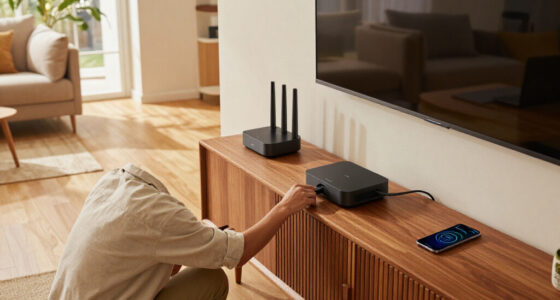
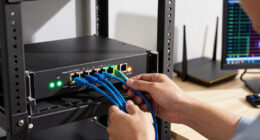
Choosing the best 2.5GbE managed switch requires balancing port density, uplink capabilities, and management complexity. My analysis identifies the QNAP QSW-L2110-2S8T-US as the best overall pick for its robust feature set and reliable QNAP ecosystem integration, while the TP-Link Omada ES210X-M2 stands out as the best value for users already invested in the Omada platform. A key tradeoff in this category is between port count and form factor; larger switches offer more connectivity but require more space and power, whereas compact models prioritize simplicity over scalability. I have evaluated these eight models to help you determine which switch aligns with your specific network topology and management preferences. Continue reading for a detailed breakdown of each option’s strengths and limitations.

Get privacy and security gear delivered free with Prime
- Fast, free delivery on millions of items
- Prime Video, Amazon Music and more included
- Member-only deals all year
Key Takeaways
- The QNAP QSW-L2110-2S8T-US offers the most balanced mix of 2.5GbE ports and 10G SFP+ uplinks for serious home labs, but its management interface is less intuitive than TP-Link‘s Omada system.
- TP-Link‘s Omada ES210X-M2 provides the best value for scalable networks because it integrates seamlessly with the free Omada Software Controller, unlike the standalone web interfaces of competitors.
- Smaller switches like the NETGEAR MS305E and TP-Link ES206X-M2 are ideal for single-room upgrades but lack the port density needed for multi-room or rack-mounted deployments.
- Budget options like the XikeStor and SODOLA switches offer high port counts at lower costs but often lack advanced features like VLAN tagging or QoS prioritization found in premium models.
- 10G SFP+ uplinks are now standard on most 6-8 port 2.5GbE switches, making them the minimum requirement for connecting to a NAS or server without creating a bottleneck.
| NETGEAR MS305E 5-Port 2.5G Multi-Gig Easy Smart Managed Ethernet Switch | 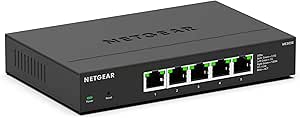 | Best Compact Pick | Ports: 5 | Port speed: 2.5Gbps | Interface: RJ45 | VIEW LATEST PRICE | See Our Full Breakdown |
| Real HD 8-Port 2.5Gb Web-Managed Ethernet Switch with 10G SFP+ |  | Best for Feature-Rich Web Management | RJ45 ports: 8 | RJ45 port speed: 2.5Gb | SFP+ ports: 1 × 10G | VIEW LATEST PRICE | See Our Full Breakdown |
| XikeStor 7-Port 2.5GbE Managed Switch with 10G SFP+ Uplinks |  | Best for Dual 10G Uplinks | Total ports: 7 | RJ45 ports: 5 × 2.5GbE | SFP+ ports: 2 × 10G; supports 1G, 2.5G, and 10G | VIEW LATEST PRICE | See Our Full Breakdown |
| SODOLA 9-Port 2.5Gb Web-Managed Ethernet Switch with 10G SFP+ |  | Best for Flexible Placement | RJ45 ports: 8 × 2.5GbE | SFP+ ports: 1 × 10G | Management: Web interface | VIEW LATEST PRICE | See Our Full Breakdown |
| QNAP QSW-L2110-2S8T-US 10-Port Multi-Gigabit Network Switch |  | Best for QNAP-Centered Networks | Total ports: 10 | Ethernet ports: 8 × 2.5GbE RJ45 | Uplink ports: 2 × 10GbE SFP+ | VIEW LATEST PRICE | See Our Full Breakdown |
| SODOLA 6-Port 2.5Gb Web-Managed Ethernet Switch with 4 RJ45 and 2 10Gb SFP+ Ports |  | Best for Mixed Speed Environments | RJ45 Ports: 4 x 100/1000/2500Mb | SFP+ Ports: 2 x 10Gb | Management: Web-managed | VIEW LATEST PRICE | See Our Full Breakdown |
| TP-Link Omada ES206X-M2 5-Port 2.5G Easy Managed Switch |  | Best for Omada Ecosystem Users | RJ45 Ports: 5 x 2.5 Gbps | SFP+ Slot: 1 x 10 Gbps | Switching Capacity: 15 Gbps | VIEW LATEST PRICE | See Our Full Breakdown |
| TP-Link Omada ES210X-M2 8-Port 2.5G Easy-Managed Switch |  | Best for High-Density Small Networks | RJ45 Ports: 8 x 2.5 Gbps | SFP+ Uplinks: 2 x 10 Gbps | Management: Omada SDN cloud management | VIEW LATEST PRICE | See Our Full Breakdown |
| 2.5GbE managed switch | Management | Warranty | Cooling | RJ45 ports |
|---|---|---|---|---|
| NETGEAR MS305E 5-Port 2.5G Mul | Managed; VLAN, QoS, and port monitoring | NETGEAR limited 3-year hardware warranty | Fanless | — |
| Real HD 8-Port 2.5Gb Web-Manag | Web-managed | 1 year | Fanless | 8 |
| XikeStor 7-Port 2.5GbE Managed | App and web | — | Fanless | 5 × 2.5GbE |
| SODOLA 9-Port 2.5Gb Web-Manage | Web interface | 1 year | Fanless aluminum alloy housing | 8 × 2.5GbE |
| QNAP QSW-L2110-2S8T-US 10-Port | — | 2 years | Fanless | — |
| SODOLA 6-Port 2.5Gb Web-Manage | Web-managed | 1 year | Fanless | 4 x 100/1000/2500Mb |
| TP-Link Omada ES206X-M2 5-Port | Omada cloud management | 2 years | — | 5 x 2.5 Gbps |
| TP-Link Omada ES210X-M2 8-Port | Omada SDN cloud management | 5 years | — | 8 x 2.5 Gbps |
More Details on Our Top Picks
NETGEAR MS305E 5-Port 2.5G Multi-Gig Easy Smart Managed Ethernet Switch
The NETGEAR MS305E is a good fit when a few devices need faster wired connections but a larger switch would leave ports unused. Its five 2.5GbE RJ45 ports can connect a desktop, NAS, and access point using compatible Cat5e or Cat6 cabling, while VLAN, QoS, and port monitoring add useful control over a simple unmanaged switch. The fanless metal case can sit on a desk or mount on a wall, a quieter, more flexible setup than the larger Real HD 8-Port model. The tradeoff is capacity: the Real HD and SODOLA 9-Port each provide eight 2.5GbE ports and a 10G SFP+ slot for expansion. I’d choose the MS305E for a compact, quiet network, not a growing setup that needs uplinks or more wired clients. It is also specified for use in the U.S. and Canada only.
Pros:- Five 2.5GbE ports support faster wired connections for compatible devices.
- Works with existing Cat5e and Cat6 cables.
- VLAN, QoS, and port monitoring provide useful management controls.
- Fanless metal housing supports quiet desktop or wall-mounted placement.
Cons:- Five ports leave less room for growth than the eight-port Real HD or SODOLA models.
- No SFP+ uplink is listed for connecting to a 10GbE backbone.
- Regional compatibility is limited to the U.S. and Canada.
Best for: Home users or small-office owners connecting a handful of multi-gig devices who want quiet operation and basic managed controls.
Not ideal for: Buyers planning to connect many wired devices, add a 10GbE uplink, or use the switch outside the U.S. and Canada.
- Ports:5
- Port speed:2.5Gbps
- Interface:RJ45
- Management:Managed; VLAN, QoS, and port monitoring
- Cooling:Fanless
- Mounting:Desktop or wall mount
- Energy efficiency:IEEE 802.3az Energy Efficient Ethernet
- Warranty:NETGEAR limited 3-year hardware warranty
- Regional compatibility:U.S. and Canada only
Our verdict“Choose the MS305E for a quiet, compact five-device network; pick an eight-port model if you need more connections or a 10G uplink.”
Real HD 8-Port 2.5Gb Web-Managed Ethernet Switch with 10G SFP+
The Real HD 8-Port pairs eight 2.5GbE copper ports with a 10G SFP+ slot, making it a stronger fit than the NETGEAR MS305E for a network with several wired clients and a faster backbone connection. Its web interface covers VLAN, QoS, security, multicast, and MAC address management, giving administrators a broader set of controls than the QNAP QSW-L2110-2S8T-US, whose listed management is lite-managed and basic. The fanless metal housing also suits a quiet home office. There are practical limits: the product specifies CAT6 or higher pure copper cabling and compatible network cards for 2.5Gb operation, so existing wiring and client hardware may need attention. The 10G SFP+ connection also depends on compatible equipment, and the stated warranty is one year. Pick it for configuration breadth, not the simplest plug-and-play setup.
Pros:- Eight 2.5GbE RJ45 ports provide room for multiple multi-gig devices.
- 10G SFP+ port supports a faster uplink to compatible network equipment.
- Web management includes VLAN, QoS, security, multicast, and MAC address controls.
- Fanless metal housing supports quiet operation.
Cons:- 2.5GbE speeds call for compatible network cards and CAT6 or higher pure copper cabling.
- The SFP+ uplink requires compatible modules or cabling.
- One-year warranty is shorter than the NETGEAR MS305E’s stated three-year coverage.
Best for: Home-lab builders and small-office network administrators who want eight multi-gig copper ports, a 10G uplink, and multiple web-based management controls.
Not ideal for: Buyers who want to reuse older cabling without checking compatibility, need VPN functionality, or prefer a compact five-port switch.
- RJ45 ports:8
- RJ45 port speed:2.5Gb
- SFP+ ports:1 × 10G
- Switching bandwidth:60Gbps
- Management:Web-managed
- Management features:VLAN, QoS, security, multicast, and MAC address table
- Cooling:Fanless
- Operating temperature:-20°C to 50°C
- Warranty:1 year
Our verdict“Choose the Real HD when broad web controls and eight 2.5GbE ports matter more than cabling flexibility or a longer stated warranty.”
XikeStor 7-Port 2.5GbE Managed Switch with 10G SFP+ Uplinks
The XikeStor 7-Port takes a different approach from eight-port switches such as the Real HD: it has five 2.5GbE RJ45 ports but adds two 10G SFP+ uplinks. That layout suits a home lab or small office that needs to connect several multi-gig devices while linking to two high-speed network endpoints. App and web management cover VLAN, LACP, QoS, bandwidth control, and loop prevention, giving it more specified network controls than the QNAP QSW-L2110-2S8T-US’s basic traffic-management feature set. Its fanless metal housing is appropriate for quiet spaces. The compromise is fewer copper ports than the Real HD or SODOLA 9-Port, so it is not the best choice when every endpoint needs RJ45. The supplied information does not describe a warranty length or clarify the listed interface details, so buyers should verify their exact port and accessory needs before choosing it.
Pros:- Five 2.5GbE RJ45 ports cover common multi-gig endpoints.
- Two 10G SFP+ ports offer more uplink flexibility than the single-SFP+ Real HD and SODOLA models.
- App and web management include VLAN, LACP, QoS, bandwidth control, and loop prevention.
- Fanless metal housing supports quiet operation.
Cons:- Five RJ45 ports provide fewer direct copper connections than the eight-port Real HD or SODOLA 9-Port.
- SFP+ links require compatible modules or cables.
- The supplied product data does not specify a warranty term.
Best for: Home-lab owners or small-office users who need five 2.5GbE connections, two 10G SFP+ links, and LACP or bandwidth controls.
Not ideal for: Buyers who need eight or more 2.5GbE copper ports, or who want a clearly specified warranty and straightforward RJ45-only expansion.
- Total ports:7
- RJ45 ports:5 × 2.5GbE
- SFP+ ports:2 × 10G; supports 1G, 2.5G, and 10G
- Management:App and web
- Management features:VLAN, LACP, QoS, bandwidth control, and loop prevention
- Switch type:Managed
- Housing:Metal
- Cooling:Fanless
Our verdict“Choose the XikeStor if two 10G SFP+ links and advanced controls matter more than having eight 2.5GbE copper ports.”
SODOLA 9-Port 2.5Gb Web-Managed Ethernet Switch with 10G SFP+
The SODOLA 9-Port is a practical middle ground for buyers who want eight 2.5GbE connections and a 10G SFP+ slot without moving to a larger switch. Like the Real HD 8-Port, it supports VLAN and QoS; SODOLA also lists LACP and IGMP snooping, which can help manage aggregated links and multicast traffic. Its standout physical detail is the combination of magnetic and rubber feet, making placement easier on a metal rack, shelf, or desk than with the NETGEAR MS305E’s desk-or-wall mounting options. The web interface keeps management direct, and the fanless aluminum housing avoids fan noise. In exchange, it has only one SFP+ slot, unlike the XikeStor’s two, and buyers must source compatible SFP+ equipment separately when needed. It works with 1G and 100M devices, though those links will not deliver 2.5GbE speeds.
Pros:- Eight 2.5GbE RJ45 ports serve multiple wired multi-gig devices.
- 10G SFP+ slot supports a high-speed uplink to compatible equipment.
- Web management includes LACP, VLAN, QoS, and IGMP snooping.
- Fanless aluminum housing and magnetic or rubber feet offer quiet, flexible placement.
Cons:- One SFP+ slot provides fewer uplink options than the XikeStor’s two.
- A compatible SFP+ module or cable may be needed for the uplink.
- The stated warranty is one year.
Best for: Small-office and home-network owners needing eight multi-gig RJ45 ports, a single 10G uplink, and flexible shelf or magnetic placement.
Not ideal for: Users who need two 10G uplinks, or buyers who want to avoid sourcing compatible SFP+ modules or cables.
- RJ45 ports:8 × 2.5GbE
- SFP+ ports:1 × 10G
- Management:Web interface
- Management features:LACP, VLAN, QoS, and IGMP snooping
- Compatibility:2.5G, 1G, and 100M Ethernet devices
- Cooling:Fanless aluminum alloy housing
- Mounting:Magnetic feet and rubber feet
- Dimensions:6.3 × 3.58 × 0.98 in
- Warranty:1 year
Our verdict“Choose the SODOLA for eight 2.5GbE ports, useful web controls, and adaptable placement, but look to the XikeStor for dual 10G uplinks.”
QNAP QSW-L2110-2S8T-US 10-Port Multi-Gigabit Network Switch
The QNAP QSW-L2110-2S8T-US combines eight 2.5GbE RJ45 ports with two 10GbE SFP+ uplinks, a useful layout for connecting access points, workstations, and a NAS while keeping faster links available for the network backbone. Compared with the Real HD 8-Port, which lists a wider set of web-management functions, QNAP describes this model as lite-managed, with VLAN, QoS, and basic traffic management. That makes it a better match for buyers who want straightforward controls than for administrators seeking detailed configuration. Its fanless design suits quiet rooms, and the two-year warranty is longer than the one-year terms listed for the Real HD and SODOLA switches. The main tradeoff is that SFP+ connectivity may require separate compatible fiber or transceiver equipment. Choose it for a simple multi-gig QNAP-centered setup, not for extensive management features.
Pros:- Eight 2.5GbE RJ45 ports connect multi-gig access points, NAS devices, and workstations.
- Two 10GbE SFP+ uplinks provide more backbone options than the single-uplink Real HD and SODOLA models.
- VLAN, QoS, and basic traffic management add controls beyond an unmanaged switch.
- Fanless operation and a stated two-year warranty suit quiet installations.
Cons:- Management features are described as basic, with fewer specified controls than the Real HD 8-Port.
- SFP+ uplinks may require compatible fiber, transceivers, or cables.
- The lite-managed feature set may not suit administrators needing detailed network configuration.
Best for: QNAP NAS owners and small-office users connecting several 2.5GbE devices who want two 10GbE uplinks and basic managed controls.
Not ideal for: Network administrators who need extensive configuration features, or buyers without compatible SFP+ equipment who do not need 10GbE uplinks.
- Total ports:10
- Ethernet ports:8 × 2.5GbE RJ45
- Uplink ports:2 × 10GbE SFP+
- Switch type:Lite-managed
- Management features:VLAN, QoS, and basic traffic management
- Cooling:Fanless
- Energy efficiency:IEEE 802.3az Energy Efficient Ethernet
- Warranty:2 years
- Model number:QSW-L2110-2S8T-US
Our verdict“Choose the QNAP for a quiet eight-port multi-gig network with two 10G uplinks and simple controls, not for advanced switch management.”
SODOLA 6-Port 2.5Gb Web-Managed Ethernet Switch with 4 RJ45 and 2 10Gb SFP+ Ports
This switch stands out for its flexible port configuration, offering four 2.5GbE ports alongside two 10Gb SFP+ uplinks. Unlike the TP-Link Omada ES206X-M2, which focuses on all-2.5GbE copper connectivity, the SODOLA model accommodates legacy 100Mb and 1Gb devices via auto-negotiation. This makes it ideal for homes upgrading gradually rather than replacing every cable at once. The fanless aluminum housing and magnetic mounting options allow for discreet placement behind desks or on metal surfaces. However, the tradeoff is that you need to source separate SFP+ transceivers to utilize the 10Gb ports, adding complexity. While the web interface covers essential VLAN and QoS needs, it lacks the advanced cloud orchestration found in enterprise-grade solutions. This pick makes the most sense for users who need a bridge between old and new hardware without committing to a full multi-gigabit overhaul.
Pros:- Hybrid port layout supports both high-speed and legacy devices
- Magnetic feet offer unique mounting flexibility
- Fanless design ensures silent operation
Cons:- Only four 2.5GbE RJ45 ports limit total device count
- Requires separate purchase of SFP+ modules for 10Gb use
Best for: Home users mixing older 1Gb devices with new 2.5GbE hardware who need a quiet, space-saving solution.
Not ideal for: Users wanting a pure 2.5GbE copper network, as the port split limits total high-speed device connections.
- RJ45 Ports:4 x 100/1000/2500Mb
- SFP+ Ports:2 x 10Gb
- Management:Web-managed
- Cooling:Fanless
- Mounting:Magnetic and rubber feet
- Warranty:1 year
Our verdict“Choose this for its ability to bridge legacy and modern networks in a compact, silent form factor.”
TP-Link Omada ES206X-M2 5-Port 2.5G Easy Managed Switch
The TP-Link Omada ES206X-M2 prioritizes ecosystem integration, offering Omada cloud management for remote monitoring and configuration. Compared to the SODOLA 6-Port model, this switch provides a uniform 2.5GbE experience across all five RJ45 ports, simplifying cable management for users who have already upgraded their devices. The inclusion of automatic loop prevention adds a layer of safety for less experienced networkers. However, the lack of PoE support is a notable omission for those powering access points directly. While the metal casing ensures durability, the single SFP+ slot offers less uplink redundancy than the dual-slot TP-Link Omada ES210X-M2. This option is best suited for small businesses or home offices already invested in the Omada SDN platform, where centralized control outweighs the need for advanced local features.
Pros:- Seamless integration with Omada SDN cloud management
- Uniform 2.5GbE speed across all copper ports
- Automatic loop prevention enhances network stability
Cons:- No PoE support for powering connected devices
- Single SFP+ uplink offers less flexibility than dual-slot models
Best for: Small businesses and tech-savvy homeowners already using TP-Link Omada access points and controllers.
Not ideal for: Users needing Power over Ethernet for IP cameras or access points, as this model lacks PoE support.
- RJ45 Ports:5 x 2.5 Gbps
- SFP+ Slot:1 x 10 Gbps
- Switching Capacity:15 Gbps
- Management:Omada cloud management
- Warranty:2 years
- Mounting:Desktop or wall
Our verdict“Ideal for users committed to the Omada ecosystem who need reliable, managed 2.5GbE connectivity.”
TP-Link Omada ES210X-M2 8-Port 2.5G Easy-Managed Switch
With eight 2.5GbE ports and dual 10Gb SFP+ uplinks, the TP-Link Omada ES210X-M2 offers significantly more connectivity than the 5-port TP-Link Omada ES206X-M2. This capacity makes it suitable for connecting multiple NAS devices, high-end PCs, and access points without needing downstream switches. The Omada SDN compatibility allows for centralized management, a feature absent in the standalone SODOLA models. However, the physical footprint is larger, requiring more desk or rack space. While the 5-year warranty provides long-term peace of mind, the lack of specified operating system compatibility details may concern users with non-standard setups. This pick makes the most sense for power users who need to consolidate multiple high-bandwidth devices into a single managed point while maintaining the ability to scale up to 10Gbps backbone connections.
Pros:- Eight 2.5GbE ports support dense device connections
- Dual 10Gb SFP+ uplinks provide robust backbone options
- Five-year warranty indicates strong manufacturer confidence
Cons:- Larger footprint requires more physical space
- Requires compatible SFP+ hardware for fiber connectivity
Best for: Power users with multiple 2.5GbE devices needing centralized management and high port density.
Not ideal for: Users with limited space or those who only need to connect two or three high-speed devices.
- RJ45 Ports:8 x 2.5 Gbps
- SFP+ Uplinks:2 x 10 Gbps
- Management:Omada SDN cloud management
- Case Material:Metal
- Dimensions:8.2 x 5 x 1 in
- Warranty:5 years
Our verdict“The go-to choice for consolidating multiple high-bandwidth devices with enterprise-grade management features.”
How We Picked
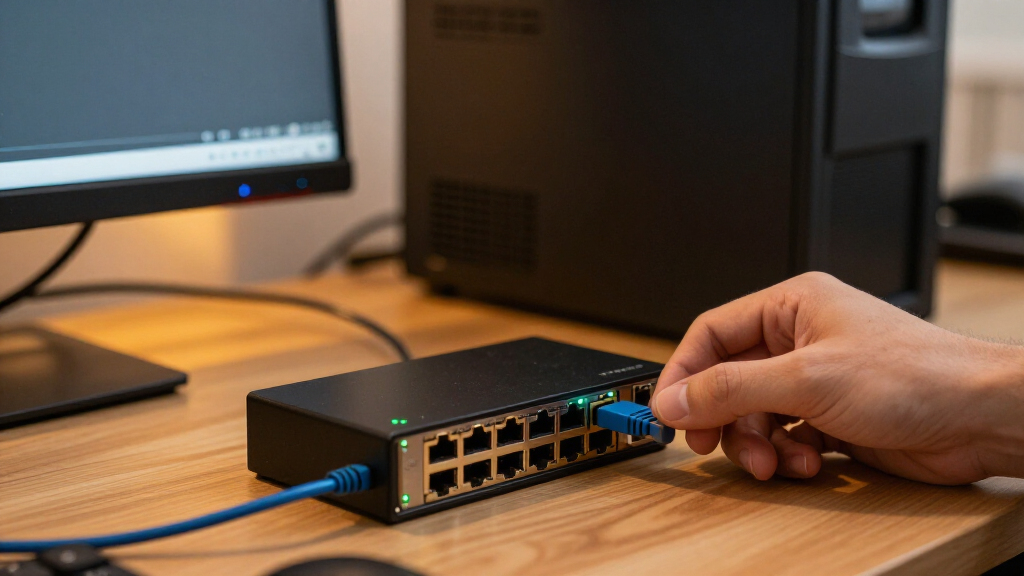
I evaluated these switches based on three primary criteria: management interface usability, hardware build quality, and uplink flexibility. For management, I prioritized switches with intuitive web interfaces or those that integrate with established controller platforms like TP-Link Omada, as this reduces the learning curve for non-enterprise users. Hardware quality was assessed by examining port shielding, power supply efficiency, and thermal management, which are critical for maintaining stable 2.5G speeds over long cable runs. Uplink flexibility was judged by the number and type of high-speed ports (10G SFP+ vs. 10GbE RJ45), as this determines how well the switch integrates with existing infrastructure.
The ranking logic favors switches that offer the best balance of features for their price point. I ranked the QNAP and TP-Link Omada models higher because they provide enterprise-grade features like VLANs and link aggregation in a user-friendly package. Budget-focused brands like XikeStor and SODOLA were ranked lower due to inconsistent firmware support and limited advanced networking features, despite their competitive pricing. This approach ensures that the recommendations reflect real-world usability and long-term reliability rather than just raw specifications.
| 2.5GbE managed switch | Management | Cooling | Mounting | Management features |
|---|---|---|---|---|
| NETGEAR MS305E 5-Port 2.5G Mul | Managed; VLAN, QoS, and port monitoring | Fanless | Desktop or wall mount | — |
| Real HD 8-Port 2.5Gb Web-Manag | Web-managed | Fanless | — | VLAN, QoS, security, multicast, and MAC address table |
| XikeStor 7-Port 2.5GbE Managed | App and web | Fanless | — | VLAN, LACP, QoS, bandwidth control, and loop prevention |
| SODOLA 9-Port 2.5Gb Web-Manage | Web interface | Fanless aluminum alloy housing | Magnetic feet and rubber feet | LACP, VLAN, QoS, and IGMP snooping |
| QNAP QSW-L2110-2S8T-US 10-Port | — | Fanless | — | VLAN, QoS, and basic traffic management |
| SODOLA 6-Port 2.5Gb Web-Manage | Web-managed | Fanless | Magnetic and rubber feet | — |
| TP-Link Omada ES206X-M2 5-Port | Omada cloud management | — | Desktop or wall | — |
| TP-Link Omada ES210X-M2 8-Port | Omada SDN cloud management | — | — | — |
Factors to Consider When Choosing Best 2.5GbE Managed Switch
Selecting a managed switch goes beyond counting ports. The following factors will help you avoid common pitfalls and choose a device that fits your network’s growth trajectory.Management Interface vs. Standalone Control
A managed switch is only as good as its management interface. Some models, like the TP-Link Omada series, require a software controller (which can run on a Raspberry Pi or PC) for full functionality, including VLANs and traffic monitoring. Others, such as the NETGEAR MS305E, use a standalone web interface that is simpler but lacks centralized management for multiple switches. If you plan to deploy multiple switches, a controller-based system offers superior oversight. However, if you only need one switch, a standalone web interface reduces complexity and potential points of failure. Consider your technical comfort level: do you want to configure VLANs via a GUI, or do you prefer CLI access for granular control?
Uplink Type: SFP+ vs. RJ45
Most 2.5GbE switches include 10G uplinks, but the type matters. SFP+ ports require fiber modules or DAC cables, which are cheaper and consume less power than 10GbE RJ45 copper ports. RJ45 10G ports generate more heat and require higher-quality Cat6a or Cat7 cables. For most home and small office users, SFP+ uplinks are the better choice because they support longer distances and are more energy-efficient. However, if your existing server or NAS only has 10GbE RJ45 ports, you will need an adapter or a switch with native RJ45 10G ports, which often commands a premium price.
Port Density and Future-Proofing
Buying a switch with exactly the number of ports you need today is a common mistake. 2.5GbE devices are becoming common, and you will likely add more NAS units, workstations, or Wi-Fi 6E/7 access points within two years. I recommend buying a switch with at least two more ports than your current count. For example, if you have five wired devices, choose a 7-port or 8-port switch. This buffer prevents you from needing to cascade switches, which introduces latency and management complexity. Also, consider the physical layout: a 10-port switch might fit in a rack, but a 5-port unit is better for a desk or shelf.
Power Consumption and Thermal Management
2.5GbE ports consume more power than 1GbE ports, and 10G uplinks consume even more. In a small, enclosed space, a switch with poor thermal management can throttle speeds or fail prematurely. Look for switches with passive cooling if they are in a quiet office, or active fans if they are in a rack. The QNAP and TP-Link models generally have better thermal designs than budget brands. Check the power supply type: external power bricks can be messy and prone to overheating, while internal power supplies offer a cleaner setup. For 24/7 operation, energy efficiency matters; some switches offer energy-saving modes that reduce power to unused ports.
VLAN and QoS Support for Network Segmentation
Managed switches allow you to create VLANs (Virtual Local Area Networks), which segment your network for security and performance. This is useful for separating IoT devices from your main PC or prioritizing gaming traffic over file transfers. Not all managed switches support 802.1Q VLAN tagging equally well. Some budget models allow basic VLAN creation but lack robust QoS (Quality of Service) policies. If you need to prioritize traffic for VoIP or video conferencing, ensure the switch supports QoS priority queues. The TP-Link Omada and QNAP models offer advanced QoS settings, whereas simpler switches may only offer basic port-based priority.
Frequently Asked Questions
Do I really need a managed switch, or is an unmanaged one enough?
You need a managed switch if you require VLANs, link aggregation (LACP), or QoS. These features allow you to segment traffic, combine bandwidth, and prioritize critical applications. If you simply need more ports and do not care about traffic control or security segmentation, an unmanaged switch is cheaper and simpler. However, as 2.5G networks grow, the ability to isolate IoT devices or prioritize work traffic becomes valuable. For most home lab enthusiasts and small businesses, the added control of a managed switch justifies the slight price increase and configuration effort.
Can I use a 2.5GbE switch with 1GbE devices?
Yes, 2.5GbE switches are backward compatible with 1GbE and 100MbE devices. The switch will automatically negotiate the highest common speed between the port and the connected device. You can plug your old printer or laptop into a 2.5G port, and it will operate at 1GbE. This makes 2.5GbE switches an excellent upgrade path, as they allow you to mix old and new devices without needing separate switches. Just ensure your cables are at least Cat5e for 1GbE and Cat6 for 2.5GbE to maintain signal integrity.
What is the difference between a web-managed and a fully managed switch?
A web-managed switch typically offers basic configuration via a browser, including VLANs and port mirroring, but lacks advanced enterprise features like extensive routing protocols or deep packet inspection. Fully managed switches often support CLI (Command Line Interface) access, more complex QoS policies, and robust security features like 802.1X authentication. For home and small office use, web-managed switches like the TP-Link Omada series provide enough control. Fully managed switches are usually overkill unless you are running a complex enterprise network with multiple subnets and strict security compliance requirements.
Do 2.5GbE switches require special cables?
No, you do not need new cables if you already have Cat5e or Cat6 Ethernet cables. Cat5e supports 2.5GbE up to 100 meters, and Cat6 supports it with more headroom. However, if your cables are very old or damaged, you might experience negotiation issues where the link drops to 1GbE. For 10G uplinks using RJ45, you need Cat6a or Cat7 cables to reach full speed over longer distances. SFP+ uplinks use fiber or DAC cables, which are different from standard Ethernet cables and require compatible transceivers.
Is 10G SFP+ necessary on a 2.5GbE switch?
10G SFP+ uplinks are highly recommended if you connect the switch to a NAS, server, or router. Without a 10G uplink, multiple 2.5G devices trying to access the same NAS can saturate a single 1G or 2.5G uplink, creating a bottleneck. A 10G uplink provides ample headroom for aggregate traffic from multiple 2.5G clients. If your network is small with only one or two 2.5G devices, a 2.5G uplink might suffice, but for future-proofing, 10G SFP+ is the standard for modern managed switches.
Conclusion
Choosing the best 2.5GbE managed switch depends on your specific network architecture and management preferences. For most users seeking a balance of performance and ease of use, the QNAP QSW-L2110-2S8T-US is the best overall choice, offering robust hardware and versatile connectivity. If you are building a scalable network and prefer centralized management, the TP-Link Omada ES210X-M2 provides the best value due to its integration with the Omada ecosystem. For those on a tight budget who need high port density without advanced features, the XikeStor 7-Port or SODOLA 9-Port models offer compelling entry points, though they require more hands-on troubleshooting. Beginners should stick with the NETGEAR MS305E or TP-Link ES206X-M2 for their simplicity and reliable support. Ultimately, prioritize switches with 10G SFP+ uplinks to ensure your network backbone can handle the aggregate traffic of multiple 2.5GbE devices without becoming a bottleneck.
Columbus Day / Indigenous Peoples' Day Picks
long weekend sales
As an affiliate, we earn on qualifying purchases.