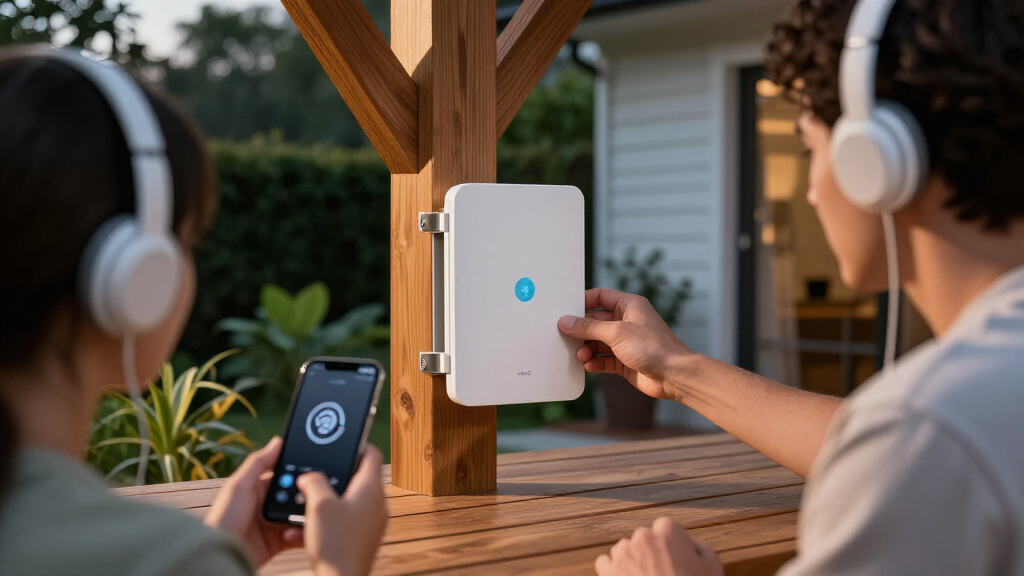

The best outdoor WiFi 6 access point for most buyers is the TP-Link Omada EAP650-Outdoor, which pairs AX3000-class WiFi 6 with a PoE injector for a stronger feature set than the AX1800 options. The TP-Link Omada EAP610-Outdoor is a more restrained choice for buyers who want an outdoor AP within the Omada ecosystem, while the WAVLINK AX3000 Outdoor WiFi 6 Extender and Access Point suits people who value flexible extender-style setup. The main tradeoffs are managed access-point control versus simpler installation, AX1800 versus AX3000 capacity, and how much protection and cabling your location needs. I compare those differences across all nine picks below so you can match the hardware to your yard, outbuilding, or property network.

Get privacy and security gear delivered free with Prime
- Fast, free delivery on millions of items
- Prime Video, Amazon Music and more included
- Member-only deals all year
Key Takeaways
- The Omada EAP650-Outdoor leads for capability: its AX3000 class and included PoE injector make it the strongest all-around fit among these listed options.
- AX1800 can be a sensible match: the EAP603-Outdoor and EAP610-Outdoor suit buyers who do not need the higher class of the EAP650.
- Installation style separates the lineup: Omada access points favor a dedicated network setup, while WAVLINK extenders and the Adalov and BrosTrend options may better suit buyers seeking a simpler path.
- The EAP225-Outdoor is the WiFi 5 outlier: it may suit a legacy or lower-demand network, but it does not meet a WiFi 6 requirement.
- Two WAVLINK AX1800 listings have very similar names: compare exact model details and included accessories before buying rather than assuming they are different generations.
| Adalov AX3000 Outdoor WiFi 6 Access Point |  | Best for Long Outdoor Links | WiFi standard: WiFi 6 | Maximum speed: AX3000; up to 2402 Mbps on 5 GHz and 573 Mbps on 2.4 GHz | Antennas: Five 8 dBi fiberglass omnidirectional antennas | VIEW LATEST PRICE | See Our Full Breakdown |
| TP-Link Omada EAP603-Outdoor AX1800 Wi-Fi 6 Outdoor Access Point with PoE Injector |  | Best for Remote Management | Model: EAP603-Outdoor | WiFi standard: WiFi 6 (802.11ax) | Maximum data rate: 1.8 Gbps | VIEW LATEST PRICE | See Our Full Breakdown |
| TP-Link Omada EAP610-Outdoor AX1800 Wi-Fi 6 Outdoor Access Point |  | Best for Harsh Weather | Model: EAP610-Outdoor | WiFi generation: WiFi 6 (802.11ax) | Wireless speed: Up to 1800 Mbps | VIEW LATEST PRICE | See Our Full Breakdown |
| TP-Link Omada EAP225-Outdoor AC1200 Dual-Band Wireless Access Point |  | Best for Existing WiFi 5 Networks | Model: EAP225-Outdoor | WiFi standard: 802.11ac Wave 2 (WiFi 5) | Maximum data rate: 1200 Mbps | VIEW LATEST PRICE | See Our Full Breakdown |
| TP-Link Omada EAP650-Outdoor AX3000 Wi-Fi 6 Access Point with PoE Injector |  | Best Premium WiFi 6 Pick | Model: EAP650-Outdoor | Wireless standard: WiFi 6 (802.11ax) | Maximum wireless speed: 2976 Mbps | VIEW LATEST PRICE | See Our Full Breakdown |
| WAVLINK AX1800 Outdoor WiFi 6 Extender, IP67 Weatherproof |  | Best for Flexible Outdoor Setups | WiFi standard: 802.11ax (WiFi 6) | Maximum data rate: 1,800 Mbps (1,201 Mbps at 5 GHz + 574 Mbps at 2.4 GHz) | Bands: 2.4 GHz and 5 GHz | VIEW LATEST PRICE | See Our Full Breakdown |
| WAVLINK AX1800 WiFi 6 Outdoor Extender, IP67 Weatherproof |  | Best for Open-Area Coverage | WiFi standard: WiFi 6 | Wireless speed class: AX1800 | Bands: 2.4 GHz and 5 GHz | VIEW LATEST PRICE | See Our Full Breakdown |
| BrosTrend AX3000 WiFi 6 Outdoor Access Point |  | Best for a Wired Gigabit Uplink | WiFi generation: WiFi 6 | Maximum data rate: Up to 3000 Mbps (2402 Mbps at 5 GHz + 574 Mbps at 2.4 GHz) | Ethernet: 1 Gigabit port, up to 1000 Mbps | VIEW LATEST PRICE | See Our Full Breakdown |
| WAVLINK AX3000 Outdoor WiFi 6 Extender and Access Point |  | Best for High Device Capacity | WiFi standard: WiFi 6 | Maximum data rate: 3000 Mbps | Band speeds: 2402 Mbps at 5 GHz; 573 Mbps at 2.4 GHz | VIEW LATEST PRICE | See Our Full Breakdown |
| outdoor WiFi 6 access point | Weather protection | WiFi standard | Antennas | Maximum data rate |
|---|---|---|---|---|
| Adalov AX3000 Outdoor WiFi 6 A | IP67 | WiFi 6 | Five 8 dBi fiberglass omnidirectional antennas | — |
| TP-Link Omada EAP603-Outdoor A | IP65 | WiFi 6 (802.11ax) | — | 1.8 Gbps |
| TP-Link Omada EAP610-Outdoor A | IP68 | — | — | — |
| TP-Link Omada EAP225-Outdoor A | IP65 | 802.11ac Wave 2 (WiFi 5) | — | 1200 Mbps |
| TP-Link Omada EAP650-Outdoor A | IP67 | — | Four fixed antennas | — |
| WAVLINK AX1800 Outdoor WiFi 6 | — | 802.11ax (WiFi 6) | 4 detachable 8 dBi omnidirectional fiberglass antennas | 1,800 Mbps (1,201 Mbps at 5 GHz + 574 Mbps at 2.4 GHz) |
| WAVLINK AX1800 WiFi 6 Outdoor | IP67 | WiFi 6 | Four 8 dBi fiberglass antennas | — |
| BrosTrend AX3000 WiFi 6 Outdoo | IP65 waterproof and dustproof | — | — | Up to 3000 Mbps (2402 Mbps at 5 GHz + 574 Mbps at 2.4 GHz) |
| WAVLINK AX3000 Outdoor WiFi 6 | — | WiFi 6 | 6 detachable 7 dBi omnidirectional antennas | 3000 Mbps |
More Details on Our Top Picks
Adalov AX3000 Outdoor WiFi 6 Access Point
The Adalov AX3000 suits buyers who want an outdoor WiFi 6 link between separate areas, with five 8 dBi omnidirectional antennas and an advertised coverage range of 200–300 meters. Its IP67 housing and AP or repeater modes give it more installation flexibility than the TP-Link Omada EAP603-Outdoor, which focuses more on Omada cloud management and remote monitoring. The Adalov also lists support for more than 200 devices, though that and its range are manufacturer claims rather than independently verified figures here. PoE can simplify a long cable run by carrying power and data together, but installation depends on compatible PoE equipment or an adapter. I’d choose it for reach and flexible modes, not for centralized network administration.
Pros:- Dual-band WiFi 6 with advertised AX3000 speeds
- IP67-rated enclosure for outdoor installation
- Access Point and Repeater operating modes
- Supports 802.3af/at and passive PoE
Cons:- Advertised range and support for more than 200 devices are not independently verified in the supplied product data
- Installation requires compatible PoE equipment or an adapter
- No centralized cloud-management feature is listed
Best for: Property owners connecting a house, workshop, or outbuilding who want outdoor WiFi 6, repeater mode, and PoE-supported installation.
Not ideal for: Buyers who need documented centralized cloud management or independently verified coverage and device-capacity figures.
- WiFi standard:WiFi 6
- Maximum speed:AX3000; up to 2402 Mbps on 5 GHz and 573 Mbps on 2.4 GHz
- Antennas:Five 8 dBi fiberglass omnidirectional antennas
- Advertised coverage:Up to 200–300 meters
- Weather protection:IP67
- Operating modes:Access Point and Repeater
- PoE:IEEE 802.3af/802.3at 48 V PoE and passive PoE
- Protection:6 kV lightning protection; 15 kV ESD protection
Our verdict“Choose the Adalov AX3000 if your priority is a flexible outdoor link between buildings rather than managed-network features.”
TP-Link Omada EAP603-Outdoor AX1800 Wi-Fi 6 Outdoor Access Point with PoE Injector
The Omada EAP603-Outdoor is the management-minded choice in this group: cloud tools support remote configuration and network monitoring, which can matter when an access point is installed somewhere inconvenient to reach. Its AX1800 dual-band WiFi 6 is a step below the TP-Link Omada EAP650-Outdoor’s AX3000 class, but may be a sensible fit when remote administration matters more than maximum headline throughput. An IP65 enclosure, 6 kV lightning protection, and an operating range from -40°F to 158°F suit varied outdoor placements. The included PoE injector makes it easier to power without an existing PoE switch, while 802.3at PoE+ and passive PoE add options. The tradeoff is ecosystem complexity: buyers who want a simple standalone setup may not need Omada’s management features.
Pros:- Remote configuration and network monitoring through Omada cloud management
- IP65 enclosure with 6 kV lightning protection
- Includes a PoE injector and supports 802.3at PoE+ or passive PoE
- Wall or pole mounting and a wide listed operating-temperature range
Cons:- AX1800 speed class is below the EAP650-Outdoor’s AX3000 rating
- Omada management may take extra setup and familiarity
- IP65 provides less stated ingress protection than the IP67-rated Adalov and EAP650-Outdoor
Best for: Small businesses or property managers who want to configure and monitor a WiFi 6 outdoor access point remotely.
Not ideal for: Buyers seeking the highest listed wireless speed or a basic setup without an interest in Omada management.
- Model:EAP603-Outdoor
- WiFi standard:WiFi 6 (802.11ax)
- Maximum data rate:1.8 Gbps
- Band speeds:574 Mbps on 2.4 GHz; 1201 Mbps on 5 GHz
- Weather protection:IP65
- Operating temperature:-40°F to 158°F
- Power options:802.3at PoE+ or passive PoE; PoE injector included
- Security:WPA-PSK, WPA2-PSK, and WPA3
Our verdict“Pick the EAP603-Outdoor if remote Omada management is more useful to you than AX3000-class speed.”
TP-Link Omada EAP610-Outdoor AX1800 Wi-Fi 6 Outdoor Access Point
For buyers who rank enclosure protection above peak speed, the Omada EAP610-Outdoor has a clear point of difference: its listed IP68-rated enclosure exceeds the IP65 rating of the EAP603-Outdoor. It still provides dual-band WiFi 6 at up to 1800 Mbps, along with mesh, range-extender mode, and Omada cloud management. That makes it a more capable fit for building an Omada network than the WiFi 5 EAP225-Outdoor, while its one Gigabit Ethernet port keeps wired connectivity straightforward. The supplied PoE adapter and support for 802.3at or 48 V passive PoE offer useful power choices. The main compromise is that seamless roaming requires an Omada SDN controller, and the supplied data lists only two antennas and one Ethernet port. Choose it for weather protection and Omada features, not extra wired expansion.
Pros:- IP68-rated enclosure for outdoor conditions
- WiFi 6 dual-band speeds up to 1800 Mbps
- Supports mesh, range-extender mode, and Omada cloud management
- Includes a PoE adapter and supports 802.3at or 48 V passive PoE
Cons:- Seamless roaming requires an Omada SDN controller
- One Gigabit Ethernet port limits wired expansion
- AX1800 rating is lower than the EAP650-Outdoor’s AX3000 class
Best for: Omada users installing WiFi 6 outdoors in exposed locations who value a highly rated enclosure and mesh options.
Not ideal for: Buyers who need multiple Ethernet ports, controller-free seamless roaming, or a higher speed class than AX1800.
- Model:EAP610-Outdoor
- WiFi generation:WiFi 6 (802.11ax)
- Wireless speed:Up to 1800 Mbps
- Frequency band:Dual-band
- Ports:One Gigabit Ethernet port
- Weather protection:IP68
- Power options:802.3at PoE or 48 V passive PoE; PoE adapter included
- Security:WPA, WPA2, and WPA3
Our verdict“Choose the EAP610-Outdoor for its IP68-rated enclosure and Omada mesh features if AX1800 speed is enough for your network.”
TP-Link Omada EAP225-Outdoor AC1200 Dual-Band Wireless Access Point
The Omada EAP225-Outdoor is the outlier here: it uses WiFi 5 rather than WiFi 6, so I’d consider it mainly when matching an existing older network matters more than adopting the newer standard. It offers useful Omada options, including mesh, roaming, beamforming, multiple SSIDs, and standalone operation. Compared with the WiFi 6 EAP610-Outdoor, though, its 1200 Mbps maximum data rate and 10/100 Mbps LAN port are clear constraints; the wired port can cap throughput even when wireless conditions are favorable. Its IP65 enclosure and support for standard or passive PoE suit outdoor mounting, and controller or standalone management gives buyers flexibility. Skip it for a new high-throughput WiFi 6 installation, but it can fit a legacy Omada setup that does not need faster wired backhaul.
Pros:- IP65-rated enclosure for outdoor installation
- Works with Omada controllers or in standalone mode
- Supports mesh, roaming, band steering, and beamforming
- Accepts 802.3af/at PoE or passive PoE
Cons:- Uses WiFi 5 rather than WiFi 6
- 10/100 Mbps LAN port can restrict wired throughput
- WPA2-PSK is the only security protocol listed
Best for: Owners of existing WiFi 5 or Omada networks adding outdoor coverage for routine browsing and connected devices.
Not ideal for: Buyers building a new WiFi 6 network or needing Gigabit wired backhaul and higher throughput.
- Model:EAP225-Outdoor
- WiFi standard:802.11ac Wave 2 (WiFi 5)
- Maximum data rate:1200 Mbps
- Frequency bands:2.4 GHz and 5 GHz
- Maximum SSIDs:16 total; 8 per band
- Weather protection:IP65
- PoE support:802.3af/at PoE and passive PoE
- LAN port:10/100 Mbps
Our verdict“Choose the EAP225-Outdoor only if its WiFi 5 compatibility and Omada flexibility suit an existing network better than a WiFi 6 upgrade.”
TP-Link Omada EAP650-Outdoor AX3000 Wi-Fi 6 Access Point with PoE Injector
The Omada EAP650-Outdoor is the strongest fit for buyers who want high listed throughput alongside managed-network features. Its AX3000 rating of up to 2976 Mbps puts it above the AX1800 EAP603-Outdoor and EAP610-Outdoor on headline speed, while IP67 weather protection gives it a more robust stated rating than the EAP603-Outdoor’s IP65 enclosure. Omada SDN adds mesh, roaming, band steering, load balancing, and airtime fairness, with standalone mode available for simpler use. WPA3 and four fixed antennas round out the feature set. The tradeoff is that some management functions require an Omada SDN controller, and the source says cloud-plan details require contacting TP-Link. Its listed 3500-square-foot coverage is a manufacturer figure, not a guarantee for every outdoor layout.
Pros:- WiFi 6 AX3000 rating with speeds up to 2976 Mbps
- IP67 weather-resistant enclosure
- Omada SDN features include mesh, roaming, load balancing, and airtime fairness
- Supports WPA3 and standalone operation
Cons:- Some management features require an Omada SDN controller
- Cloud-controller plan details are not specified in the supplied data
- Listed 3500-square-foot coverage is a manufacturer claim and may vary by installation
Best for: Buyers building an Omada-based outdoor network who want AX3000-class WiFi 6, IP67 protection, and advanced traffic-management features.
Not ideal for: People seeking controller-free access to all management features or a product with fully specified cloud-plan details.
- Model:EAP650-Outdoor
- Wireless standard:WiFi 6 (802.11ax)
- Maximum wireless speed:2976 Mbps
- Frequency bands:Dual-band
- Weather protection:IP67
- Antennas:Four fixed antennas
- Management:Omada SDN and standalone mode
- Coverage range:3500 square feet
Our verdict“Choose the EAP650-Outdoor for AX3000-class WiFi 6 and Omada features if you are comfortable with controller-dependent management.”
WAVLINK AX1800 Outdoor WiFi 6 Extender, IP67 Weatherproof
This WAVLINK makes the most sense when you want an outdoor unit that can do more than act as a wired access point. Its AP, repeater, router, and mesh modes give it options for extending or rebuilding a network, while support for active and passive PoE can simplify placement where an outlet is unavailable. The IP67 enclosure and four detachable antennas suit exposed installations, and its stated 200–300 m line-of-sight range is useful for open grounds, not a guarantee through walls or trees. Compared with the BrosTrend AX3000, this model offers more operating modes and a higher stated device capacity, but lower peak WiFi speed and no listed wired Gigabit uplink detail. The included PoE adapter must stay indoors, and mesh is restricted to WAVLINK products.
Pros:- IP67-rated enclosure is designed for outdoor exposure
- Multiple operating modes suit different network layouts
- Active and passive PoE provide flexible power options
- Supports up to 256 devices and lists 200–300 m line-of-sight range
Cons:- The PoE adapter is not waterproof and must be installed indoors
- Mesh mode works only with WAVLINK series products
- AX1800 speed class trails the BrosTrend AX3000’s stated maximum data rate
Best for: Property owners who need an outdoor WiFi unit that can switch between access-point, repeater, and router roles, including Starlink users with an Ethernet adapter
Not ideal for: Buyers seeking a brand-neutral mesh system, or installations that require every power component to be weatherproof
- WiFi standard:802.11ax (WiFi 6)
- Maximum data rate:1,800 Mbps (1,201 Mbps at 5 GHz + 574 Mbps at 2.4 GHz)
- Bands:2.4 GHz and 5 GHz
- Antennas:4 detachable 8 dBi omnidirectional fiberglass antennas
- Maximum line-of-sight range:200–300 m
- Maximum supported devices:256
- PoE support:802.3af/at active PoE and passive PoE
- Operating modes:Mesh, AP, Router, Repeater, AP+Repeater
- Operating temperature:-20°C to 50°C
Our verdict“Choose this WAVLINK when installation flexibility and multiple network modes matter more than AX3000-class throughput or open-brand mesh.”
WAVLINK AX1800 WiFi 6 Outdoor Extender, IP67 Weatherproof
For yards, farms, and detached garages, this WAVLINK is built around outdoor reach rather than a documented speed advantage. Its four 8 dBi antennas, beamforming, and MU-MIMO are intended to help serve multiple devices across an open area, while the IP67-rated housing and PoE support suit a fixed outdoor installation. It shares the AX1800 class and WAVLINK-only mesh limitation of the other WAVLINK AX1800, but this listing calls out MU-MIMO and beamforming while providing no measured range or throughput figures. That makes coverage planning less certain than with the B0BYMLT9HH, which lists a 200–300 m line-of-sight range. It supports Access Point, Router, Repeater, and WISP modes, though the feature set is less clearly spelled out than its weather protection.
Pros:- IP67-rated housing is suited to harsh outdoor conditions
- Four 8 dBi antennas, MU-MIMO, and beamforming support outdoor multi-device use
- Access Point, Router, Repeater, and WISP modes offer setup flexibility
- Supports active and passive PoE
Cons:- No measured coverage distance or throughput is provided
- Mesh networking is limited to WAVLINK products
- AX1800 class offers less stated peak capacity than AX3000 options such as the BrosTrend
Best for: Owners of farms, large yards, or outbuildings who need an outdoor WiFi 6 extender with several setup modes and can judge placement on site
Not ideal for: Buyers who need a stated coverage distance, verified throughput target, or mesh compatibility beyond the WAVLINK ecosystem
- WiFi standard:WiFi 6
- Wireless speed class:AX1800
- Bands:2.4 GHz and 5 GHz
- Antennas:Four 8 dBi fiberglass antennas
- Wireless features:MU-MIMO and Beamforming
- Operating modes:Access Point, Router, Repeater, WISP
- PoE support:802.3af/at PoE and Passive PoE
- Weather protection:IP67
- Mesh support:WAVLINK ecosystem
Our verdict“Pick this model for a weatherproof, multi-mode link across an open property when a published range figure is not a requirement.”
BrosTrend AX3000 WiFi 6 Outdoor Access Point
The BrosTrend stands apart from the WAVLINK extenders by taking a straightforward access-point approach: connect it to the router with wired Gigabit Ethernet, then use PoE to power its outdoor placement. That dedicated uplink avoids relying on a wireless backhaul, a practical advantage when steady connectivity matters across a patio, garage, or barn. Its AX3000 WiFi 6 rating and WPA3-SAE support add capacity and current security options, though the listed device limit is 80—well below the 256-device figures given for the WAVLINK AX1800 and AX3000 models. IP65 protection is suitable for outdoor use, but it is a lower ingress rating than their IP67 housings. It also has only one listed Ethernet port and requires a cable back to the main router.
Pros:- Wired Gigabit uplink avoids dependence on a wireless backhaul
- AX3000 dual-band WiFi 6 speed class
- PoE simplifies powering a mounted outdoor access point
- IP65 protection, lightning protection, and WPA3-SAE are listed
Cons:- Requires a wired Ethernet connection to the main router
- Listed capacity is up to 80 devices, below the WAVLINK models’ stated limits
- IP65 rating is lower than the IP67 protection listed for the WAVLINK options
Best for: Homeowners or small-site operators who can run Ethernet outdoors and want a dedicated WiFi 6 access point with PoE and a Gigabit uplink
Not ideal for: Buyers who cannot run a cable to the installation point, need repeater or router modes, or expect to connect more than 80 devices
- WiFi generation:WiFi 6
- Maximum data rate:Up to 3000 Mbps (2402 Mbps at 5 GHz + 574 Mbps at 2.4 GHz)
- Ethernet:1 Gigabit port, up to 1000 Mbps
- Uplink:Wired Ethernet
- Power:PoE
- Device capacity:Up to 80 devices
- Weather protection:IP65 waterproof and dustproof
- Security protocols:WPA-PSK, WPA2-PSK, WPA3-SAE
- Operating temperature:-22°F to 140°F
Our verdict“Choose the BrosTrend if you can provide wired Ethernet and prefer a dedicated AX3000 access point over a flexible wireless extender.”
WAVLINK AX3000 Outdoor WiFi 6 Extender and Access Point
This is the more ambitious WAVLINK pick for a property with many clients or a broader outdoor network: it combines an AX3000 speed class with six detachable antennas, two built-in amplifiers, and support for 256 or more connected devices. Its IP67 enclosure, active or passive PoE, and five operating modes make it more adaptable than the wired-only BrosTrend AX3000, particularly when an installation needs repeater or router functions. The tradeoff is that the supplied PoE converter is not waterproof, so it needs a protected indoor location. The listing also names legacy WiFi standards but does not include 802.11ax in its compatibility list, an unusual gap alongside its WiFi 6 claim. Buyers seeking a conventional wired access point with a clearly specified Gigabit uplink may prefer the BrosTrend.
Pros:- AX3000 WiFi 6 rating with 2402 Mbps at 5 GHz and 573 Mbps at 2.4 GHz
- Six detachable 7 dBi antennas and two built-in amplifiers
- Supports 256 or more connected devices and several network modes
- IP67 enclosure and active or passive PoE support
Cons:- PoE converter is not waterproof and must be kept protected
- Listed wireless compatibility omits 802.11ax despite the WiFi 6 claim
- Unlike the BrosTrend, the supplied data does not specify a Gigabit Ethernet port speed
Best for: Owners of larger properties or busy outdoor spaces who need multiple operating modes, high device capacity, and active or passive PoE choices
Not ideal for: Buyers who need a clearly documented 802.11ax compatibility list or a fully weatherproof power-conversion setup
- WiFi standard:WiFi 6
- Maximum data rate:3000 Mbps
- Band speeds:2402 Mbps at 5 GHz; 573 Mbps at 2.4 GHz
- Antennas:6 detachable 7 dBi omnidirectional antennas
- Built-in amplifiers:2
- Maximum connected devices:256+
- Operating modes:Mesh, AP, Router, Repeater, AP+Repeater
- PoE support:802.3af/at active PoE and passive PoE
- Protection:IP67 enclosure; 15 kV ESD and 6 kV lightning protection
Our verdict“Choose this WAVLINK for a high-capacity, flexible outdoor network, but verify the WiFi 6 compatibility details and plan to protect the PoE converter.”

How We Picked
I ranked these products around the needs that make an outdoor access point useful: WiFi generation and capacity, installation and power requirements, weather protection information in the product descriptions, and how readily each option fits into a larger home or small-business network. A claimed speed class alone does not tell a buyer how far a signal will travel or how well it will work through walls, so I treated it as a capability indicator rather than a coverage guarantee.
The order favors products that offer a clear combination of WiFi 6 capability, practical deployment features, and a defined access-point role. The Omada EAP650-Outdoor ranks first for its AX3000 class and included PoE injector; the EAP610 and EAP603 follow as lower-class Omada alternatives. Extender-oriented models rank lower for buyers specifically seeking a dedicated AP, while the EAP225-Outdoor sits last for this WiFi 6 roundup because it uses WiFi 5. Similar WAVLINK names and limited detail in the supplied product descriptions make exact accessory and feature checks especially important before purchase.
| outdoor WiFi 6 access point | Weather protection |
|---|---|
| Adalov AX3000 Outdoor WiFi 6 A | IP67 |
| TP-Link Omada EAP603-Outdoor A | IP65 |
| TP-Link Omada EAP610-Outdoor A | IP68 |
| TP-Link Omada EAP225-Outdoor A | IP65 |
| TP-Link Omada EAP650-Outdoor A | IP67 |
| WAVLINK AX1800 Outdoor WiFi 6 | — |
| WAVLINK AX1800 WiFi 6 Outdoor | IP67 |
| BrosTrend AX3000 WiFi 6 Outdoo | IP65 waterproof and dustproof |
| WAVLINK AX3000 Outdoor WiFi 6 | — |
Factors to Consider When Choosing Best Outdoor WiFi 6 Access Point
Product labels do not settle the most important outdoor WiFi decisions. Before choosing, I would map the coverage area, check how the device will receive power and network data, and decide whether I need a managed access point or a simpler extender-style unit.
1. Decide Whether You Need an Access Point or an Extender
An access point normally connects to your router or network by Ethernet and creates a separate wireless coverage area; an extender typically repeats an existing wireless signal. That distinction affects both setup and performance: an Ethernet connection can avoid relying on a weak wireless link from indoors, while an extender may be easier where running cable is impractical. Product titles in this roundup include both roles, so do not assume every device labeled outdoor WiFi can operate the same way. Check the supported operating modes and whether the unit needs a wired uplink before buying. If a wired route is possible and reliable coverage matters, a dedicated AP is often the more predictable choice. If cable installation is the main obstacle, an extender-style model may be a better fit despite the different network tradeoffs.
2. Match WiFi Capacity to How the Network Will Be Used
AX1800 and AX3000 describe broad wireless capacity classes, not the speed a single device will receive at the far end of a garden. AX3000 models such as the EAP650-Outdoor, Adalov AX3000, BrosTrend AX3000, and WAVLINK AX3000 may offer more headroom for multiple active clients than the AX1800 choices. That extra capacity matters most when several people stream, make calls, or use connected equipment at once. A small patio with light browsing may not benefit enough to justify prioritizing the higher class. Client device support, signal path, interference, and internet service also limit real results. Choose based on concurrent demand and placement, not the largest number printed in a product name.
3. Plan Power and Ethernet Before Mounting
Outdoor placement can leave a buyer with a power problem even when the wireless choice is sound. PoE can carry power over an Ethernet cable, which may simplify mounting where a conventional outlet is unavailable, but the injector, switch, and supported PoE standard must match the device. The EAP603-Outdoor and EAP650-Outdoor listings explicitly mention an included PoE injector; do not assume the same accessory comes with every other model. Also check the permitted cable length, outdoor-rated cable requirements, and whether the network end has a suitable Ethernet connection. A long cable run may call for surge protection and careful installation suited to local electrical and building rules. Work out the route first, then choose hardware and accessories as a complete setup.
4. Treat Weather Protection as a Site-Matching Detail
A weatherproof label is useful, but it is not a promise that every mounting spot is equally safe. Think about direct rain, wind-driven water, dust, sun exposure, temperature swings, and whether the cable connection will stay protected. The WAVLINK AX1800 listings specify IP67 protection, which gives buyers a stated ingress-protection rating to compare; do not transfer that rating to models whose listing does not provide it. A sheltered wall under an eave may face different conditions from a pole exposed to open weather. Check the maker’s installation limits, sealing instructions, and mounting accessories for the exact model. Poor cable sealing or an unsuitable mounting position can undermine even a device designed for outdoor use.
5. Choose Between Managed Control and Simpler Setup
A managed system can help when you want to coordinate multiple access points, set network policies, or monitor a broader deployment. The Omada models are the clearest fit here for buyers already building around TP-Link’s Omada ecosystem. That ecosystem can add setup steps and management requirements that are unnecessary for a single coverage zone. A standalone or extender-oriented model may be easier to approach, but its management tools and roaming behavior should be checked rather than assumed. If you may expand the network later, confirm controller requirements and compatibility before committing to one brand family. For one outdoor location, prioritize straightforward setup; for several locations, value centralized control more highly.
6. Buy for the Coverage Shape, Not Just the Coverage Claim
Outdoor WiFi needs vary with the layout: a narrow path, a detached garage, and a broad open yard call for different placement and signal patterns. Walls, foil-backed insulation, trees, terrain, and neighboring networks can all reduce usable coverage, so advertised distance is not a reliable substitute for a site plan. Mounting height and orientation can matter as much as the access point’s class. Before buying, identify where users and devices will connect, then consider whether one centrally placed unit can reach them or whether a wired second access point would work better. Avoid placing an extender where it receives a poor indoor signal, since repeating a weak connection will not fix its source. For a large or irregular property, plan for multiple wired coverage points instead of expecting one device to serve every corner.
Frequently Asked Questions
Should I choose the EAP650-Outdoor or an AX1800 Omada model?
I would favor the EAP650-Outdoor if the outdoor network may carry several active devices or if you want more wireless capacity headroom. The EAP610-Outdoor and EAP603-Outdoor are more appropriate when AX1800-class capability fits the expected load and you prefer not to select solely by the higher class. The EAP603 listing names an included PoE injector, and the EAP650 listing does too, which can simplify power planning. Compare the exact package and network requirements for your chosen model before ordering. For light use in one modest coverage area, an AX1800 model may be the more proportionate choice.
Can an outdoor access point work without Ethernet running to it?
That depends on the model and its supported operating modes. A dedicated access point commonly relies on a wired network uplink, while an extender may connect to an existing wireless network. Wireless backhaul can avoid a cable run, but its quality depends on the signal reaching the outdoor unit from the router or another access point. Check whether the exact product supports repeater or extender mode rather than inferring it from an outdoor label. If the indoor signal is weak at the mounting location, running Ethernet or adding a better-positioned upstream access point may produce a more dependable result.
Is WiFi 5 still a reasonable choice if I only need outdoor coverage?
The EAP225-Outdoor is the WiFi 5 option in this lineup, so it does not satisfy a strict WiFi 6 requirement. It may still suit a legacy network or a low-demand use case where compatible client devices and basic outdoor access matter more than the newer wireless generation. Buyers replacing equipment for several years of use may prefer one of the WiFi 6 models instead. Check the devices that will connect and the features you need before treating the older standard as a saving. For this roundup’s stated WiFi 6 goal, I would choose the EAP225 only when its specific fit outweighs the generation difference.
Are the two WAVLINK AX1800 listings the same product?
The supplied names are very similar, and both describe an AX1800 outdoor WiFi 6 extender with IP67 weather protection. That does not prove the listings have identical hardware, accessories, firmware, or operating modes. Compare the exact model number, included power supply or PoE equipment, Ethernet ports, and supported modes on each listing. Also check the maker’s documentation for installation and compatibility details. If those details do not establish a meaningful difference, choose based on the package and confirmed specifications rather than the small wording change in the title.
When should I pay more attention to IP protection than to AX3000 versus AX1800?
For a location exposed to rain, dust, or other outdoor conditions, verified environmental protection and correct installation can matter more than extra wireless capacity. An AX3000 label cannot compensate for a unit or cable connection that is unsuitable for its mounting environment. The WAVLINK AX1800 listings state IP67 protection, while the supplied names for several other products do not give an IP rating, so verify the exact model documentation before comparing them. If the device will sit in a sheltered spot and serve many clients, capacity may weigh more heavily. Match both factors to the site rather than choosing on a single headline specification.
Conclusion
For the broadest mix of WiFi 6 capacity and a clearly described deployment package, my best overall pick is the TP-Link Omada EAP650-Outdoor. Buyers who want a more modest Omada option can choose the EAP610-Outdoor or EAP603-Outdoor; the EAP603 listing specifically includes a PoE injector. For best value, I would start with the EAP603-Outdoor if AX1800 suits the workload, then confirm the package and network fit. For a premium-capability choice, the EAP650-Outdoor is the strongest match in this lineup, while the best choice for beginners is likely an extender-style model such as the WAVLINK AX1800 when avoiding an Ethernet run matters more than centralized AP management. For a more flexible extender-and-AP role, consider the WAVLINK AX3000; for a strictly WiFi 6 purchase, skip the WiFi 5 EAP225-Outdoor. Match the device to your wiring, weather exposure, and coverage layout before deciding.
Halloween Picks
halloween
As an affiliate, we earn on qualifying purchases.